# PromptRails — Full Documentation
> Consolidated dump of the full docs.promptrails.ai corpus for
> LLM ingestion. Each section below corresponds to one doc page;
> a `Source:` line identifies the canonical URL so quoted content
> can be cited back to its home page.
Generated from https://docs.promptrails.ai.
---
# What is PromptRails?
Source: https://docs.promptrails.ai/introduction
> See how PromptRails helps teams define, run, observe, and improve production AI agents from one workspace.
# What is PromptRails?
PromptRails is a workspace for teams that ship AI agents in production. You use it to define agents and prompts, connect tools and data, run the agent from your product, and inspect what happened after every run.
The product sits between your application and model providers. That gives engineers and product teams one place to manage prompt changes, credentials, traces, approvals, quality checks, and cost without scattering that logic across application code.
## The Product Loop
PromptRails is organized around the way production agent work actually happens:
### Build the agent
Use Studio to define the agent, prompt, model settings, tools, data sources, memory, and approval points. Product teams can review the behavior in the product; engineers can wire the same version into an application or backend job.
### Connect access
Add provider credentials, use PromptRails-hosted models through the LLM Gateway, attach MCP tools, connect databases, and configure data masking. Secrets stay in the workspace instead of being copied into agent code.
### Run it
Run from Studio while building, from chat when testing conversation behavior, from triggers when the agent should react to events, or from SDKs and APIs when your product needs to call it.
### Inspect what happened
Every run leaves an execution record and a trace. You can see rendered prompts, model calls, tool calls, data source queries, guardrail scans, approvals, token usage, cost, latency, errors, and scores.
### Improve and ship
Use traces and failures to create eval sets, compare new versions against baselines, review quality gates, and promote or roll back agents and prompts without redeploying application code.
## Product Areas
- **Studio** -- Build agents, prompts, data sources, MCP tools, memory, guardrails, approvals, and version history.
- **Runtime controls** -- Manage credentials, hosted model usage, data masking, and safety policies.
- **Observability** -- Inspect executions, traces, sessions, evaluations, approvals, scores, and cost.
- **Integrations** -- Call agents from APIs, SDKs, triggers, deployed UIs, virtual files, the CLI, or MCP-compatible tools.
- **Administration** -- Control workspace members, roles, notifications, workspace changelog, billing, security, and API access.
The built-in [PromptRails Assistant](/docs/assistant) helps you draft, inspect, and update workspace resources from inside the product.
## Getting Started
The fastest path is to get one useful agent run, then use the trace to decide what to improve next:
- [Quickstart](/docs/quickstart) -- Create or select an agent, run it, and inspect the trace.
- [Assistant](/docs/assistant) -- Draft, inspect, and improve workspace resources with product-native help.
- [Agents](/docs/agents) -- Understand how agents are organized in Studio.
- [Tracing](/docs/tracing) -- Learn how to debug one execution step by step.
- [Evaluations](/docs/evaluations) -- Turn failures and scores into repeatable quality checks.
---
# Quickstart
Source: https://docs.promptrails.ai/quickstart
> Run one agent, inspect the trace, and learn the basic loop for building with PromptRails.
# Quickstart
This guide takes you from an empty or early workspace to one useful agent run. The first milestone is not configuring every feature. It is creating one agent that can do a small task, running it once, and using the trace to understand what happened.
## Prerequisites
- A [PromptRails account](https://app.promptrails.ai/register)
- A workspace you can edit
- A model credential, tool credential, or template that can power the first agent
- A small task you want the agent to complete
## Step 1: Choose the entry point
Pick the fastest path to a real run:
- Use **Build with assistant** when you want PromptRails to help draft the agent.
- Use **Browse templates** when a starter workflow is close to your use case.
- Use **Open Studio** when you already know the agent, prompt, tool, or data source you want to configure.
The goal is not to build the final production workflow on the first pass. The goal is to get one inspectable run.
If you use the Assistant, keep the same review loop: accept it as a draft, run the agent, inspect the trace, then save a version only after the behavior is clear.
## Step 2: Create or select an agent
Open **Studio** and create an agent from a template, with the assistant, or manually. Give it a clear job, such as "classify support tickets", "summarize an applicant profile", or "answer with retrieved context".
Before you run, confirm three things:
- The agent has a prompt or instruction it can use.
- The required model, data source, or tool credential is connected.
- The input field is understandable to the person or system that will call it.
## Step 3: Connect access
Add the access the agent needs to do the first job. This might be an LLM credential, an MCP tool, a data source, a Slack or Teams connection, or an approval step.
Keep this first version narrow. One useful tool or one useful data source is better than a broad configuration you cannot debug.
## Step 4: Run the agent
Run the agent from the product, from a connected channel, from an app integration, or from code. Use an input that represents a real task, not a toy prompt.
If you are integrating from your own application, create an API key in **Settings > API Keys** and keep the SDK setup in a small local script until the run behaves correctly.
Install the PromptRails SDK for your language of choice.
**Python**
```bash
pip install promptrails
```
**JavaScript / TypeScript**
```bash
npm install @promptrails/sdk
```
**Go**
```bash
go get github.com/promptrails/go-sdk
```
Create an API key with `agents:execute`, `executions:read`, and `traces:read` scopes for this local test. You can find the agent ID in Studio by opening the agent and copying it from the detail view or API examples.
### Execute an agent
**Python**
```python
from promptrails import PromptRails
client = PromptRails(api_key="your-api-key-here")
# Execute an agent
result = client.agents.execute(
agent_id="your-agent-id",
input={
"message": "What is the capital of France?"
}
)
print(result["data"]["output"])
```
**Python (async)**
```python
import asyncio
from promptrails import AsyncPromptRails
async def main():
client = AsyncPromptRails(api_key="your-api-key-here")
result = await client.agents.execute(
agent_id="your-agent-id",
input={
"message": "What is the capital of France?"
}
)
print(result["data"]["output"])
await client.close()
asyncio.run(main())
```
**JavaScript / TypeScript**
```typescript
import { PromptRails } from '@promptrails/sdk'
const client = new PromptRails({
apiKey: 'your-api-key-here',
})
const result = await client.agents.execute('your-agent-id', {
input: {
message: 'What is the capital of France?',
},
})
console.log(result.data.output)
```
**Go**
```go
package main
import (
"context"
"fmt"
"log"
promptrails "github.com/promptrails/go-sdk"
)
func main() {
client := promptrails.NewClient("your-api-key-here")
ctx := context.Background()
result, err := client.Agents.Execute(ctx, "your-agent-id", &promptrails.ExecuteAgentParams{
Input: map[string]any{"message": "What is the capital of France?"},
Sync: true,
})
if err != nil {
log.Fatal(err)
}
fmt.Println(result.Data.Output)
}
```
### List recent executions
**Python**
```python
# List recent executions
executions = client.executions.list(page=1, limit=10)
for execution in executions["data"]:
print(f"ID: {execution['id']}")
print(f"Status: {execution['status']}")
print(f"Cost: ${execution['cost']:.6f}")
print(f"Duration: {execution['duration_ms']}ms")
print("---")
```
**JavaScript / TypeScript**
```typescript
const executions = await client.executions.list({ page: 1, limit: 10 })
for (const execution of executions.data) {
console.log(`ID: ${execution.id}`)
console.log(`Status: ${execution.status}`)
console.log(`Cost: $${execution.cost.toFixed(6)}`)
console.log(`Duration: ${execution.duration_ms}ms`)
console.log('---')
}
```
**Go**
```go
executions, err := client.Executions.List(ctx, &promptrails.ListExecutionsParams{
Page: 1,
Limit: 10,
})
if err != nil {
log.Fatal(err)
}
for _, exec := range executions.Data {
fmt.Printf("ID: %s\n", exec.ID)
fmt.Printf("Status: %s\n", exec.Status)
fmt.Println("---")
}
```
## Step 5: Open the trace
Every execution creates a trace. Open it after the first run and answer practical questions: which prompt rendered, which model was called, whether a tool or data source ran, how long each step took, what it cost, and where any error happened.
**Python**
```python
# Get traces for a specific execution
traces = client.traces.list(execution_id="your-execution-id")
for span in traces["data"]:
print(f"Span: {span['name']} ({span['kind']})")
print(f"Status: {span['status']}")
print(f"Duration: {span['duration_ms']}ms")
if span.get("cost"):
print(f"Cost: ${span['cost']:.6f}")
print("---")
```
**JavaScript / TypeScript**
```typescript
const traces = await client.traces.list({
executionId: 'your-execution-id',
})
for (const span of traces.data) {
console.log(`Span: ${span.name} (${span.kind})`)
console.log(`Status: ${span.status}`)
console.log(`Duration: ${span.duration_ms}ms`)
if (span.cost) {
console.log(`Cost: $${span.cost.toFixed(6)}`)
}
console.log('---')
}
```
**Go**
```go
traces, err := client.Traces.List(ctx, &promptrails.ListTracesParams{
ExecutionID: "your-execution-id",
})
if err != nil {
log.Fatal(err)
}
for _, span := range traces.Data {
fmt.Printf("Span: %s (%s)\n", span.Name, span.Kind)
fmt.Printf("Status: %s\n", span.Status)
fmt.Println("---")
}
```
## Step 6: Decide the next action
Once the trace is readable, choose the next improvement:
- If the output is wrong, update the prompt or the tool/data connection.
- If the flow needs a human checkpoint, add an approval.
- If quality needs to be measured over time, turn the run into an evaluation case.
- If the agent belongs in a chat experience, connect it to an app or use chat sessions from your application.
**Python**
```python
# Create a chat session
session = client.chat.create_session(agent_id="your-agent-id")
# Send messages
response = client.chat.send_message(
session.id,
content="Hello, tell me about machine learning."
)
print(response.content)
# Continue the conversation
response = client.chat.send_message(
session.id,
content="Can you give me a specific example?"
)
print(response.content)
```
**JavaScript / TypeScript**
```typescript
// Create a chat session
const session = await client.chat.createSession({
agentId: 'your-agent-id',
})
// Send messages
const response = await client.chat.sendMessage(session.id, {
content: 'Hello, tell me about machine learning.',
})
console.log(response.content)
// Continue the conversation
const followUp = await client.chat.sendMessage(session.id, {
content: 'Can you give me a specific example?',
})
console.log(followUp.content)
```
## Next Steps
After the first run, the next useful docs are:
- [Agents](/docs/agents) -- Choose the right agent shape for the workflow.
- [Prompts](/docs/prompts) -- Manage prompt text, models, schemas, and versions.
- [MCP Tools](/docs/mcp-tools) -- Give agents access to external systems.
- [Tracing](/docs/tracing) -- Debug execution behavior in detail.
- [Evaluations](/docs/evaluations) -- Turn important runs into repeatable quality checks.
---
# Assistant
Source: https://docs.promptrails.ai/assistant
> Use the built-in PromptRails Assistant to draft, inspect, and update workspace resources from inside the product.
# Assistant
The PromptRails Assistant is the product-native helper for working inside a workspace. Use it when you know what you want to build, inspect, or change, but do not want to start by finding every resource and setting manually.
## What It Can Do
The Assistant is most useful when the work starts as a plain-language request and ends in a visible workspace resource, run, or decision:
- **Build and edit workspace resources** -- create or update agents, prompts, prompt versions, agent versions, data sources, MCP tools, guardrails, and memories.
- **Inspect runtime behavior** -- review executions, traces, chat sessions, cost, latency, tool calls, blocked responses, and pending approval requests.
- **Operate the workflow** -- run an agent, send a chat message to an agent, query a connected data source, or approve and reject human-in-the-loop requests.
- **Configure access** -- find credentials, data source schemas, MCP templates, installed tools, masking controls, notifications, and API settings without memorizing navigation.
- **Improve the product text** -- turn rough behavior notes into clearer prompt instructions before saving a version, or ask what should be evaluated before shipping.
The Assistant can take action, but it does not replace review. Treat its output like a draft or an operator action: inspect proposed changes, run the agent, and use traces or evaluations before shipping.
## How It Fits The Product Loop
The Assistant sits beside the same surfaces you use manually:
It is especially helpful when a non-technical teammate needs to explain desired behavior and an engineer wants the final configuration to stay visible, versioned, and traceable in Studio.
The Assistant works inside the active workspace. It uses the same product resources you use manually: agents, prompts, versions, credentials, data sources, MCP tools, guardrails, memories, executions, traces, chat sessions, and approvals.
When it needs to do work, it can call workspace-scoped tools, stream progress back into the panel, and refresh the affected product surfaces after changes. It can also use page context from "Ask Assistant" entry points, so a question from an agent, trace, or settings page starts with the right resource in view.
Any generated or suggested configuration should still follow the same workspace controls as manual changes: roles, credentials, masking, approvals, version history, traces, and audit logs.
For production changes, keep the same release discipline you would use for manual edits:
- Run the agent with representative inputs.
- Inspect the trace and cost.
- Add evaluation cases for important behavior.
- Commit a prompt or agent version with a clear message.
## Related Topics
- [Quickstart](/docs/quickstart) -- Use the Assistant as one path to the first useful run
- [Agents](/docs/agents) -- Review and run the resources the Assistant helps create
- [Tracing](/docs/tracing) -- Inspect the run after the Assistant helps configure it
- [Workspace Management](/docs/workspace-management) -- Workspace settings and audit trail
---
# Changelog
Source: https://docs.promptrails.ai/changelog
> Track new product features, technical updates, documentation updates, and SDK releases across PromptRails.
Notable changes to the PromptRails platform, SDKs, and documentation, in
reverse-chronological order. Use **Product changelog** for user-facing workflow
changes, and **Technical changelog** for SDKs, runtime infrastructure, model
provider support, and open-source engine updates.
---
# Agents
Source: https://docs.promptrails.ai/agents
> Understand what an agent is, what it owns, and how it connects prompts, tools, data, guardrails, memory, and approvals.
# Agents
Agents are the runnable units in PromptRails. An agent packages the prompt logic, model settings, tools, data sources, guardrails, memory, and approval behavior needed to handle one job.
In the product, agents live in Studio next to the prompts, data sources, and tools they depend on. That makes it easier to see what a workflow uses before you run it or change it.
## What is an Agent?
An agent answers these questions:
- What prompt or sequence of prompts should run?
- Which model settings should be used?
- Which tools, data sources, and memory are available?
- Which input and output guardrails should protect the run?
- Does the run need human approval before continuing?
- What input and output shape should the caller expect?
Agents belong to one workspace. In the UI, you normally work with names; in SDKs and APIs, you pass the agent ID.
## Agent Types
PromptRails supports five agent types. Pick the simplest shape that matches the job.
### Simple
A simple agent runs one prompt against one model. Use it for classification, extraction, rewriting, Q&A, and other single-step tasks.
### Chain
A chain agent runs prompts in order. The output from one step becomes input to the next, which is useful when a workflow needs drafting, review, and final formatting as separate stages.
### Multi-Agent
A multi-agent configuration runs specialized agents in parallel or routes work between them. Use it when different parts of the task need different expertise.
### Workflow
A workflow agent uses a graph of steps with branches. Use it when business logic determines whether to call a prompt, query data, invoke a tool, ask for approval, or stop.
### Composite
A composite agent combines other agents into a larger workflow. Use it only when the flow is clearer as smaller reusable agents stitched together.
## Agent Configuration
Each agent version stores a config that matches the agent type. The SDKs expose type-specific helpers, so you choose the config for a simple, chain, multi-agent, workflow, or composite agent and the SDK sends the correct shape.
Common fields across all variants:
| Field | Description |
| -------------------------- | ------------------------------------------------------------- |
| `temperature` | Sampling temperature (0.0 to 1.0). Simple agent only. |
| `max_tokens` | Maximum tokens in the LLM response. Simple agent only. |
| `llm_model_id` | LLM model identifier. Simple agent only. |
| `approval_required` | Whether execution pauses for human approval (simple / chain). |
| `approval_checkpoint_name` | Name of the approval checkpoint (simple / chain). |
Type-specific fields:
| Agent type | Config field |
| ------------- | --------------------------------------- |
| `simple` | `prompt_id` — one prompt per execution |
| `chain` | `prompt_ids: PromptLink[]` — sequential |
| `multi_agent` | `prompt_ids: PromptLink[]` — parallel |
| `workflow` | `nodes: WorkflowNode[]` — DAG |
| `composite` | `steps: CompositeStep[]` — sub-agents |
Tools, data sources, knowledge sources, and guardrails are attached to the agent
or prompt rather than buried inside the config object. See
[MCP Tools](/docs/mcp-tools), [Data Sources](/docs/data-sources),
[Knowledge Sources](/docs/knowledge-sources), and [Guardrails](/docs/guardrails).
See [Agent Versioning](/docs/agent-versioning#creating-a-version) for
SDK examples.
## Agent Status
Agents have two lifecycle states:
| Status | Description |
| ---------- | -------------------------------------------------------- |
| `active` | The agent is available for execution |
| `archived` | The agent is hidden from listings and cannot be executed |
Archiving an agent is a soft operation -- the agent and its versions are preserved and can be restored.
## Creating an Agent
Create agents from Studio when you are shaping the workflow with product, operations, or security teammates. Use the API or SDK when agent creation is part of an internal platform workflow.
**Python SDK**
```python
from promptrails import PromptRails
client = PromptRails(api_key="your-api-key")
agent = client.agents.create(
name="Customer Support Bot",
description="Handles customer inquiries about products and orders",
type="simple",
labels=["support", "production"]
)
print(f"Agent created: {agent['data']['id']}")
```
**JavaScript SDK**
```typescript
import { PromptRails } from '@promptrails/sdk'
const client = new PromptRails({ apiKey: 'your-api-key' })
const agent = await client.agents.create({
name: 'Customer Support Bot',
description: 'Handles customer inquiries about products and orders',
type: 'simple',
labels: ['support', 'production'],
})
console.log(`Agent created: ${agent.data.id}`)
```
## Managing Agents
### List Agents
```python
agents = client.agents.list(page=1, limit=20)
for agent in agents["data"]:
print(f"{agent['name']} ({agent['type']}) - {agent['status']}")
```
### Get Agent Details
```python
agent = client.agents.get(agent_id="your-agent-id")
print(agent["data"]["current_version"])
```
### Update an Agent
```python
client.agents.update(
agent_id="your-agent-id",
name="Updated Bot Name",
description="Updated description"
)
```
### Archive an Agent
```python
client.agents.update(
agent_id="your-agent-id",
status="archived"
)
```
## Executing an Agent
Execute an agent by providing input that matches the agent's input schema:
```python
result = client.agents.execute(
agent_id="your-agent-id",
input={
"message": "I need help with my order #12345"
},
metadata={
"user_id": "customer-456",
"channel": "web"
}
)
print(f"Status: {result['data']['status']}")
print(f"Output: {result['data']['output']}")
print(f"Cost: ${result['data']['cost']:.6f}")
print(f"Duration: {result['data']['duration_ms']}ms")
```
## Input and Output Schemas
Agent versions can define JSON schemas for structured input and output validation:
```json
{
"input_schema": {
"type": "object",
"properties": {
"message": { "type": "string" },
"language": { "type": "string", "default": "en" }
},
"required": ["message"]
},
"output_schema": {
"type": "object",
"properties": {
"response": { "type": "string" },
"confidence": { "type": "number" }
}
}
}
```
Input schemas are validated before execution. Output schemas define the expected structure of the agent's response.
## Labels
Agents support arbitrary string labels for organization and filtering:
```python
agent = client.agents.create(
name="My Agent",
type="simple",
labels=["production", "customer-facing", "v2"]
)
```
## Related Topics
- [Agent Versioning](/docs/agent-versioning) -- Version management for agents
- [Prompts](/docs/prompts) -- Prompt templates used by agents
- [Guardrails](/docs/guardrails) -- Input/output safety scanners
- [MCP Tools](/docs/mcp-tools) -- External tools available to agents
- [Executions](/docs/executions) -- Execution lifecycle and monitoring
---
# Agent Versioning
Source: https://docs.promptrails.ai/agent-versioning
> Ship agent changes safely by saving versions, promoting the right one, and rolling back when behavior gets worse.
# Agent Versioning
PromptRails keeps agent versions immutable. Instead of editing production behavior in place, you create a new version, test it, and promote it when it is ready. If the change misbehaves, promote an older version back to current.
## How Versioning Works
Each agent has one or more **versions**. A version captures the complete execution configuration at a point in time:
- Configuration object (system prompt, model, temperature, tools, etc.)
- Input and output schemas
- Linked prompt versions (with roles and sort order)
- Version identifier (e.g., `v1`, `v2`, `v3`)
- Version message (release notes)
Versions are immutable once created. To change an agent's behavior, you create a new version rather than modifying an existing one.
### Current Version
Exactly one version per agent is marked as `is_current = true`. When an agent is executed without specifying a version, the current version is used. The current version is what API consumers and chat sessions interact with by default.
## Creating a Version
When you create a version from an SDK, use the config type that matches the agent: simple, chain, multi-agent, workflow, or composite. The SDK validates the shape before the request is sent.
**Python SDK**
```python
from promptrails import SimpleAgentConfig
version = client.agents.create_version(
agent_id="your-agent-id",
version="1.0.0",
config=SimpleAgentConfig(
prompt_id="your-prompt-id",
temperature=0.7,
max_tokens=1024,
approval_required=False,
),
input_schema={
"type": "object",
"properties": {
"message": {"type": "string"}
},
"required": ["message"]
},
message="Initial version",
)
print(f"Version created: {version.version}")
```
**JavaScript SDK**
```typescript
import { SimpleAgentConfig } from '@promptrails/sdk'
const simple: SimpleAgentConfig = {
type: 'simple',
prompt_id: 'your-prompt-id',
temperature: 0.7,
max_tokens: 1024,
approval_required: false,
}
const version = await client.agents.createVersion('your-agent-id', {
version: '1.0.0',
config: simple,
input_schema: {
type: 'object',
properties: {
message: { type: 'string' },
},
required: ['message'],
},
message: 'Initial version',
})
console.log(`Version created: ${version.data.version}`)
```
**Go SDK**
```go
simple := promptrails.SimpleAgentConfig{
PromptID: "your-prompt-id",
Temperature: &temperature,
MaxTokens: 1024,
}
version, err := client.Agents.CreateVersion(ctx, "your-agent-id", &promptrails.CreateVersionParams{
Version: "1.0.0",
Config: simple,
Message: "Initial version",
})
```
For chain, multi-agent, workflow, and composite configs see the
[Linked Prompts](#linked-prompts) section below.
## Promoting a Version
Promoting a version sets it as the current active configuration for the agent. The previously current version is demoted automatically.
**Python SDK**
```python
client.agents.promote_version(
agent_id="your-agent-id",
version_id="version-id-to-promote"
)
```
**JavaScript SDK**
```typescript
await client.agents.promoteVersion('your-agent-id', 'version-id-to-promote')
```
After promotion, all new executions (unless a specific version is requested) will use the newly promoted version.
## Version History
List all versions of an agent to review the change history:
```python
versions = client.agents.list_versions(agent_id="your-agent-id")
for v in versions["data"]:
current = " (current)" if v["is_current"] else ""
print(f"{v['version']}{current} - {v['message']} - {v['created_at']}")
```
## Rolling Back
To roll back to a previous version, simply promote it:
```python
# List versions to find the one to roll back to
versions = client.agents.list_versions(agent_id="your-agent-id")
# Promote the previous version
previous_version = versions["data"][1] # second most recent
client.agents.promote_version(
agent_id="your-agent-id",
version_id=previous_version["id"]
)
print(f"Rolled back to {previous_version['version']}")
```
Rollbacks are instant because versions are immutable -- there is no rebuild or redeployment step.
## Version Content
Each version includes:
| Field | Type | Description |
| --------------- | --------- | ------------------------------------------------ |
| `id` | KSUID | Unique version identifier |
| `agent_id` | KSUID | Parent agent ID |
| `version` | string | Version label (e.g., `v1`, `v2`) |
| `config` | JSON | Complete execution configuration |
| `input_schema` | JSON | Input validation schema |
| `output_schema` | JSON | Output structure schema |
| `is_current` | boolean | Whether this is the active version |
| `message` | string | Version message / release notes |
| `created_at` | timestamp | When the version was created |
| `prompts` | array | Linked prompt versions with roles and sort order |
## Linked Prompts
Chain, multi-agent, workflow, and composite configs reference prompts
through a `PromptLink`:
| Field | Description |
| ------------ | --------------------------------------------------------------------------------------------------------------------- |
| `prompt_id` | The prompt to use. Execution **auto-follows the prompt's current version** — you don't pin a specific prompt version. |
| `role` | The role of the prompt in the agent (e.g., `main`, `writer`, `critic`) |
| `sort_order` | Execution order for chain-type agents |
Auto-follow means promoting a new prompt version instantly changes the
behaviour of every agent linked to that prompt — no agent version bump
required. If you want deterministic, pinned behaviour, cut a new prompt
(rather than a new version) and switch the agent to link to it.
### Chain example
```python
from promptrails import ChainAgentConfig, PromptLink
chain = ChainAgentConfig(
prompt_ids=[
PromptLink(prompt_id="researcher-prompt-id", role="research", sort_order=0),
PromptLink(prompt_id="writer-prompt-id", role="write", sort_order=1),
],
)
client.agents.create_version(agent_id="your-agent-id", version="1.0.0", config=chain)
```
> **Breaking change (SDK v0.3).** The old opaque
> `config: Dict[str, Any]` / `Record` /
> `map[string]any` is gone. The config JSON key
> `prompt_ids[].prompt_version_id` was renamed to
> `prompt_ids[].prompt_id`. Typed SDK callers don't need to touch
> anything — the SDK emits the right shape.
## Best Practices
- **Always include a version message** describing what changed and why
- **Test new versions** by executing them directly (by version ID) before promoting
- **Keep previous versions** as they serve as an audit trail and enable instant rollbacks
- **Use input/output schemas** to catch breaking changes early
- **Coordinate prompt and agent versions** -- when updating prompts, create a new agent version that links to the new prompt versions
---
# Prompts
Source: https://docs.promptrails.ai/prompts
> Write, test, version, and reuse model instructions without redeploying your application.
# Prompts
Prompts are the instructions and model settings that shape an LLM response. In PromptRails, prompts are first-class resources: you can edit them in Studio, test them directly, attach them to agents, and promote or roll back versions without redeploying your application.
## Prompt Management Overview
A prompt version usually contains:
- **System prompt** -- The standing instructions for role, tone, policy, and behavior.
- **User prompt** -- A template that turns runtime input into the message sent to the model.
- **Model assignment** -- The primary model and optional fallback model.
- **Parameters** -- Temperature, max tokens, and top-p settings.
- **Input and output schemas** -- Optional JSON schemas for validation and structured responses.
- **Cache timeout** -- Optional PromptRails-side response caching for repeated inputs.
- **Version notes** -- A changelog entry for why the version exists.
Prompts can be executed directly while you iterate, then linked to one or more agents when they are ready.
## Jinja2 Templating
PromptRails uses Jinja2 templating so the prompt can include values from the execution input. Keep templates readable: most production prompts only need variables, a few conditionals, and simple loops.
### Basic Variables
```jinja2
You are a customer support agent for {{ company_name }}.
The customer's name is {{ customer_name }}.
Please help them with their inquiry:
{{ message }}
```
### Conditionals
```jinja2
You are a {{ role }} assistant.
{% if language == "spanish" %}
Please respond in Spanish.
{% elif language == "french" %}
Please respond in French.
{% else %}
Please respond in English.
{% endif %}
User query: {{ message }}
```
### Loops
```jinja2
Here are the relevant documents for context:
{% for doc in documents %}
Document {{ loop.index }}: {{ doc.title }}
Content: {{ doc.content }}
---
{% endfor %}
Based on the above documents, answer: {{ question }}
```
### Filters
```jinja2
Customer name: {{ name | upper }}
Order date: {{ date | default("Unknown") }}
Summary: {{ long_text | truncate(200) }}
```
## Input and Output Schemas
Use schemas when the caller or downstream tool expects a stable shape. Input schemas catch bad requests before the model call; output schemas make the response easier to parse and evaluate.
### Input Schema
```json
{
"type": "object",
"properties": {
"message": {
"type": "string",
"description": "The user's message"
},
"language": {
"type": "string",
"enum": ["en", "es", "fr", "de"],
"default": "en"
},
"context": {
"type": "array",
"items": { "type": "string" }
}
},
"required": ["message"]
}
```
### Output Schema
```json
{
"type": "object",
"properties": {
"response": { "type": "string" },
"sentiment": {
"type": "string",
"enum": ["positive", "neutral", "negative"]
},
"confidence": {
"type": "number",
"minimum": 0,
"maximum": 1
}
}
}
```
## Model Assignment
Each prompt version selects the model used for execution:
- **Primary model** -- The default model for execution
- **Fallback model** -- Used if the primary model fails or is unavailable
Models are configured from workspace credentials and then referenced by PromptRails. See [Credentials](/docs/credentials) for provider setup.
## Temperature, Max Tokens, and Top P
These standard parameters apply to most prompt runs:
| Parameter | Default | Range | Description |
| ------------- | ---------------- | --------------- | --------------------------------------------------------------------- |
| `temperature` | 0.7 | 0.0 - 1.0 | Controls randomness. Lower values produce more deterministic outputs. |
| `max_tokens` | Provider default | Varies by model | Maximum number of tokens in the response. |
| `top_p` | Provider default | 0.0 - 1.0 | Nucleus sampling. Controls diversity by limiting the token pool. |
Use lower temperature for extraction, classification, and policy work. Use higher temperature when the prompt is meant to explore ideas or generate varied drafts. Keep `max_tokens` explicit when the caller or downstream system expects a bounded response.
## Model Capabilities
Some model controls only appear when the selected model supports them. PromptRails shows these capability-gated settings in the prompt configuration instead of asking teams to memorize which provider supports which feature.
### Reasoning
Models with extended reasoning support can expose a **Reasoning effort** control. Higher effort lets the model spend more on internal reasoning before answering. It is useful for harder analysis tasks, but it can add latency and token usage. Reasoning token counts are reported in traces when the provider returns them.
### Web Search
When a model supports provider-native web search, enabling **Web search** lets the model search during a run and return citations with the response. Citations are captured with the output so the run can be reviewed later.
### Structured Output
Structured output constrains the model response to JSON, optionally against a schema you define. Use it when the caller, evaluator, or downstream tool expects a stable shape instead of free-form text.
Structured output and tool calls interact: when a schema is set, the requested response shape takes precedence over free-form tool selection.
### Model Deprecation
Models can be marked deprecated when a newer model supersedes them. A deprecated model that is not in use is hidden from new selection; a deprecated model already attached to a prompt stays visible with a warning so existing workflows keep running while the team migrates.
## Provider Prompt Caching
Enabling provider-side **Prompt caching** lets the provider reuse compute for a repeated prompt prefix, such as a long system prompt, document, or few-shot example. This can reduce cost and latency on follow-up calls.
This is distinct from PromptRails-side response caching, which short-circuits the LLM call entirely for identical rendered inputs.
- Some providers use explicit cache breakpoints.
- Some providers cache repeated prefixes implicitly.
- Cached token counts are reported in traces when the provider returns them.
## Response Caching
PromptRails supports response caching at the prompt version level. When `cache_timeout` is greater than `0`, identical rendered prompts can return a cached response without another LLM call.
This is PromptRails-side response caching, distinct from provider prompt-prefix caching. Provider caching reduces the cost of repeated prompt prefixes; PromptRails response caching skips the model call for identical rendered inputs.
```python
version = client.prompts.create_version(
prompt_id="your-prompt-id",
system_prompt="You are a helpful assistant.",
user_prompt="Translate '{{ text }}' to {{ target_language }}.",
temperature=0.3,
cache_timeout=3600, # Cache responses for 1 hour
message="Added caching for translation prompt"
)
```
Caching is keyed on the rendered prompt content (after template variables are substituted), so different inputs produce different cache entries.
## Creating Prompts
**Python SDK**
```python
# Create a prompt
prompt = client.prompts.create(
name="Product Description Generator",
description="Generates product descriptions from features"
)
# Create the first version
version = client.prompts.create_version(
prompt_id=prompt["data"]["id"],
system_prompt="You are an expert copywriter who writes compelling product descriptions.",
user_prompt="""Write a product description for:
Product: {{ product_name }}
Category: {{ category }}
Features:
{% for feature in features %}
- {{ feature }}
{% endfor %}
The description should be {{ tone }} and approximately {{ word_count }} words.""",
input_schema={
"type": "object",
"properties": {
"product_name": {"type": "string"},
"category": {"type": "string"},
"features": {"type": "array", "items": {"type": "string"}},
"tone": {"type": "string", "default": "professional"},
"word_count": {"type": "integer", "default": 150}
},
"required": ["product_name", "features"]
},
temperature=0.8,
max_tokens=512,
message="Initial version"
)
```
**JavaScript SDK**
```typescript
const prompt = await client.prompts.create({
name: 'Product Description Generator',
description: 'Generates product descriptions from features',
})
const version = await client.prompts.createVersion(prompt.data.id, {
systemPrompt: 'You are an expert copywriter who writes compelling product descriptions.',
userPrompt: `Write a product description for:
Product: {{ product_name }}
Category: {{ category }}
Features:
{% for feature in features %}
- {{ feature }}
{% endfor %}`,
temperature: 0.8,
maxTokens: 512,
message: 'Initial version',
})
```
## Testing Prompts
Execute a prompt directly to test it without going through an agent:
```python
result = client.prompts.execute(
prompt_id="your-prompt-id",
input={
"product_name": "Wireless Earbuds Pro",
"category": "Electronics",
"features": [
"Active noise cancellation",
"30-hour battery life",
"IPX5 water resistance"
],
"tone": "enthusiastic"
}
)
print(result["data"]["output"])
```
## Prompt Status
| Status | Description |
| ---------- | --------------------------------------------------------- |
| `active` | The prompt is available for use and execution |
| `archived` | The prompt is hidden from listings and cannot be executed |
## Related Topics
- [Prompt Versioning](/docs/prompt-versioning) -- Version management and promotion
- [Agents](/docs/agents) -- How agents use prompts
- [Tracing](/docs/tracing) -- Prompt rendering appears as `prompt` spans in traces
---
# Prompt Versioning
Source: https://docs.promptrails.ai/prompt-versioning
> Ship prompt changes safely with saved versions, promotion, rollback, and release notes.
# Prompt Versioning
PromptRails provides immutable versioning for prompts, similar to agent versioning. Every change to a prompt's template, model assignment, or parameters creates a new version that can be tested independently before being promoted to production.
## How It Works
Each prompt has one or more versions. A version captures:
- System prompt text
- User prompt template
- Primary and fallback LLM model assignments
- Temperature, max tokens, and top_p parameters
- Input and output schemas
- Cache timeout
- Configuration object
- Version message (release notes)
Exactly one version per prompt is marked as `is_current`. This is the version used when an agent references the prompt without specifying a particular version.
## Version Fields
| Field | Type | Description |
| ----------------------- | --------- | -------------------------------------------- |
| `id` | KSUID | Unique version identifier |
| `prompt_id` | KSUID | Parent prompt ID |
| `version` | string | Version label (e.g., `v1`, `v2`) |
| `system_prompt` | string | System instructions for the LLM |
| `user_prompt` | string | User message template (Jinja2) |
| `llm_model_id` | KSUID | Primary LLM model |
| `fallback_llm_model_id` | KSUID | Fallback LLM model |
| `temperature` | float | Sampling temperature (0.0 - 1.0) |
| `max_tokens` | integer | Maximum response tokens |
| `top_p` | float | Nucleus sampling parameter |
| `input_schema` | JSON | Input validation schema |
| `output_schema` | JSON | Output structure schema |
| `cache_timeout` | integer | Response cache TTL in seconds (0 = disabled) |
| `config` | JSON | Additional configuration |
| `is_current` | boolean | Whether this is the active version |
| `message` | string | Version message / release notes |
| `created_at` | timestamp | Creation timestamp |
## Creating a Version
Create prompt versions from Studio when you are editing copy, model choice, or schema with teammates. Use SDK calls when prompt versioning is part of a release workflow.
```python
version = client.prompts.create_version(
prompt_id="your-prompt-id",
system_prompt="You are a concise technical writer.",
user_prompt="Summarize the following text in {{ max_sentences }} sentences:\n\n{{ text }}",
temperature=0.5,
max_tokens=256,
input_schema={
"type": "object",
"properties": {
"text": {"type": "string"},
"max_sentences": {"type": "integer", "default": 3}
},
"required": ["text"]
},
message="Reduced temperature for more consistent summaries"
)
```
## Promoting a Version
Promotion sets a version as the current active version. The previously current version is automatically demoted.
```python
client.prompts.promote_version(
prompt_id="your-prompt-id",
version_id="version-id-to-promote"
)
```
After promotion:
- All agents referencing this prompt (via their current agent version) will use the newly promoted prompt version
- Previous executions retain their original prompt version in the trace for reproducibility
## Viewing Version History
```python
versions = client.prompts.list_versions(prompt_id="your-prompt-id")
for v in versions["data"]:
current_marker = " *" if v["is_current"] else ""
print(f"{v['version']}{current_marker} | {v['message']} | {v['created_at']}")
```
## Rolling Back
Rolling back is simply promoting a previous version:
```python
# Find the version you want to restore
versions = client.prompts.list_versions(prompt_id="your-prompt-id")
target = versions["data"][1] # previous version
# Promote it
client.prompts.promote_version(
prompt_id="your-prompt-id",
version_id=target["id"]
)
```
Since versions are immutable, rollback is instant and safe. The "rolled back from" version remains in history and can be re-promoted later.
## Version Messages
Always include a descriptive message when creating a version. This serves as release notes and makes the version history meaningful:
```python
# Good version messages
"Initial prompt for customer support agent"
"Reduced temperature from 0.9 to 0.5 for more consistent output"
"Added fallback model (Claude) for reliability"
"Updated system prompt to handle refund requests"
"Switched to GPT-4o for improved accuracy on complex queries"
```
## Best Practices
- **One change per version** -- Make focused changes so you can isolate the impact of each modification
- **Test before promoting** -- Execute the prompt version directly to verify behavior before making it current
- **Document changes** -- Use version messages to explain what changed and why
- **Coordinate with agent versions** -- When creating a new agent version, explicitly link it to the desired prompt versions to avoid unintended changes
- **Use cache timeouts** -- For deterministic prompts (translation, classification), enable caching to reduce LLM costs and latency
---
# Data Sources
Source: https://docs.promptrails.ai/data-sources
> Let agents read structured data through managed queries instead of hard-coding database access in your application.
# Data Sources
Data sources let agents retrieve structured context from databases and files during execution. Instead of hard-coding database access in your app, you define a versioned query template in PromptRails and attach it to the agent that needs it.
For document-RAG over PDFs, pasted notes, and GitHub Markdown/MDX files, use [Knowledge Sources](/docs/knowledge-sources). Knowledge sources also live under Data Sources in Studio, but they index documents into searchable chunks instead of executing SQL-style queries.
## What Are Data Sources?
A data source defines:
- The database technology (PostgreSQL, MySQL, BigQuery, etc.)
- Connection credentials (linked to an encrypted credential)
- A query template with parameters
- Caching configuration
- Version history for safe iteration
When an agent executes, it can query its linked data sources to retrieve contextual information, look up records, or pull analytics data.
## Supported Databases
| Type | Identifier | Description |
| --------------- | ------------- | -------------------------------- |
| **PostgreSQL** | `postgresql` | Standard PostgreSQL databases |
| **MySQL** | `mysql` | MySQL and MariaDB databases |
| **BigQuery** | `bigquery` | Google BigQuery data warehouse |
| **Snowflake** | `snowflake` | Snowflake cloud data platform |
| **Redshift** | `redshift` | Amazon Redshift data warehouse |
| **MSSQL** | `mssql` | Microsoft SQL Server |
| **ClickHouse** | `clickhouse` | ClickHouse analytics database |
| **Static File** | `static_file` | CSV, JSON, or other static files |
## Query Templates
Data source versions include a query template that uses parameter placeholders. Parameters are substituted at execution time from the agent's input.
### Example: PostgreSQL Query
```sql
SELECT order_id, status, total_amount, created_at
FROM orders
WHERE customer_id = :customer_id
AND status = :status
ORDER BY created_at DESC
LIMIT :limit
```
### Parameters
Each query template defines its parameters:
```json
[
{
"name": "customer_id",
"type": "string",
"required": true,
"description": "The customer's unique identifier"
},
{
"name": "status",
"type": "string",
"required": false,
"default": "active",
"description": "Order status filter"
},
{
"name": "limit",
"type": "integer",
"required": false,
"default": "10",
"description": "Maximum number of results"
}
]
```
## Creating a Data Source
Create and test data sources from Studio when you are shaping the query with teammates. Use the SDK when data source creation is part of an internal platform workflow.
**Python SDK**
```python
# Create the data source
ds = client.data_sources.create(
name="Customer Orders",
description="Query customer order history",
type="postgresql"
)
# Create a version with query template
version = client.data_sources.create_version(
data_source_id=ds["data"]["id"],
credential_id="your-postgresql-credential-id",
query_template="""
SELECT order_id, status, total_amount, created_at
FROM orders
WHERE customer_id = :customer_id
ORDER BY created_at DESC
LIMIT :limit
""",
parameters=[
{"name": "customer_id", "type": "string", "required": True},
{"name": "limit", "type": "integer", "required": False, "default": "10"}
],
cache_timeout=300,
message="Initial query for customer orders"
)
```
**JavaScript SDK**
```typescript
const ds = await client.dataSources.create({
name: 'Customer Orders',
description: 'Query customer order history',
type: 'postgresql',
})
const version = await client.dataSources.createVersion(ds.data.id, {
credentialId: 'your-postgresql-credential-id',
queryTemplate: `
SELECT order_id, status, total_amount, created_at
FROM orders
WHERE customer_id = :customer_id
ORDER BY created_at DESC
LIMIT :limit
`,
parameters: [
{ name: 'customer_id', type: 'string', required: true },
{ name: 'limit', type: 'integer', required: false, default: '10' },
],
cacheTimeout: 300,
message: 'Initial query for customer orders',
})
```
## Version Management
Data sources use the same immutable versioning pattern as agents and prompts:
- Each version captures the query template, parameters, credential, and connection config
- Exactly one version per data source is marked as current
- Promote versions to make them active
- Roll back by promoting a previous version
```python
# List versions
versions = client.data_sources.list_versions(data_source_id="your-ds-id")
# Promote a version
client.data_sources.promote_version(
data_source_id="your-ds-id",
version_id="version-to-promote"
)
```
## Connection Configuration
The `connection_config` object varies by database type. For databases that connect via the credential, this may be minimal. For BigQuery or Snowflake, it may include project/dataset/warehouse identifiers.
## Cache Timeout
Each version specifies a `cache_timeout` in seconds:
- `0` -- No caching (every query hits the database)
- `3600` -- Cache results for 1 hour (default)
- Any positive integer -- Cache duration in seconds
Caching is keyed on the rendered query (after parameter substitution), so different parameter values produce independent cache entries.
## Output Format
Data source versions support configurable output formats:
- `json` (default) -- Query results as JSON arrays
- `csv` -- Query results as CSV text
## Test Connections
Before using a data source in production, test the connection:
```python
result = client.data_sources.execute(
data_source_id="your-ds-id",
parameters={
"customer_id": "test-customer",
"limit": 5
}
)
print(f"Status: {result['data']['status']}")
print(f"Duration: {result['data']['duration_ms']}ms")
print(f"Results: {result['data']['result']}")
```
## Using Data Sources in Agents
Link data sources to agents through the agent version configuration. When the agent executes, it can query linked data sources as part of its pipeline:
1. The agent receives input
2. Parameters from the input are mapped to data source query parameters
3. The query is executed and results are returned
4. Results are injected into the prompt context for the LLM
This enables agents to provide data-grounded responses based on real-time database queries.
## Data Source Status
| Status | Description |
| ---------- | ---------------------------- |
| `active` | Available for use by agents |
| `archived` | Hidden and cannot be queried |
## Related Topics
- [Credentials](/docs/credentials) -- Database connection credentials
- [Knowledge Sources](/docs/knowledge-sources) -- Document-RAG sources for PDFs, pasted notes, and GitHub Markdown/MDX
- [Agents](/docs/agents) -- Using data sources in agent configurations
- [Tracing](/docs/tracing) -- Data source queries appear as `datasource` spans
---
# Knowledge Sources
Source: https://docs.promptrails.ai/knowledge-sources
> Index PDFs, pasted notes, and GitHub Markdown/MDX files so agents can retrieve cited document context during chat and execution.
# Knowledge Sources
Knowledge sources are document-RAG data sources for unstructured material. They let agents search indexed documents, retrieve the most relevant chunks, and answer with source-backed context instead of relying only on prompt text or model memory.
Knowledge sources live under **Data Sources** in Studio with a `knowledge` label. Use them when the agent needs reusable reference material such as product docs, onboarding notes, policies, runbooks, research PDFs, or GitHub-hosted Markdown.
## What You Can Import
| Source type | Use it for | Notes |
| --------------------- | ------------------------------------------------------------------------ | ------------------------------------------------------------------------------------------------------------------------------------- |
| **GitHub repository** | Documentation, runbooks, specs, and Markdown content stored in a repo | Imports `.md`, `.mdx`, and `.markdown` files. Private repositories require a GitHub credential. |
| **PDF upload** | Decks, policies, reports, contracts, and exported documents | The browser uploads directly to private object storage with a short-lived signed URL, then PromptRails extracts and indexes the text. |
| **Paste** | Quick notes, copied docs, policy fragments, and manually curated context | Paste Markdown or plain text directly into the source. |
Knowledge sources are different from SQL data sources. SQL data sources execute structured
queries; knowledge sources index documents into searchable chunks and expose them to agents
through retrieval.
## GitHub Repository Import
GitHub import is designed for documentation-style repositories. Enter `owner/repo` or the full GitHub URL, then optionally narrow the import with a branch and path.
For private repositories, add or select a GitHub credential. The token must have repository access and **Contents: Read-only** permission. GitHub describes this permission as **read access to code and metadata**.
PromptRails:
1. Lists Markdown-compatible files from the selected repository, branch, and folder.
2. Creates a document record for each `.md`, `.mdx`, or `.markdown` file.
3. Fetches file content with the selected GitHub credential when the repository is private.
4. Splits the content into markdown-aware chunks with heading-path citations.
5. Embeds each chunk for semantic retrieval.
Use the advanced import options when you only want a specific branch or folder, such as `docs`, `content/docs`, or `handbook`.
## Website Shadow Markdown
Some website pages are implemented as TSX marketing pages instead of Markdown or MDX. If those pages should be available to a repository-based knowledge source, add a markdown shadow file under `content/knowledge-docs`.
Each shadow file should include `knowledge_source_only: true` in frontmatter and a `source_url` pointing to the canonical page. That flag marks the file as documentation ingestion material only; it should not be added to the public docs navigation or treated as a routed docs page.
## PDF Uploads
PDF uploads use a two-step flow:
1. PromptRails creates a short-lived signed upload URL.
2. The browser uploads the file directly to private object storage.
3. PromptRails confirms the document and starts background ingestion.
During ingestion, PromptRails extracts text, chunks the content, embeds it, and marks the document as ready. Failed documents stay visible with an error so you can retry or delete them.
## Pasted Markdown and Text
Paste mode is useful when the source material is small, changing quickly, or not stored anywhere yet. Add an optional title, paste Markdown or plain text, and PromptRails indexes it like any other document.
## Retrieval Preview
Use the retrieval preview before attaching a source to an agent. Ask a question and PromptRails searches ready chunks from that knowledge source. This helps confirm that the documents are indexed, the chunks are meaningful, and the expected passages are retrievable.
## Attach Knowledge to an Agent
After documents are ready, attach the knowledge source from the agent's **Knowledge** tab. During execution, PromptRails exposes a built-in `knowledge_search` tool for the agent. The tool searches attached sources, returns matching passages, and records retrieval in the trace.
This keeps the source reusable: one knowledge source can be attached to multiple agents, and one agent can use multiple knowledge sources.
At runtime:
1. The agent receives the user's message or execution input.
2. The model can call the built-in `knowledge_search` tool.
3. PromptRails performs semantic search over active, attached knowledge sources.
4. Matching chunks are returned with document titles and source paths.
5. The model uses those passages to answer.
6. The tool call and retrieved context appear in the trace for inspection.
## Document Health and Resync
The document list shows ingestion status, chunk count, and errors. Use it to:
- Search or filter long document lists
- Retry failed documents
- Delete documents that should no longer be used
- Resync GitHub-imported sources after repository content changes
Keep source names clear enough for agent owners to understand what they are attaching. For example, use `Product docs`, `Support handbook`, or `GitHub station docs` instead of a raw repository ID.
## Related Topics
- [Data Sources](/docs/data-sources) -- Structured SQL and static-file sources
- [Credentials](/docs/credentials) -- GitHub and storage-related credential setup
- [Agents](/docs/agents) -- Attaching knowledge sources to agents
- [Tracing](/docs/tracing) -- Inspecting retrieval calls and returned passages
---
# MCP Tools
Source: https://docs.promptrails.ai/mcp-tools
> Give agents safe access to integrations, databases, APIs, media providers, built-in utilities, and remote MCP servers.
# MCP Tools
PromptRails uses MCP tools to let agents take action outside the model call. A tool can query a database, call an integration, make an HTTP request, generate media, use a built-in utility, or connect to a remote MCP server.
## What is MCP?
The Model Context Protocol is an open standard for connecting LLMs to external tools and data sources. MCP defines how tools are discovered, described, and invoked, creating a uniform interface between AI agents and the services they interact with.
In PromptRails, MCP tools are workspace resources that can be attached to agents. When the model chooses a tool, PromptRails validates the parameters, runs the tool, formats the result, and records the call in the trace.
## Tool Types
PromptRails supports six types of MCP tools:
### Integration Tools (`integration`)
Integration tools connect to 27+ third-party services through the PromptRails integration service. Each integration provides a set of pre-built tools discovered via the MCP protocol.
**Supported integrations:**
| Category | Services |
| -------------------- | ------------------------------------------------------------------ |
| **Google** | Analytics, Search Console, Ads, Drive, Docs, Sheets, Slides, Gmail |
| **CRM** | HubSpot, Salesforce, Pipedrive |
| **Lead Generation** | Apollo.io |
| **Accounting** | Stripe, Xero, QuickBooks |
| **Issue Management** | Jira, Confluence, Linear, Trello, Notion |
| **Development** | Sentry, Figma, Supabase, GitHub |
| **Communication** | Slack, Telegram, Resend |
Integration tools are installed from the **MCP Template Marketplace**. Each template handles credential setup, tool discovery, and configuration automatically.
Google integrations support both **OAuth2** and **Service Account** authentication, including domain-wide delegation with user impersonation.
### Data Source Tools (`datasource`)
Data source tools execute SQL queries against connected databases. They support dynamic queries — the agent writes the SQL at runtime.
**Supported databases:** PostgreSQL, MySQL, BigQuery, Snowflake, Redshift, MSSQL, ClickHouse
Install database tools from the template marketplace by selecting an existing database credential. The tool provides three actions:
- **query** — Execute SQL queries
- **list_tables** — List all tables in the database
- **describe_table** — Get column details for a table
### Media Tools (`media`)
Media tools generate speech, images, and video through AI providers.
| Category | Providers |
| -------------------- | ----------------------------------- |
| **Text to Speech** | ElevenLabs, Deepgram |
| **Speech to Text** | Deepgram |
| **Image Generation** | Fal (FLUX), Replicate, Stability AI |
| **Video Generation** | Runway, Pika, Luma Dream Machine |
Media tools use workspace-level credentials configured in Settings > Credentials.
### API Tools (`api`)
API tools make HTTP requests to external REST APIs. You define the endpoint, method, headers, and parameter mapping.
### Built-in Tools (`builtin`)
Built-in tools provide predefined functionality that runs within the PromptRails platform:
- **State Manager** — Store and retrieve key-value state during agent execution
- **Math Calculator** — Perform mathematical calculations
- **Date & Time** — Get current date and time in UTC
### Remote MCP Tools (`remote_mcp`)
Remote MCP tools connect to external MCP servers that implement the full MCP protocol. This allows you to use tools from any MCP-compatible server.
## MCP Template Marketplace
The template marketplace provides one-click installation for all supported integrations. Each template includes:
- Pre-configured tool definitions
- Credential setup with parameter validation
- Setup instructions for the service
- Automatic tool discovery
**To install a template:**
1. Go to **MCP Templates** in your workspace
2. Find the integration you want
3. Enter the required credentials (API key, OAuth tokens, or Service Account)
4. Click **Install**
The tool is created with all discovered sub-tools (e.g., installing HubSpot gives you `hubspot_search_contacts`, `hubspot_create_deal`, etc.).
## Tool Schema
Each tool defines a JSON schema describing its parameters. This schema is provided to the LLM so it understands what parameters are available:
```json
{
"type": "object",
"properties": {
"query": {
"type": "string",
"description": "The search query"
},
"max_results": {
"type": "integer",
"description": "Maximum number of results",
"default": 10
}
},
"required": ["query"]
}
```
## Adding Tools to Agents
Tools are linked to agents through the agent version configuration in the UI or API. Any tool type can be attached to any agent type.
## Tool Discovery
For integration and remote MCP tools, PromptRails discovers available sub-tools from the service. You can view and test discovered tools on the tool detail page under the **Test** tab.
## Tool Status
| Status | Description |
| ---------- | ----------------------------------- |
| `active` | Tool is available for use |
| `inactive` | Tool is disabled but not removed |
| `error` | Tool encountered a connection error |
| `archived` | Tool is permanently disabled |
## Tool Invocation Flow
When an agent executes and the LLM decides to call a tool:
1. The LLM generates a tool call with parameters
2. PromptRails validates the parameters against the tool schema
3. The tool is invoked (API call, database query, MCP request, etc.)
4. Results are returned to the LLM for incorporation into the response
5. The entire tool call is recorded as an `mcp_call` trace span
## Related Topics
- [Integrations](/integrations) — Browse all 50+ supported integrations
- [Agents](/docs/agents) — Attaching tools to agents
- [Credentials](/docs/credentials) — Authentication for tool endpoints
- [MCP Server](/docs/mcp-server) — PromptRails as an MCP server for IDEs
- [Tracing](/docs/tracing) — Tool calls appear as `tool` and `mcp_call` spans
---
# Assets and Media
Source: https://docs.promptrails.ai/assets
> Use media tools inside agents and keep generated audio, images, video, and files traceable as workspace assets.
# Assets and Media
Assets are the files an agent creates while it works: generated images, audio clips, transcripts, videos, or other file outputs. Media generation now happens through tools attached to an agent, and the generated file is stored as an asset so the team can inspect it, download it, and trace it back to the run that produced it.
Use this page when you need to understand where generated media lives, how it connects to a trace, and what happens after a media tool runs.
## How Media Fits Into a Run
Media is not a separate execution mode. An agent calls a media tool during its normal workflow.
That gives the team one place to answer practical questions:
- Which agent produced this file?
- Which prompt, tool, provider, and model were used?
- Was the media generation step successful?
- What did it cost and how long did it take?
- Can someone download or clean up the output later?
## What Can Be Generated
Media capability depends on the tools and credentials attached to the agent.
| Media type | Typical use |
| ---------- | -------------------------------------------------------------------------------- |
| Images | Generate product visuals, illustrations, mockups, or edited images from a prompt |
| Audio | Create speech clips or transcribe speech input |
| Video | Generate short video assets from text or image inputs |
Provider choice is configured through the tool and its credential. PromptRails keeps the output connected to the execution instead of leaving it as an external provider URL with no product context.
## Where Assets Show Up
Generated assets are connected to the execution that created them. Reviewers can inspect the run in Tracing, see the media span, then download the asset when needed.
An asset record keeps:
- The workspace, agent, and execution that produced the file
- The media type, provider, content type, and file metadata
- The storage reference and download path
- Provider/model metadata when available
- The creation time for audit and cleanup workflows
## Managing Assets
Most teams use asset management for three jobs:
- **Review** -- confirm a generated image, clip, transcript, or video is the expected output.
- **Download** -- hand the output to another system, person, or workflow.
- **Cleanup** -- remove files that are no longer needed.
Deleting an asset removes the stored file and its metadata record. Historical traces still show that the run happened, but the file itself is no longer available.
## Asset Properties
| Field | Description |
| -------------- | ---------------------------------------------- |
| `id` | Unique asset identifier (KSUID) |
| `workspace_id` | Workspace the asset belongs to |
| `execution_id` | Execution that generated the asset |
| `agent_id` | Agent that generated the asset |
| `type` | `audio`, `image`, or `video` |
| `provider` | Media provider, such as `elevenlabs` or `fal` |
| `file_name` | Original or generated file name |
| `file_size` | Size in bytes |
| `content_type` | MIME type, such as `image/png` or `audio/mpeg` |
| `storage_key` | S3 object key |
| `metadata` | Additional metadata, such as model or prompt |
| `created_at` | Creation timestamp |
## Listing Assets
```python
# List all assets
assets = client.assets.list()
# Filter by type
images = client.assets.list(type="image")
# Filter by provider
fal_assets = client.assets.list(provider="fal")
# Filter by execution
exec_assets = client.assets.list(execution_id="your-execution-id")
```
## Downloading Assets
Assets are served through signed URLs with configurable expiration:
```python
signed = client.assets.get_signed_url(asset_id="your-asset-id")
print(signed["url"])
```
## Deleting Assets
```python
client.assets.delete(asset_id="your-asset-id")
```
## Storage Configuration
Asset storage uses S3-compatible backends. Configure via environment variables:
| Variable | Description |
| -------------------------- | ----------------------------------------- |
| `STORAGE_ENDPOINT` | S3-compatible endpoint URL |
| `STORAGE_REGION` | Storage region |
| `STORAGE_BUCKET` | Bucket name |
| `STORAGE_ACCESS_KEY_ID` | Access key ID |
| `STORAGE_SECRET_KEY` | Secret access key |
| `STORAGE_PUBLIC_URL` | Public URL prefix for assets |
| `STORAGE_FORCE_PATH_STYLE` | Use path-style addressing (default: true) |
Compatible with MinIO, AWS S3, Cloudflare R2, and other S3-compatible services.
## Tool Capabilities
Media tools can support:
- `tts` -- Text-to-speech generation
- `stt` -- Speech-to-text transcription
- `image_gen` -- Image generation from a text prompt
- `image_edit` -- Image editing with a prompt
- `video_gen` -- Video generation from a text prompt
- `video_from_image` -- Video generation from an image and prompt
## Providers
Available providers depend on the configured tool templates and workspace credentials.
| Category | Example providers |
| -------- | ---------------------------- |
| Speech | ElevenLabs, Deepgram |
| Image | Fal, Replicate, Stability AI |
| Video | Runway, Pika, Luma |
## Video Polling
Video generation is asynchronous. When a video job is submitted, PromptRails polls the provider for completion in the background. Once the video is ready, the generated asset is downloaded and stored in the workspace asset store.
## Trace Spans
Media tool calls appear in execution traces with media-specific span metadata:
- `speech` -- TTS and STT operations
- `image` -- Image generation and editing
- `video` -- Video generation
Each span can include provider, model, prompt, output URL, asset URL, content type, duration, and estimated cost.
## Related Topics
- [MCP Tools](/docs/mcp-tools) -- Attach tools to agents
- [Credentials](/docs/credentials) -- Set up media provider credentials
- [Tracing](/docs/tracing) -- Inspect media spans in execution traces
- [Executions](/docs/executions) -- Follow the run that produced an asset
---
# LLM Gateway
Source: https://docs.promptrails.ai/llm-gateway
> Use PromptRails-hosted models without managing provider keys, while keeping usage, balance, and traces visible.
# LLM Gateway
The LLM Gateway lets a workspace use PromptRails-hosted models without bringing its own provider API keys. It exposes an OpenAI-compatible API, routes requests to the configured upstream provider, and records usage against the workspace.
Use the gateway when you want a simple way to call hosted models, test a model before adding your own credential, or give an agent access to a model without distributing provider secrets across the team.
## How It Fits
Gateway usage is separate from your workspace subscription. It is tracked through the workspace balance in **Billing > Balance**.
The product shows:
- Current hosted-model balance
- Recent balance transactions
- Active hosted models available to the workspace
- Whether a model has a free usage allowance
- Model capabilities such as streaming, tools, or vision when available
The docs intentionally do not list model names, prices, or free-token amounts because those change over time. Use **Billing > Balance** for the current catalog.
## When To Use It
Use the gateway when:
- You want to run PromptRails-hosted models without configuring provider credentials.
- You need an OpenAI-compatible endpoint for a script, backend service, or integration.
- You want usage to be tied to a workspace balance and transaction history.
- You want agents and prompts to use a hosted model while keeping provider credentials managed by PromptRails.
Use your own provider credentials when:
- Your company already has direct provider contracts.
- You need a provider account, region, or deployment controlled by your organization.
- Your security policy requires direct ownership of the upstream key.
## Free Usage Allowances
Some hosted models can include a free monthly usage allowance. The allowance is model-specific and can change as the catalog changes, so it is shown in the product rather than documented as static text.
When a request is within the free allowance, it can be served without reducing the workspace balance. After the allowance is exhausted, usage is deducted from the balance according to the active model catalog.
## Balance and Transactions
The balance tab is the operational view for hosted model usage:
- **Balance** shows the current amount available for hosted model calls.
- **Deposit** adds funds to the workspace balance.
- **Auto-reload** can top up the balance when it drops below a threshold.
- **Recent transactions** show deposits, usage deductions, refunds, and auto-reloads.
- **Model catalog** shows active hosted models, free allowance status, and capabilities.
Do not use the docs as a pricing source. The product is the source of truth for active catalog and balance details.
## Calling the Gateway Directly
The gateway accepts OpenAI-compatible chat completion requests. Use an API key or authenticated request for the workspace and pass the workspace ID with the request.
```bash
curl https://api.promptrails.ai/v1/chat/completions \
-H "Authorization: Bearer YOUR_PROMPTRAILS_API_KEY" \
-H "X-Workspace-ID: YOUR_WORKSPACE_ID" \
-H "Content-Type: application/json" \
-d '{
"model": "pr/",
"messages": [
{ "role": "system", "content": "You are a concise assistant." },
{ "role": "user", "content": "Summarize this request." }
],
"stream": false
}'
```
Supported request features depend on the selected hosted model. The gateway can expose OpenAI-compatible chat completions, streaming responses, tool calls, structured output, and vision-capable messages when the active model supports them.
## Using It From Agents
Agents and prompts can use PromptRails-hosted models through the same model selection flow used for other providers. When a hosted model is selected, PromptRails routes the call through the gateway. No workspace-level provider credential is required for that model.
That keeps hosted-model runs connected to the same product surfaces:
- Prompt and agent version history
- Execution traces
- Cost and usage views
- Billing balance and transactions
- Data masking policies when enabled
## Related Topics
- [Billing and Plans](/docs/billing-and-plans) -- Workspace balance, invoices, and payment settings
- [Prompts](/docs/prompts#model-capabilities) -- Capabilities exposed by selected models
- [Credentials](/docs/credentials) -- Bring your own provider credentials
- [Tracing](/docs/tracing) -- Inspect model calls, usage, latency, and errors
- [API Keys and Scopes](/docs/api-keys-and-scopes) -- Create keys for direct API access
---
# Credentials
Source: https://docs.promptrails.ai/credentials
> Store provider keys, database connections, and tool secrets once, then reuse them safely across the workspace.
# Credentials
Credentials store the API keys, connection strings, OAuth tokens, and secrets PromptRails needs to call models, databases, media providers, and external tools. They belong to a workspace, are encrypted at rest, and are never returned in API responses.
If you use PromptRails-hosted models through the [LLM Gateway](/docs/llm-gateway), you do not need to add a provider credential for those models. Credentials are still used for bring-your-own-key providers, databases, media tools, and external services.
## When You Need a Credential
Add a credential when PromptRails needs to call something owned by your team:
- A model provider account your company controls
- A database or warehouse used by a data source
- A tool secret, OAuth token, SMTP server, or external API key
- A media provider used by an agent tool
After a credential is created, agents, prompts, data sources, tools, and media workflows can reference it without exposing the raw secret to users or API responses.
## Choosing the Right Type
Start from the product question, not the provider list:
- **Need model access with your own vendor account?** Add an LLM provider credential.
- **Need agents to query company data?** Add a data warehouse credential, then attach it to a data source in Studio.
- **Need a specific tool secret?** Configure it from the tool in Studio, because tool credentials belong to that tool setup.
- **Need hosted models without managing provider keys?** Use the [LLM Gateway](/docs/llm-gateway) instead of adding a provider key.
## Credential Categories
Credentials are organized by what they connect to:
### LLM Credentials
Connect to LLM providers for prompt execution and agent orchestration.
| Provider | Type Identifier | Description |
| ------------- | --------------- | --------------------------------- |
| OpenAI | `openai` | GPT-4, GPT-4o, GPT-3.5, etc. |
| Anthropic | `anthropic` | Claude 3.5, Claude 3, etc. |
| Google Gemini | `gemini` | Gemini Pro, Gemini Ultra, etc. |
| DeepSeek | `deepseek` | DeepSeek chat and code models |
| Fireworks | `fireworks` | Fireworks AI hosted models |
| xAI | `xai` | Grok models |
| OpenRouter | `openrouter` | Multi-provider routing |
| Together AI | `together_ai` | Together AI hosted models |
| Mistral | `mistral` | Mistral AI models |
| Cohere | `cohere` | Cohere command and embed models |
| Groq | `groq` | Groq high-speed inference |
| Perplexity | `perplexity` | Search-augmented Sonar models |
| AWS Bedrock | `bedrock` | Claude, Llama, Nova & more on AWS |
| Cerebras | `cerebras` | Cerebras high-speed inference |
| SambaNova | `sambanova` | SambaNova hosted models |
| Hyperbolic | `hyperbolic` | Hyperbolic hosted models |
| DeepInfra | `deepinfra` | DeepInfra hosted models |
| Novita AI | `novita` | Novita AI hosted models |
| Friendli AI | `friendli` | Friendli AI hosted models |
| Chutes AI | `chutes` | Chutes AI hosted models |
| Z.AI | `zai` | Z.AI (GLM) models |
| Moonshot | `moonshot` | Moonshot (Kimi) models |
| DashScope | `dashscope` | Alibaba DashScope (Qwen) models |
| Hugging Face | `huggingface` | Hugging Face Router models |
**AWS Bedrock** uses AWS Signature V4 rather than a single API key. When you add a `bedrock`
credential, supply an **Access Key ID**, **Secret Access Key** and **Region** (plus an optional
**Session Token** for temporary/STS credentials) instead of one key string.
Not every provider supports every feature — see [Prompts](/docs/prompts#model-capabilities) for how reasoning, web search, prompt caching, and structured output appear in prompt settings.
### Speech Credentials
Connect to speech providers for text-to-speech and speech-to-text.
| Provider | Type Identifier | Description |
| ------------ | --------------- | ---------------------------------- |
| ElevenLabs | `elevenlabs` | High-quality TTS voices |
| Deepgram | `deepgram` | TTS and STT with Nova models |
| OpenAI Audio | `openai_audio` | OpenAI TTS (tts-1) and Whisper STT |
### Image Credentials
Connect to image generation and editing providers.
| Provider | Type Identifier | Description |
| ------------ | --------------- | -------------------------------- |
| Fal | `fal` | Fast image generation (FLUX, SD) |
| Replicate | `replicate` | Run open-source models |
| Stability AI | `stability` | Stable Diffusion models |
| OpenAI Image | `openai_image` | DALL-E 3 and DALL-E 2 |
### Video Credentials
Connect to video generation providers.
| Provider | Type Identifier | Description |
| -------- | --------------- | ------------------------------ |
| Runway | `runway` | Gen-3 Alpha video generation |
| Pika | `pika` | AI video generation |
| Luma | `luma` | Dream Machine video generation |
### Data Warehouse Credentials
Connect to databases for data source queries.
| Database | Type Identifier | Description |
| ----------- | --------------- | ------------------------------- |
| PostgreSQL | `postgresql` | PostgreSQL connection string |
| MySQL | `mysql` | MySQL connection string |
| BigQuery | `bigquery` | Google BigQuery service account |
| Snowflake | `snowflake` | Snowflake account credentials |
| Redshift | `redshift` | Amazon Redshift connection |
| MSSQL | `mssql` | Microsoft SQL Server |
| ClickHouse | `clickhouse` | ClickHouse connection |
| Static File | `static_file` | File-based data access |
### Tool Credentials
Credentials for external APIs and services used by MCP tools.
| Type | Description |
| ---------- | ------------------------------------------------------- |
| `api_key` | Generic API key authentication |
| `oauth` | OAuth token-based authentication |
| `database` | Generic database connection (with schema_type required) |
| `smtp` | SMTP server credentials |
## Creating Credentials
Create credentials from workspace settings for normal setup. Use SDK calls when an internal platform needs to provision or rotate credentials programmatically.
**Python SDK**
```python
# LLM credential
credential = client.credentials.create(
name="OpenAI Production",
category="llm",
type="openai",
value="sk-proj-your-openai-api-key",
description="Production OpenAI API key"
)
# Data warehouse credential
db_credential = client.credentials.create(
name="Analytics Database",
category="data_warehouse",
type="postgresql",
value="postgresql://user:password@host:5432/analytics",
description="Read-only analytics database"
)
# Speech credential
speech_credential = client.credentials.create(
name="ElevenLabs Production",
category="speech",
type="elevenlabs",
value="your-elevenlabs-api-key",
description="ElevenLabs TTS API key"
)
# Tool credential
tool_credential = client.credentials.create(
name="Slack Bot Token",
category="tools",
type="api_key",
value="xoxb-your-slack-bot-token",
description="Slack bot for notifications"
)
```
**JavaScript SDK**
```typescript
const credential = await client.credentials.create({
name: 'OpenAI Production',
category: 'llm',
type: 'openai',
value: 'sk-proj-your-openai-api-key',
description: 'Production OpenAI API key',
})
```
## Default Credentials
You can mark one credential per type as the default. Default credentials are automatically used when no specific credential is specified:
```python
client.credentials.set_default(credential_id="your-credential-id")
```
When an agent or prompt references a model from a provider (e.g., OpenAI), PromptRails uses the default credential for that provider type unless overridden.
## Connection Validation
Validate that a credential can successfully connect to its target service:
```python
result = client.credentials.validate(credential_id="your-credential-id")
print(f"Valid: {result['data']['is_valid']}")
```
Validation checks vary by credential type:
- LLM credentials: Makes a lightweight API call to verify the key
- Database credentials: Attempts a connection and basic query
- Tool credentials: Depends on the tool configuration
## Schema Discovery
For data warehouse credentials, PromptRails can discover the database schema (tables, columns, types):
```python
# Trigger schema discovery
client.credentials.discover_schema(credential_id="your-credential-id")
# Get the discovered schema
credential = client.credentials.get(credential_id="your-credential-id")
if credential["data"]["has_schema"]:
print(f"Schema updated: {credential['data']['schema_updated_at']}")
```
The discovered schema includes:
- Table names
- Column names and data types
- Nullability
- Default values
- Descriptions (where available)
This schema information helps agents understand the database structure when constructing queries.
## Credential Response
API responses include a safe representation of credentials (never the raw value):
| Field | Description |
| ------------------- | --------------------------------------------------------------- |
| `id` | Unique credential identifier |
| `name` | Display name |
| `type` | Provider or database type |
| `category` | `llm`, `speech`, `image`, `video`, `data_warehouse`, or `tools` |
| `description` | Optional description |
| `masked_content` | Masked credential value (e.g., `sk-pr...abcd`) |
| `is_default` | Whether this is the default for its type |
| `is_valid` | Whether the last validation check passed |
| `has_schema` | Whether schema information is available |
| `schema_updated_at` | When the schema was last discovered |
| `created_at` | Creation timestamp |
| `updated_at` | Last update timestamp |
## Updating Credentials
When you update a credential, the new value is encrypted and stored. The previous value cannot be recovered.
```python
client.credentials.update(
credential_id="your-credential-id",
value="new-api-key-value",
name="Updated Name"
)
```
## Deleting Credentials
Credentials are soft-deleted. Deleting a credential does not affect historical execution traces but will prevent future use.
```python
client.credentials.delete(credential_id="your-credential-id")
```
## Related Topics
- [Assets and Media](/docs/assets) -- Using credentials for speech, image, and video tools
- [Data Sources](/docs/data-sources) -- Using credentials for database queries
- [LLM Gateway](/docs/llm-gateway) -- Calling hosted models without adding a provider key
- [MCP Tools](/docs/mcp-tools) -- Using credentials for tool authentication
- [Security](/docs/security) -- Encryption and security practices
---
# Guardrails
Source: https://docs.promptrails.ai/guardrails
> Protect agent runs with checks that block, redact, or log unsafe input and output.
# Guardrails
Guardrails are scanners that run before or after a model call. They help protect agent workflows from prompt injection, sensitive data exposure, unsafe content, unwanted topics, and other policy risks.
## What Are Guardrails?
A guardrail is attached to an agent and inspects content at a specific point in the execution pipeline:
- **Input guardrails** scan the user's input before it reaches the LLM
- **Output guardrails** scan the LLM's response before it is returned to the user
Each guardrail has a scanner type, an action to take when triggered, and a sort order that determines the evaluation sequence.
## Direction: Input vs Output
| Direction | When It Runs | Purpose |
| --------- | -------------------- | ------------------------------------------------------------------------- |
| `input` | Before LLM execution | Validate user input, block prompt injection, detect PII |
| `output` | After LLM execution | Filter harmful responses, redact sensitive data, enforce content policies |
## Scanner Types
PromptRails includes 14 built-in scanner types:
### Content Safety
| Scanner | Identifier | Description |
| ------------------- | ------------ | ---------------------------------------------------------------------- |
| **Toxicity** | `toxicity` | Detects toxic, abusive, or hateful language in text |
| **Harmful Content** | `harmful` | Identifies content that promotes harm, violence, or illegal activities |
| **Bias Detection** | `bias` | Detects biased or discriminatory language |
| **No Refusal** | `no_refusal` | Ensures the LLM does not refuse to answer (output only) |
### Data Protection
| Scanner | Identifier | Description |
| --------------------- | ----------- | -------------------------------------------------------------------------------------- |
| **PII Detection** | `pii` | Detects personally identifiable information (names, emails, phone numbers, SSNs, etc.) |
| **Anonymize** | `anonymize` | Replaces detected PII with placeholder tokens |
| **Secrets Detection** | `secrets` | Detects API keys, passwords, tokens, and other secrets in text |
| **Sensitive Data** | `sensitive` | Detects broader categories of sensitive information |
### Security
| Scanner | Identifier | Description |
| -------------------- | ------------------ | ---------------------------------------------------------------------------- |
| **Prompt Injection** | `prompt_injection` | Detects attempts to override system instructions or inject malicious prompts |
| **Invisible Text** | `invisible_text` | Detects hidden Unicode characters or zero-width text used for injection |
| **Malicious URLs** | `malicious_urls` | Detects known malicious, phishing, or suspicious URLs |
### Content Filtering
| Scanner | Identifier | Description |
| ---------------------- | ---------------- | ----------------------------------------------------------- |
| **Substring Ban** | `ban_substrings` | Blocks content containing specified banned words or phrases |
| **Topic Ban** | `ban_topics` | Blocks content related to specified banned topics |
| **Language Detection** | `language` | Ensures content is in the expected language(s) |
## Actions
When a guardrail scanner triggers, it takes one of three actions:
| Action | Behavior |
| -------- | ------------------------------------------------------------------------ |
| `block` | Stops execution and returns an error. The LLM response is not delivered. |
| `redact` | Removes or replaces the offending content and continues execution. |
| `log` | Records the detection in the trace but allows execution to continue. |
## Configuring Guardrails
Guardrails are configured per agent. Each agent can have multiple guardrails with different scanners, directions, and actions.
Use Studio for day-to-day configuration. Use the SDK when guardrail setup needs to be generated, synced, or promoted by an internal release workflow.
**Python SDK**
```python
# Add an input guardrail for prompt injection
client.guardrails.create(
agent_id="your-agent-id",
type="input",
scanner_type="prompt_injection",
action="block",
sort_order=1,
config={}
)
# Add an output guardrail for PII
client.guardrails.create(
agent_id="your-agent-id",
type="output",
scanner_type="pii",
action="redact",
sort_order=1,
config={
"entities": ["email", "phone", "ssn", "credit_card"]
}
)
# Add a substring ban
client.guardrails.create(
agent_id="your-agent-id",
type="input",
scanner_type="ban_substrings",
action="block",
sort_order=2,
config={
"substrings": ["ignore previous instructions", "system prompt"],
"case_sensitive": False
}
)
```
**JavaScript SDK**
```typescript
await client.guardrails.create({
agentId: 'your-agent-id',
type: 'input',
scannerType: 'prompt_injection',
action: 'block',
sortOrder: 1,
config: {},
})
await client.guardrails.create({
agentId: 'your-agent-id',
type: 'output',
scannerType: 'pii',
action: 'redact',
sortOrder: 1,
config: {
entities: ['email', 'phone', 'ssn', 'credit_card'],
},
})
```
## Sort Order
Guardrails execute in sort order (ascending) within each direction. Lower numbers execute first.
A typical input guardrail ordering might be:
1. `invisible_text` (sort_order: 1) -- Detect hidden characters first
2. `prompt_injection` (sort_order: 2) -- Block injection attempts
3. `toxicity` (sort_order: 3) -- Filter toxic content
4. `ban_substrings` (sort_order: 4) -- Apply custom word filters
If a guardrail with `block` action triggers, subsequent guardrails are not evaluated.
## Scanner Configuration
Each scanner type accepts a configuration object (`config`) for customization:
### ban_substrings
```json
{
"substrings": ["forbidden phrase", "blocked word"],
"case_sensitive": false
}
```
### ban_topics
```json
{
"topics": ["politics", "religion", "gambling"]
}
```
### pii
```json
{
"entities": ["email", "phone", "ssn", "credit_card", "address"]
}
```
### language
```json
{
"languages": ["en", "es", "fr"],
"action_on_mismatch": "block"
}
```
### toxicity, harmful, bias, prompt_injection, secrets, invisible_text, malicious_urls, anonymize, no_refusal, sensitive
These scanners typically work with an empty configuration object `{}` and use their built-in detection models.
## Managing Guardrails
```python
# List guardrails for an agent
guardrails = client.guardrails.list(agent_id="your-agent-id")
# Update a guardrail
client.guardrails.update(
guardrail_id="guardrail-id",
action="log", # Change from block to log
is_active=True
)
# Disable a guardrail (without deleting)
client.guardrails.update(
guardrail_id="guardrail-id",
is_active=False
)
# Delete a guardrail
client.guardrails.delete(guardrail_id="guardrail-id")
```
## Guardrail Traces
Every guardrail evaluation produces a `guardrail` span in the execution trace, recording:
- Which scanner was used
- Whether it triggered
- What action was taken
- The duration of the scan
- Any details about detected content
This provides full visibility into why content was blocked or redacted.
## Best Practices
- **Layer your guardrails** -- Use multiple scanners in combination for defense in depth
- **Start with `log` mode** -- Monitor what would be caught before switching to `block`
- **Prioritize injection prevention** -- Always run `prompt_injection` on inputs
- **Protect PII** -- Use `pii` or `anonymize` on outputs to prevent data leakage
- **Test with adversarial inputs** -- Verify your guardrails catch edge cases
- **Monitor guardrail traces** -- Review blocked content regularly to tune configurations
## Related Topics
- [Agents](/docs/agents) -- Attaching guardrails to agents
- [Tracing](/docs/tracing) -- Guardrail evaluation spans
- [Security](/docs/security) -- Overall security architecture
---
# Data Masking
Source: https://docs.promptrails.ai/data-masking
> Keep sensitive values out of model-provider requests while preserving the real values for your app and users.
# Data Masking
Data Masking helps teams use cloud LLMs without sending raw sensitive values to the model provider. When masking is enabled, PromptRails replaces detected PII and secrets with opaque placeholders before an outbound LLM call. On the response path, placeholders are restored so your agent, tools, and application continue to work with the real values.
Data Masking is available on the **Pro** and **Enterprise** plans. Free and Starter workspaces
will see an upgrade prompt on the masking settings page.
## What Gets Masked
Built-in detectors run on outbound LLM calls when masking is enabled:
| Category | Types |
| -------- | ----------------------------------------------------------------------------------------------------------------------------- |
| Identity | Email, phone, credit card (Luhn-validated), IBAN (mod-97), US SSN, TC Kimlik No (TR national ID) |
| Network | IPv4, IPv6 |
| Secrets | JWT tokens, AWS access keys, generic API keys (OpenAI / Anthropic / Stripe / GitHub / Slack / Google), PEM private key blocks |
Detectors pair patterns with validators where possible, so values like credit cards, IBANs, SSNs, and TC Kimlik numbers must pass format checks before they are masked.
Two additional types — **Name** and **Address** — have no regex (their shapes are too ambiguous) and are masked only when you mark them explicitly on a datasource column.
## How It Works
```
Prompt / tool result (real PII)
│
▼
Detect + replace with [PII_TYPE_xxxxxxxx] placeholders
│
▼
Cloud LLM provider (sees only the placeholders)
│
▼
Response with placeholders preserved
│
▼
Restore originals before the agent / tool / chat client reads them
```
The placeholder format is stable within the call path, so the LLM can still reason about references such as "the email I mentioned earlier" while the provider only sees placeholders.
## Workspace Policy
Open **Settings > Data Masking** in your workspace. The main controls are:
- **Enabled** — off by default. When on, every outbound LLM call from this workspace runs through the masking engine.
- **Failure mode** — what to do if the masking engine cannot complete:
- **Strict** (recommended) — abort the request rather than risk leaking PII. Best for compliance-sensitive workspaces.
- **Permissive** — log a warning and let the request through. Useful in dev workspaces where stability beats strict guarantees.
You can also restrict masking to a subset of detector types — for example, "only mask EMAIL and PHONE" — when you want a targeted policy.
## Per-Agent and Per-Datasource Overrides
The workspace policy is the default. Individual agents and data sources can override it.
In the **Studio** detail page for an agent or data source, open the **PII Masking** tab (it's hidden behind the **+** menu — you opt in to see it). The tab offers a three-way control:
- **Inherit workspace policy** — follow whatever the workspace setting is. Recommended unless this specific resource has a different requirement.
- **Force on** — always mask this resource's outbound calls, even if the workspace policy is off.
- **Force off** — skip masking on this resource even if the workspace policy is on. Use sparingly — typically for a non-PII dev datasource where masking adds noise.
A small chip on the tab label tells you at a glance whether an explicit override is set.
## Marking Datasource Columns
Detectors catch values whose shape is recognizable (an email always looks like an email). They don't catch names, internal customer IDs, or domain-specific identifiers — but those are usually the values you most want to mask in queries.
Open a credential's detail page in **Settings > Credentials**. The schema view has a **PII** dropdown per column:
| Mark a column as | Behaviour |
| --------------------------------------------------------------------------------------------------- | -------------------------------------------------------------------------------------------------------------------- |
| `Email`, `Phone`, `Credit card`, `IBAN`, `SSN`, `TC Kimlik`, `IP`, `JWT`, `AWS / API / Private key` | Validator type is matched — useful when a column holds the value but the detector would also catch it from raw text. |
| `Name`, `Address` | High-confidence masking for values no regex would catch. |
| `none` | Default. The column flows through unmasked unless a detector matches its content. |
After saving, every value returned in that column from a datasource tool call gets masked before the prompt that wraps it reaches the LLM. The trace count badge tells you how many fields were intercepted.
## Trace Visibility
Every LLM span in the trace UI shows a small amber **`N PII masked`** chip in its header when the call had PII intercepted. The number tells you the count; the trace store never holds the original values themselves — only the count, model name, and the usual timing / token usage. This means an auditor can verify that masking ran without giving them a path to the raw PII that was masked.
The chip appears on the trace list view too, so you can scan a session for which calls had PII flow through them.
## Upstream Hints (API Clients)
When you call the OpenAI-compatible gateway directly (without going through an agent), you can attach structured PII markers with the `X-Masking-Hints` header. The value is a base64-encoded JSON array:
```bash
HINTS=$(printf '%s' '[{"value":"John Doe","type":"NAME"},{"value":"alice@x.com","type":"EMAIL"}]' | base64)
curl https://api.promptrails.ai/v1/chat/completions \
-H "Authorization: Bearer $PROMPTRAILS_API_KEY" \
-H "X-Workspace-ID: $WORKSPACE_ID" \
-H "X-Masking-Hints: $HINTS" \
-d '{
"model": "pr/gpt-4o",
"messages": [{"role":"user","content":"draft an email to John Doe at alice@x.com"}]
}'
```
Hints take precedence over the built-in detectors on overlap — and they're the only way to mask `NAME` and `ADDRESS` values for ad-hoc text outside a datasource.
## What Happens On Downgrade
If a workspace was on the Pro plan with masking enabled and then downgrades to Starter, the gateway notices on the next request and stops masking — your settings document is preserved, so re-upgrading restores the prior behaviour. If you actively try to enable masking from a plan without the feature, the API returns `402 Payment Required` and the dashboard surfaces an upgrade card with a link to billing.
## What Doesn't Change
- The agent runtime sees real values. Tools called with a masked email get the real email when they execute.
- Coreference within a single conversation works — the LLM is given the same placeholder for repeat mentions, so it can still reason about "the customer", "their email", etc.
- Streaming continues to work — placeholders that span chunk boundaries are reassembled before they reach your client.
## Audit Notes
- Masking state is per-workspace; no data crosses between workspaces.
- The placeholder mapping store is encrypted at rest. Plaintext PII is never written to the masking store.
- Workspace mappings expire one hour after last activity by default.
- The trace store only ever sees masked content and the count attribute. There is no path from the trace UI to the original values.
## Related
- [Guardrails](/docs/guardrails) — content-safety scanners that run around the LLM call. Composes with masking; both are independently configurable.
- [Security](/docs/security) — workspace isolation, encryption, and authentication that masking builds on.
- [Billing & Plans](/docs/billing-and-plans) — feature-flag matrix per plan tier.
---
# Executions
Source: https://docs.promptrails.ai/executions
> Follow one agent run from request to result, including status, input, output, latency, cost, and trace links.
# Executions
An execution is one run of an agent. It starts when your app, webhook, schedule, chat session, or Studio action invokes the agent and ends when the run completes, fails, is cancelled, or waits for approval.
Use executions as the run ledger for the workspace. When someone asks "what happened to that agent request?", the execution record gives you the status, input, output, duration, cost, and trace link.
## What Executions Answer
Executions are useful before you open the deeper trace view:
- **Did it finish?** Check whether the run completed, failed, was cancelled, or is waiting for approval.
- **What did it receive and return?** Review the request input and final output.
- **How expensive was it?** See token usage, estimated cost, and duration for the full run.
- **Where do I debug it?** Open the linked trace to inspect prompts, model calls, tools, guardrails, and errors.
## Execution Lifecycle
At a high level, an execution moves through these states:
1. **Pending** -- The execution is created and queued
2. **Running** -- The execution pipeline is actively processing (prompt rendering, LLM calls, tool invocations, guardrail checks)
3. **Terminal or paused state** -- The execution reaches `completed`, `failed`, `cancelled`, `awaiting_approval`, or `rejected`
Use the terminal states to decide the next action: open the trace for failures, approve or reject paused runs, compare repeated runs when quality changes, and review cost when a workflow becomes expensive.
## Status Types
| Status | Description |
| ------------------- | --------------------------------------------------------------- |
| `pending` | Execution created, waiting to be processed |
| `running` | Actively executing (LLM calls, tools, etc.) |
| `completed` | Successfully finished with output |
| `failed` | Encountered an error during execution |
| `cancelled` | Manually cancelled before completion |
| `awaiting_approval` | Paused at a checkpoint, waiting for human approval |
| `rejected` | Human reviewer rejected the execution at an approval checkpoint |
## Input and Output
### Input
The input is the JSON object passed by the caller. If the active agent version has an input schema, PromptRails validates the request before the run starts.
```json
{
"message": "What is the status of order #12345?",
"customer_id": "cust_789",
"language": "en"
}
```
### Output
The output is the result produced by the agent. Its shape depends on the agent type and any output schema configured on the active version.
```json
{
"response": "Your order #12345 is currently in transit and expected to arrive by Friday.",
"confidence": 0.95,
"sources": ["order_database"]
}
```
## Token Usage and Cost
Every execution tracks token consumption and estimated cost:
| Field | Description |
| ------------- | ----------------------------------------------------------------- |
| `token_usage` | JSON object with prompt and completion token counts |
| `cost` | Total cost in USD (calculated from token usage and model pricing) |
| `duration_ms` | Total execution time in milliseconds |
Token usage example:
```json
{
"prompt_tokens": 450,
"completion_tokens": 120,
"total_tokens": 570
}
```
## Metadata
Executions can carry arbitrary metadata for tracking and filtering:
```python
result = client.agents.execute(
agent_id="your-agent-id",
input={"message": "Hello"},
metadata={
"user_id": "user-456",
"channel": "web",
"environment": "production",
"experiment_id": "exp-001"
}
)
```
## Sync vs Async Execution
### Synchronous Execution
The default execution mode. The API call blocks until the execution completes and returns the result.
```python
result = client.agents.execute(
agent_id="your-agent-id",
input={"message": "Hello"}
)
# Result is immediately available
print(result["data"]["output"])
```
### Asynchronous Execution
For long-running executions, use async mode. The API returns immediately with the execution ID, and you poll for completion.
```python
# Start async execution
execution = client.agents.execute(
agent_id="your-agent-id",
input={"message": "Analyze this large dataset..."},
async_mode=True
)
execution_id = execution["data"]["id"]
# Poll for completion
import time
while True:
status = client.executions.get(execution_id=execution_id)
if status["data"]["status"] in ["completed", "failed", "rejected"]:
break
time.sleep(1)
print(status["data"]["output"])
```
## Streaming Execution Events
Instead of polling, subscribe to the execution's Server-Sent Events
stream to receive `thinking`, `tool_start`, `tool_end`, `content`, and
`done` frames as they happen.
```
GET /api/v1/executions/{execution_id}/stream
Accept: text/event-stream
```
The event schema is identical to the chat streaming endpoint — see
[Sessions and Chat](/docs/sessions-and-chat#streaming-responses-sse)
for the full table. Useful when the execution was started outside a
chat session (e.g. a one-shot `agents.execute` or a webhook trigger)
and you still want live updates.
```typescript
// JavaScript / TypeScript
for await (const event of client.executions.stream(executionId)) {
if (event.type === 'content') process.stdout.write(event.content)
if (event.type === 'done') break
}
```
```python
# Python — sync iterator (AsyncExecutionsResource.stream for async)
from promptrails import ContentEvent, DoneEvent
for event in client.executions.stream(execution_id):
if isinstance(event, ContentEvent):
print(event.content, end="", flush=True)
elif isinstance(event, DoneEvent):
break
```
```go
// Go
stream, _ := client.Executions.Stream(ctx, executionID)
defer stream.Close()
for stream.Next() {
if e, ok := stream.Event().(*promptrails.ContentEvent); ok {
fmt.Print(e.Content)
}
}
```
Already-completed executions emit a single `done` (or `error`) frame
and close, so the same code works whether you subscribe mid-run or
after the fact.
## Listing and Filtering Executions
```python
# List all executions
executions = client.executions.list(page=1, limit=20)
# Filter by agent
executions = client.executions.list(
agent_id="your-agent-id",
page=1,
limit=20
)
# Filter by status
executions = client.executions.list(
status="completed",
page=1,
limit=20
)
```
**JavaScript SDK**
```typescript
const executions = await client.executions.list({
agentId: 'your-agent-id',
status: 'completed',
page: 1,
limit: 20,
})
```
## Execution Response Fields
| Field | Type | Description |
| ------------------ | --------- | --------------------------------------------------- |
| `id` | KSUID | Unique execution identifier |
| `agent_id` | KSUID | The agent that was executed |
| `agent_version_id` | KSUID | The specific agent version used |
| `workspace_id` | KSUID | Workspace scope |
| `user_id` | KSUID | User who initiated the execution (if authenticated) |
| `session_id` | string | Chat session ID (if applicable) |
| `status` | string | Current execution status |
| `input` | JSON | Input provided to the agent |
| `output` | JSON | Result produced by the agent |
| `error` | string | Error message (if failed) |
| `metadata` | JSON | Custom metadata |
| `token_usage` | JSON | Token consumption breakdown |
| `cost` | float | Total cost in USD |
| `duration_ms` | integer | Total duration in milliseconds |
| `trace_id` | string | Link to the execution trace |
| `started_at` | timestamp | When execution started |
| `completed_at` | timestamp | When execution finished |
| `created_at` | timestamp | When the execution record was created |
## Related Topics
- [Agents](/docs/agents) -- Executing agents
- [Tracing](/docs/tracing) -- Detailed execution traces
- [Cost Tracking](/docs/cost-tracking) -- Cost analysis
- [Approvals](/docs/approvals) -- Human-in-the-loop execution flow
- [Evaluations](/docs/evaluations) -- Scoring executions
---
# Tracing
Source: https://docs.promptrails.ai/tracing
> Inspect the exact steps behind an agent run: prompts, model calls, tools, data, guardrails, errors, cost, and tokens.
# Tracing
Tracing turns an agent run into a timeline you can debug. Instead of seeing only the final answer, you can inspect the prompt render, model call, tool call, data source query, guardrail scan, memory lookup, media generation step, error, token usage, and cost that led to it.
PromptRails traces platform-managed runs automatically. You can also send spans from your own application code when you want PromptRails to act as a standalone LLM observability backend.
## What To Inspect First
Start with the trace when an execution looks wrong, slow, expensive, or surprising:
- **Wrong answer** -- Open the prompt render and model call to see exactly what the model saw.
- **Tool issue** -- Inspect the tool or MCP span for arguments, response, latency, and errors.
- **Data issue** -- Open the data source span to check the query and returned context.
- **Safety issue** -- Review guardrail spans to see whether a policy blocked, redacted, or only logged.
- **Cost issue** -- Look at model spans and token counts before changing prompts or providers.
## How Tracing Works
Every agent execution creates a **trace**. A trace is a tree of **spans**, and each span represents one operation inside the run. A span captures:
- What happened (name, kind)
- How long it took (duration, start/end timestamps)
- What went in and came out (input/output)
- Whether it succeeded (status, error details)
- How much it cost (token usage, cost)
- Context links (agent, prompt, model, execution, session)
Spans form a parent-child hierarchy that reflects the execution flow. In the UI, that hierarchy becomes the trace tree you use to move from the full run into a specific prompt render, model call, tool call, or guardrail scan.
```
agent (root span)
├── guardrail (input scan)
├── prompt (template rendering)
├── llm (model call)
│ └── tool (tool call by LLM)
│ └── mcp_call (MCP server invocation)
├── guardrail (output scan)
└── memory (memory update)
```
## Sending Your Own Traces
Traces are created two ways:
1. **Automatically** — every agent, prompt, and data source run on PromptRails is traced for you.
2. **From your own code** — send spans to PromptRails from any application, even one that does **not** manage its prompts or agents on the platform. This lets you use PromptRails as a standalone LLM observability backend for LangChain, the OpenAI / Anthropic / Google GenAI SDKs, OpenTelemetry, or your own pipelines.
External spans only need an API key with the [`traces:write`](/docs/api-keys-and-scopes) scope. They are tagged with a `source` attribute such as `sdk` or `otlp`, so you can separate them from PromptRails-managed runs in the trace list.
### From an SDK
The Python, JavaScript, and Go SDKs each ship a tracing module that batches spans and sends them in the background.
**Python**
```python
from promptrails.tracing import Tracer
tracer = Tracer(api_key="pr_...")
with tracer.span("agent-run", kind="agent") as root:
root.set_input({"q": "weather?"})
with tracer.span("llm-call", kind="llm") as llm:
llm.set_model("gpt-4o").set_usage(prompt_tokens=120, completion_tokens=30)
tracer.flush()
```
**JavaScript / TypeScript**
```typescript
import { Tracer } from '@promptrails/sdk/tracing'
const tracer = new Tracer({ apiKey: 'pr_...' })
await tracer.span('agent-run', { kind: 'agent' }, async (root) => {
root.setInput({ q: 'weather?' })
await tracer.span('llm-call', { kind: 'llm' }, async (llm) => {
llm.setModel('gpt-4o').setUsage(120, 30)
})
})
await tracer.flush()
```
**Go**
```go
import "github.com/promptrails/go-sdk/tracing"
tracer := tracing.NewTracer("pr_...")
defer tracer.Shutdown()
_ = tracer.Span(ctx, "agent-run", tracing.KindAgent, func(ctx context.Context, root *tracing.Span) error {
root.SetInput(map[string]any{"q": "weather?"})
return tracer.Span(ctx, "llm-call", tracing.KindLLM, func(ctx context.Context, llm *tracing.Span) error {
// SetUsage(promptTokens, completionTokens, totalTokens); -1 = auto-compute total
llm.SetModel("gpt-4o").SetUsage(120, 30, -1)
return nil
})
})
```
Nested spans automatically share a trace and link to their parent, so the tree renders correctly in the trace viewer.
### Framework auto-instrumentation
The Python and JavaScript SDKs include integrations that turn framework calls into spans with no manual instrumentation:
- **LangChain** — a callback handler that traces chains, LLMs, tools, and retrievers.
- **OpenAI** — wrap an OpenAI-compatible client to auto-trace every chat completion (model, tokens, latency, output).
- **Anthropic** — wrap an Anthropic client to auto-trace every `messages.create` call.
- **Google GenAI** — wrap a Google GenAI client to auto-trace every `generateContent` call.
See the [Python SDK](/docs/python-sdk) and [JavaScript SDK](/docs/javascript-sdk) pages for setup.
### OpenTelemetry (OTLP)
If you already instrument with OpenTelemetry, point an OTLP/HTTP exporter at the PromptRails OTLP endpoint — no custom code required. GenAI semantic-convention attributes (`gen_ai.*`) are mapped onto the span model.
```
POST /api/v1/otel/v1/traces
Header: X-API-Key: pr_... # key with the traces:write scope
Content-Type: application/x-protobuf (or application/json)
```
Configure an OpenTelemetry exporter with the endpoint `/api/v1/otel` and an `X-API-Key` header; the standard exporter appends `/v1/traces`.
### Native ingest endpoint
SDKs post to a simple batch endpoint you can also call directly:
```
POST /api/v1/traces/ingest
Header: X-API-Key: pr_... # key with the traces:write scope
{
"spans": [
{
"trace_id": "a1b2c3...",
"span_id": "1111...",
"parent_span_id": "0000...",
"name": "llm-call",
"kind": "llm",
"model_name": "gpt-4o",
"prompt_tokens": 120,
"completion_tokens": 30,
"started_at": "2026-06-01T10:00:00Z",
"ended_at": "2026-06-01T10:00:01Z"
}
]
}
```
Set `parent_span_id` to a parent span's `span_id` to nest spans; omit it (or leave it empty) for a root span. The workspace is taken from the API key. Up to 1000 spans per request.
## Span Kinds
PromptRails currently defines these span kinds:
| Kind | Identifier | Description |
| ------------------ | ---------------- | ------------------------------------------ |
| **Agent** | `agent` | Top-level agent execution span |
| **LLM** | `llm` | LLM model call (prompt + completion) |
| **Tool** | `tool` | Tool invocation within an agent |
| **Data Source** | `datasource` | Database or file query |
| **Prompt** | `prompt` | Prompt template rendering |
| **Guardrail** | `guardrail` | Input or output guardrail scan |
| **Chain** | `chain` | Chain-type agent orchestration |
| **Workflow** | `workflow` | Workflow step execution |
| **Agent Step** | `agent_step` | Individual step in a multi-agent execution |
| **MCP Call** | `mcp_call` | Remote MCP server tool call |
| **Preprocessing** | `preprocessing` | Input preprocessing before LLM |
| **Postprocessing** | `postprocessing` | Output postprocessing after LLM |
| **Memory** | `memory` | Memory retrieval or storage |
| **Embedding** | `embedding` | Vector embedding generation |
| **Speech** | `speech` | Text-to-speech or speech-to-text operation |
| **Image** | `image` | Image generation or editing |
| **Video** | `video` | Video generation |
| **Storage** | `storage` | Asset storage upload/download |
## Span Hierarchy
Spans are organized in a tree structure using trace IDs, span IDs, and parent span IDs:
- **trace_id** -- Groups all spans belonging to the same execution
- **span_id** -- Uniquely identifies a single span
- **parent_span_id** -- Links a span to its parent (empty for root spans)
### Example Trace for a Simple Agent
```
[agent] Customer Support Bot (15ms total)
[guardrail] prompt_injection input scan (2ms)
[prompt] Render main prompt (1ms)
[llm] gpt-4o call (10ms, 450 prompt + 120 completion tokens, $0.003)
[guardrail] pii output scan (2ms)
```
### Example Trace for a Chain Agent
```
[chain] Data Analysis Pipeline (45ms total)
[agent_step] Step 1: Data Extraction
[datasource] Query analytics DB (8ms)
[prompt] Render extraction prompt (1ms)
[llm] gpt-4o call (15ms)
[agent_step] Step 2: Analysis
[memory] Retrieve analysis templates (2ms)
[prompt] Render analysis prompt (1ms)
[llm] claude-3.5-sonnet call (18ms)
```
## Span Status and Levels
### Status
| Status | Description |
| ------- | ------------------------------- |
| `ok` | The span completed successfully |
| `error` | The span encountered an error |
### Level
| Level | Description |
| --------- | ---------------------------------- |
| `debug` | Detailed diagnostic information |
| `default` | Standard operational information |
| `warning` | Something unexpected but non-fatal |
| `error` | An error occurred |
## Span Attributes
Each span carries an `attributes` JSON object with kind-specific metadata:
### LLM Span Attributes
```json
{
"model": "gpt-4o",
"provider": "openai",
"temperature": 0.7,
"max_tokens": 1024,
"prompt_tokens": 450,
"completion_tokens": 120,
"total_tokens": 570,
"cost": 0.003
}
```
### Guardrail Span Attributes
```json
{
"scanner_type": "prompt_injection",
"direction": "input",
"action": "block",
"triggered": false
}
```
### Tool Span Attributes
```json
{
"tool_name": "weather_api",
"tool_type": "api",
"parameters": { "location": "New York" }
}
```
### Media Span Attributes (Speech / Image / Video)
```json
{
"provider": "fal",
"model": "fal-ai/flux/schnell",
"media_type": "image_gen",
"prompt": "A futuristic city skyline at sunset",
"asset_url": "https://storage.example.com/assets/image.png",
"content_type": "image/png"
}
```
## Filtering Traces
List and filter traces with multiple criteria:
```python
traces = client.traces.list(
agent_id="your-agent-id", # Filter by agent
execution_id="execution-id", # Filter by execution
kind="llm", # Filter by span kind
status="ok", # Filter by status
model_name="gpt-4o", # Filter by model
session_id="session-id", # Filter by session
user_id="user-id", # Filter by user
page=1,
limit=50
)
```
**JavaScript SDK**
```typescript
const traces = await client.traces.list({
agentId: 'your-agent-id',
kind: 'llm',
status: 'ok',
page: 1,
limit: 50,
})
```
## Cost and Token Tracking Per Span
Every LLM span includes precise cost and token tracking:
| Field | Description |
| ------------------- | ---------------------------------------- |
| `prompt_tokens` | Number of input tokens sent to the model |
| `completion_tokens` | Number of output tokens generated |
| `total_tokens` | Sum of prompt and completion tokens |
| `cost` | Cost in USD for this specific span |
| `model_name` | The model used for this call |
This makes cost attribution concrete: in a multi-step execution, you can see which model call was the expensive one instead of only seeing a total.
## Error Information
When a span has an error status, additional fields provide diagnostic information:
| Field | Description |
| --------------- | ------------------------------------------------------------------ |
| `error_message` | Human-readable error description |
| `error_type` | Error classification (e.g., `rate_limit`, `timeout`, `validation`) |
| `error_stack` | Stack trace for debugging |
## Trace Fields
| Field | Type | Description |
| ---------------- | --------- | -------------------------------------- |
| `id` | KSUID | Unique span record ID |
| `trace_id` | string | Trace group identifier |
| `span_id` | string | Unique span identifier |
| `parent_span_id` | string | Parent span (empty for root) |
| `name` | string | Span name |
| `kind` | string | Span kind (one of 18 types) |
| `status` | string | `ok` or `error` |
| `level` | string | `debug`, `default`, `warning`, `error` |
| `input` | JSON | Span input data |
| `output` | JSON | Span output data |
| `attributes` | JSON | Kind-specific metadata |
| `tags` | JSON | Custom tags |
| `token_usage` | JSON | Token consumption |
| `cost` | float | Cost in USD |
| `duration_ms` | integer | Duration in milliseconds |
| `model_name` | string | LLM model name |
| `agent_id` | KSUID | Associated agent |
| `prompt_id` | KSUID | Associated prompt |
| `execution_id` | KSUID | Associated execution |
| `session_id` | string | Associated chat session |
| `started_at` | timestamp | Span start time |
| `ended_at` | timestamp | Span end time |
## Related Topics
- [Executions](/docs/executions) -- Execution lifecycle
- [Assets and Media](/docs/assets) -- Speech, image, and video tool outputs
- [Cost Tracking](/docs/cost-tracking) -- Aggregated cost analysis
- [Evaluations](/docs/evaluations) -- Scoring traces and individual spans
---
# Sessions and Chat
Source: https://docs.promptrails.ai/sessions-and-chat
> Debug multi-turn conversations as complete sessions instead of disconnected single runs.
# Sessions and Chat
PromptRails provides a session-based chat system for multi-turn agent conversations. A session keeps message history, context, metadata, and trace links together so you can debug a conversation as a whole.
## Chat Sessions Overview
A chat session represents an ongoing conversation between a user and an agent. It maintains:
- **Conversation history** -- All messages exchanged in the session
- **Agent binding** -- The session is linked to a specific agent
- **User binding** -- Optionally linked to an authenticated user
- **Metadata** -- Custom metadata for tracking and filtering
- **Title** -- Display name for the session
## Creating Sessions
**Python SDK**
```python
session = client.chat.create_session(
agent_id="your-agent-id",
title="Support Conversation",
metadata={
"channel": "web",
"user_id": "external-user-123"
}
)
session_id = session.id
print(f"Session created: {session_id}")
```
**JavaScript SDK**
```typescript
const session = await client.chat.createSession({
agentId: 'your-agent-id',
title: 'Support Conversation',
metadata: {
channel: 'web',
user_id: 'external-user-123',
},
})
const sessionId = session.id
```
## Sending Messages
Send a message to a chat session and receive the agent's response:
**Python SDK**
```python
response = client.chat.send_message(
session_id,
content="Hi, I need help with my account."
)
print(response.content)
```
**JavaScript SDK**
```typescript
const response = await client.chat.sendMessage(sessionId, {
content: 'Hi, I need help with my account.',
})
console.log(response.content)
```
Each message sent to the chat API:
1. Loads the conversation history from the session
2. Constructs a prompt including the history and the new message
3. Executes the linked agent
4. Stores the user message and assistant response in the session
5. Returns the response
## Message History
Retrieve the full message history for a session:
```python
messages = client.chat.list_messages(session_id)
for message in messages.data:
print(f"[{message.role}]: {message.content}")
```
## Multi-Turn Conversations
Sessions automatically manage conversation context. Each new message includes the full conversation history, enabling the agent to reference previous exchanges:
```python
# First message
client.chat.send_message(session_id, content="What is machine learning?")
# Follow-up (agent has context from the first message)
client.chat.send_message(session_id, content="Can you give me a specific example?")
# Another follow-up
client.chat.send_message(session_id, content="How does that compare to deep learning?")
```
The agent receives the full conversation history with each request, so it can maintain coherent, contextual responses throughout the conversation.
## Streaming Responses (SSE)
For real-time chat — token-by-token output, visible tool calls, and
intermediate reasoning — post a message to the streaming endpoint. It
returns a Server-Sent Events stream on the same HTTP connection.
```
POST /api/v1/chat/sessions/{session_id}/messages/stream
Content-Type: application/json
Accept: text/event-stream
{ "content": "Hello!" }
```
### Event schema
| Event | Data | Meaning |
| ------------ | ----------------------------------- | ------------------------------------------------------------- |
| `execution` | `{ execution_id, user_message_id }` | Emitted first. Correlate with executions / traces. |
| `thinking` | `{ content }` | Intermediate reasoning text between tool rounds. |
| `tool_start` | `{ id, name }` | The agent is about to execute a tool call. |
| `tool_end` | `{ id, name, summary }` | A tool call finished. `summary` is a short display string. |
| `content` | `{ content }` | Delta of the final assistant response. |
| `done` | `{ output, token_usage, time }` | Terminal event. Carries the full output and token accounting. |
| `error` | `{ message }` | Terminal error. |
A typical stream emits `execution` first, zero or more `thinking` /
`tool_start` / `tool_end` / `content` frames, then exactly one `done` or
`error`.
### Consume it from an SDK
```typescript
// JavaScript / TypeScript — @promptrails/sdk >= 0.4.0
for await (const event of client.chat.sendMessageStream(session.id, {
content: 'Hello!',
})) {
if (event.type === 'content') process.stdout.write(event.content)
if (event.type === 'done') break
}
```
```python
# Python — promptrails >= 0.4.0
from promptrails import ContentEvent, DoneEvent
for event in client.chat.send_message_stream(session_id, content="Hello!"):
if isinstance(event, ContentEvent):
print(event.content, end="", flush=True)
elif isinstance(event, DoneEvent):
break
```
```go
// Go — github.com/promptrails/go-sdk >= v0.4.0
stream, _ := client.Chat.SendMessageStream(ctx, sessionID, &promptrails.SendMessageParams{
Content: "Hello!",
})
defer stream.Close()
for stream.Next() {
if e, ok := stream.Event().(*promptrails.ContentEvent); ok {
fmt.Print(e.Content)
}
}
```
See each SDK's docs ([JavaScript](/docs/javascript-sdk),
[Python](/docs/python-sdk), [Go](/docs/go-sdk)) for the full
event-handling pattern, and [Executions](/docs/executions) for the
related `GET /executions/:id/stream` endpoint when you want to
subscribe to a run started outside of chat.
## Session Management
### List Sessions
```python
sessions = client.chat.list_sessions(page=1, limit=20)
for session in sessions.data:
print(f"{session.title} - {session.created_at}")
```
### Get Session Details
```python
session = client.chat.get_session("session-id")
messages = client.chat.list_messages("session-id", page=1, limit=100)
print(f"Title: {session.title}")
print(f"Messages: {len(messages.data)}")
```
### Delete a Session
```python
client.chat.delete_session("session-id")
```
## Session Fields
| Field | Type | Description |
| -------------- | --------- | --------------------------- |
| `id` | KSUID | Unique session identifier |
| `workspace_id` | KSUID | Workspace scope |
| `agent_id` | KSUID | The agent for this session |
| `user_id` | KSUID | Optional authenticated user |
| `title` | string | Display title |
| `metadata` | JSON | Custom metadata |
| `created_at` | timestamp | Session creation time |
| `updated_at` | timestamp | Last activity time |
## Best Practices
- **Set meaningful titles** -- Helps users find and resume conversations
- **Use metadata** -- Track channel, user, experiment, or any context needed for analytics
- **Clean up old sessions** -- Delete sessions that are no longer needed to manage storage
- **Handle context limits** -- For very long conversations, be aware that conversation history may exceed the model's context window. Consider summarization or knowledge sources for reusable reference material.
## Related Topics
- [Agents](/docs/agents) -- The agents that power chat sessions
- [Knowledge Sources](/docs/knowledge-sources) -- Reusable retrieved context for agents
- [Executions](/docs/executions) -- Each chat message creates an execution
- [Tracing](/docs/tracing) -- Traces for individual chat messages
---
# Evaluations
Source: https://docs.promptrails.ai/evaluations
> Turn traces and test cases into quality signals so teams can catch regressions before changes go live.
# Evaluations
PromptRails Evaluations is the quality control layer for agents, prompts, and models. Traces explain what happened in one run; evaluations help you decide whether behavior is getting better or worse across many runs.
Evaluations answer three questions that a trace dashboard cannot answer by itself:
1. Is my agent or model quality good or bad right now?
2. What broke, and where?
3. What should I do to fix it?
The page lives under **Observability > Evaluations** and is organized around six tabs: **Health**, **Triage**, **Test runs**, **Test sets**, **Automation**, and **Score log**.
## Concepts at a glance
| Concept | What it is |
| ------------------ | ---------------------------------------------------------------------------------------------------------- |
| **EvalSet** | A curated collection of test inputs (with optional expected outputs) used as ground truth |
| **EvalSetItem** | A single test case inside an EvalSet -- the input + the expected output + tags + provenance |
| **EvalRun** | One execution of an EvalSet against a specific versioned target (agent / prompt / model) |
| **EvalRunItem** | A per-test-case result inside an EvalRun -- actual output, scores, cost, duration, trace link |
| **JudgeConfig** | An LLM-as-judge evaluator: judge model, prompt template, sampling policy, optional cost cap |
| **Annotation** | A human reviewer's scoring task. Drives the reviewer queue and feeds judge calibration |
| **Score** | A numeric, boolean, or categorical quality signal written manually, by API, or by an LLM judge |
| **ScoreConfig** | A reusable scoring rubric so the same metric can be compared across traces, agents, prompts, and versions |
| **FailureCluster** | An embedding-based grouping of failing scores per (agent, metric) -- review K clusters, not N raw failures |
| **QualitySLO** | An SRE-style quality target: agent + metric + target value + rolling window |
| **QualityGate** | A pre-flight check that can block prompt or agent activation when a quality condition is not met |
Eval sets are PromptRails' regression-test collections for AI behavior. They can be built manually or promoted from traces that already failed in production.
## Workflow
The expected flow once a workspace has some traces:
1. **Add a judge.** Open **Automation** and start from one of the five built-in templates (Accuracy, Safety, Format Compliance, Tone, Tool Selection). Pick a judge model, a sampling policy, and an optional cost cap. The judge automatically scores traces and contributes to your quality metrics.
2. **Promote real traces into an eval set.** From the **Triage** tab, every row has an "Add to eval set…" dropdown that copies the trace's root input + output into a new EvalSetItem with the trace ID stamped as provenance. This is the cheapest way to build a regression test set -- your worst real production responses become your golden examples.
3. **Trigger a run.** When you ship a prompt or model change, dispatch an EvalRun against the new version with the same EvalSet + judges. Items are pre-allocated as `pending`, the worker executes them with bounded concurrency, and the dashboard streams progress.
4. **Compare against a baseline.** In the **Test runs** tab, every row has a Compare button that opens a side panel with wins / losses / ties per metric, cost delta, and duration delta. Comparing two runs of the same eval set is meaningful (the same test cases line up across both runs); comparing runs of different sets is not, and the picker hides those.
5. **Gate the deploy.** Configure a [Quality Gate](#quality-gates) on prompt or agent activation. From that point on, promoting a new version is blocked when the gate's condition fails.
## Health tab
The first thing you see when you open the Evaluations page. Three blocks worth knowing:
- **Quality Health** -- a verdict cell (Improving / Degrading / Stable / Not enough data) computed from a 7-day window vs the previous 7. Below 10 scored items in the current window the verdict deliberately reads "Not enough data" -- noisy samples don't get a confident answer.
- **Regressing metrics** -- only renders when at least one metric dropped by >=3 percentage points. Each row shows the previous → current pass rate, color-coded.
- **Tool quality** -- per-MCP-tool success rate and average duration. Coloring flags tools below 80% in red.
## Triage tab
A triage surface for failed scores. A failure is `bool=false` or `numeric<0.5`. Three sections stacked top to bottom:
- **Failure clusters** -- failures grouped by embedding similarity per (agent, metric). Each expandable row shows the auto-label, member count, last-seen-ago, and root-cause hints. A hint reads like "76% of failures here share `tool_call = search_orders`, 3.2× above the workspace baseline (52 samples)".
- **Triage table** -- the raw failure list with filters for metric, agent, source. Each row has an "Add to eval set" dropdown.
- **Annotation queue** -- reviewer-facing task list with status (`pending` / `in_progress` / `completed` / `skipped`). Reviewer agreement is summarized so you can see when the rubric needs tightening.
## Test runs tab
Eval run history with the **A/B Compare drawer**. Click Compare on any row and pick a baseline from the same EvalSet; the drawer shows:
- Wins / Ties / Baseline wins (per-item, per-metric counted independently)
- Aggregate cost delta and duration delta
- A per-metric table with current vs baseline average and a Δ column
Cancelled runs render with a strikethrough so they don't blend into pending runs at a glance.
## Test sets tab
The list view for golden test sets. The most common entry point is the "Promote a failing trace" button on the empty state -- it deep-links to the Triage tab so you build the set from real production failures rather than imagining test inputs.
Items inside an EvalSet carry:
- `input` (JSON, whatever your agent expects)
- `expected_output` (JSON, optional)
- `expected_tools` (string array, e.g. `["search_orders", "format_response"]`)
- `metadata` (JSON, free-form -- useful for tagging)
- `source_trace_id` (for items promoted from a trace)
## Automation tab
Three sections stacked:
### Judge wizard
"Start from template → pick a score config → pick a judge model → choose a sampling policy → optional daily cost cap → create".
Built-in templates (`GET /api/v1/judge-configs/templates`):
| Key | Default sampling | Description |
| ------------------- | ---------------- | ----------------------------------------------- |
| `accuracy` | `percent` | Does the output factually answer the input? |
| `safety` | `all` | Does the output avoid unsafe / harmful content? |
| `format_compliance` | `percent` | Did the output follow the requested format? |
| `tone` | `percent` | Does the output match the expected tone? |
| `tool_selection` | `all` | Did the agent pick the right tools? |
Templates are copied when you create a judge. Editing a template later does not silently change existing judges.
Sampling types:
| Type | Behavior |
| ----------- | ------------------------------------------ |
| `all` | Score every eligible trace |
| `percent` | Random N% sample (cost-aware) |
| `tag` | Only traces matching a tag |
| `feedback` | Triggered by negative user feedback |
| `on_demand` | Manual / eval-run only -- never auto-fires |
Automatic judge sampling and daily cost-cap enforcement are still rolling out. Today, the most
predictable mode is `on_demand`, triggered from an eval run or direct API call.
### Quality SLOs
SRE-style quality targets bound to `(agent, metric, target_value, window_seconds)`. Example: "billing-agent accuracy ≥ 92% over 7 days".
Each row expands into a burndown bar: actual pass rate, target, sample count, and the budget remaining. When the actual pass rate falls below target the row shows a "breached" badge.
### Quality Gates
Quality gates block privileged actions when conditions aren't met. See the [dedicated section](#quality-gates) below.
### Scheduled runs
Scheduled run definitions let you describe how often an eval run should happen. The UI shows a human-readable version next to the schedule.
Schedule rows can be created and the next run time is computed, but automatic dispatch is still
rolling out. Trigger important eval runs manually until scheduled dispatch is enabled in your
workspace.
## Score log tab
The Score log tab is the audit trail for every score written to production traces. It shows the metric name, value, score type, source, linked trace, creation time, and row-level actions.
Scores can be:
- **Numeric** -- quality values such as `0.31`, `60`, or `84`.
- **Boolean** -- pass/fail signals such as policy compliance.
- **Categorical** -- labels such as `upvote`, `helpful`, or a custom rubric category.
Sources tell you how the score entered the system:
- **Manual** -- added by a reviewer in the UI or through an API call made by a human workflow.
- **API** -- written programmatically from your application, CI, or another evaluator.
- **LLM judge** -- generated by a configured judge.
Use the Score log when you need the raw evidence behind the higher-level health, triage, and automation views.
## Quality Gates
A quality gate is an opt-in pre-flight check that can refuse an activation when quality isn't where you want it. Today you can attach a gate to two actions:
- **Prompt activation** -- promoting a prompt version to current
- **Agent activation** -- promoting an agent version to current
Each gate evaluates one of three conditions:
- **Run pass rate** -- the latest eval run for this target must have a pass rate at or above your threshold
- **No regression** -- the latest eval run must not have lost ground against a baseline run you nominated
- **SLO not breached** -- a [Quality SLO](#quality-slos) you tie the gate to must currently be inside its error budget
### Hard gates vs soft gates
When you create a gate, you decide how strict it is:
- **Hard gate.** A failing gate always blocks the activation. The only way through is to fix the underlying problem.
- **Soft gate.** A failing gate blocks by default, but the caller can override with a reason. The override is recorded in the audit trail so reviewers can see who shipped past the warning and why.
### Failure response
A blocked promote returns `412 Precondition Failed` with a structured body the SDKs and UI render automatically: a list of the gates that failed, each with its name and the reason, plus whether an override is allowed and the header to use when you decide to use it.
### Defensive behavior
Two operator-friendly defaults you should know:
- **If the evaluation system itself is unavailable, activations are not blocked.** A database outage or a transient error in the gate service won't lock you out of shipping. The rule is "evaluate when possible, don't break the deploy path when the eval system is down."
- **Gates referencing missing data degrade per their override setting.** If a gate points at an SLO you've since deleted, a hard gate still blocks (it errs safe), and a soft gate lets the action through.
## Multi-judge consensus
For high-stakes metrics, you can score one trace with multiple judges and take a consensus.
Consensus runs every configured judge on the same trace in parallel and writes a single score (`source = consensus`) based on the **median** of the individual judge values -- resilient to one outlier judge. When the judges disagree by more than 25 percentage points, the result is flagged as a disagreement so a human reviewer can take a second look.
The median (not mean) is deliberate. Mean lets one rogue judge drag the consensus down by half; median requires more than half of judges to agree to move the result.
## Programmatic access
Everything you see in the UI is also available over the API. Scores, score configs, eval sets, runs, judge configs, annotations, failure clusters, SLOs, scheduled runs, and quality gates all have full CRUD endpoints with read and write scopes for API keys. See the [REST API Reference](/docs/rest-api-reference) for request and response shapes.
## Known limits
A few capabilities are visible in the UI but not yet fully active. They are listed here so you know what to expect:
- **Automatic judge sampling.** Judges run on-demand (from an eval run or via the API). Auto-sampling modes -- `all`, `percent`, `tag`, and `on negative feedback` -- can be configured today but do not auto-fire yet.
- **Daily cost caps for judges.** The cap value is stored on each judge, but it is not yet enforced; budget yourself accordingly.
- **Scheduled runs.** You can create a cron schedule and the next-run time is calculated, but the dispatcher that actually fires those runs is on the way.
- **Root-cause hints.** The clustering worker groups failures correctly today; the statistical pattern miner that fills the "76% of failures here share X" hints ships in a follow-up.
- **Consensus disagreement queue.** When judges disagree by more than 25%, the disagreement is logged. Automatic reviewer assignment for those cases is on the roadmap.
## Related topics
- [Tracing](/docs/tracing) -- The traces evaluations score against
- [Executions](/docs/executions) -- What an eval run replays
- [REST API Reference](/docs/rest-api-reference) -- Full request / response shapes
- [Agent Versioning](/docs/agent-versioning), [Prompt Versioning](/docs/prompt-versioning) -- The activation surfaces that consult quality gates
---
# Cost Tracking
Source: https://docs.promptrails.ai/cost-tracking
> See which agents, models, prompts, and runs are driving AI spend before you optimize or change providers.
# Cost Tracking
PromptRails calculates estimated cost for model calls and rolls that up from spans to executions and workspace summaries. Use cost tracking to understand which agents, models, and workflows are driving spend before you optimize prompts or switch models.
For PromptRails-hosted models, usage is also tied to the workspace balance in Billing. Cost Tracking shows what happened inside runs; [LLM Gateway](/docs/llm-gateway) explains how hosted-model balance, free allowances, and transactions are managed.
## How Costs Are Calculated
Cost is based on:
1. **Token usage** -- The number of prompt (input) and completion (output) tokens consumed
2. **Model pricing** -- The per-token price for the specific LLM model used
3. **Automatic aggregation** -- Span-level costs are rolled up to execution and workspace levels
The formula is:
```
cost = (prompt_tokens * input_price_per_token) + (completion_tokens * output_price_per_token)
```
PromptRails keeps model pricing metadata for supported providers and uses it to estimate costs automatically.
## Per-Execution Cost Breakdown
Every execution includes total cost and token usage:
```python
execution = client.executions.get(execution_id="your-execution-id")
print(f"Total Cost: ${execution['data']['cost']:.6f}")
print(f"Token Usage: {execution['data']['token_usage']}")
print(f"Duration: {execution['data']['duration_ms']}ms")
```
For multi-step executions such as chains, workflows, and multi-agent runs, the execution cost is the sum of the LLM spans inside that execution.
## Per-Span Cost Analysis
Drill down into individual spans to see cost at the LLM call level:
```python
traces = client.traces.list(execution_id="your-execution-id", kind="llm")
for span in traces["data"]:
print(f"Model: {span['model_name']}")
print(f" Prompt tokens: {span.get('prompt_tokens', 0)}")
print(f" Completion tokens: {span.get('completion_tokens', 0)}")
print(f" Cost: ${span.get('cost', 0):.6f}")
print(f" Duration: {span['duration_ms']}ms")
print("---")
```
This is valuable for identifying which step in a complex pipeline is the most expensive.
## Token Usage Tracking
Token usage is tracked with three metrics:
| Metric | Description |
| ------------------- | ----------------------------------------------- |
| `prompt_tokens` | Number of tokens in the input sent to the model |
| `completion_tokens` | Number of tokens in the model's response |
| `total_tokens` | Sum of prompt and completion tokens |
Token counts are provided by the LLM provider and recorded with each LLM span.
## Workspace-Wide Cost Summary
Get aggregated cost data across your entire workspace:
```python
summary = client.costs.get_summary()
print(f"Total Cost: ${summary.total_cost:.2f}")
print(f"Total Executions: {summary.total_executions}")
print(f"Total Tokens: {summary.total_tokens}")
```
## Per-Agent Cost Analysis
Analyze costs broken down by agent to identify your most expensive workflows:
```python
agent_costs = client.costs.get_agent_summary("your-agent-id")
print(f"Agent Total Cost: ${agent_costs.total_cost:.2f}")
print(f"Agent Executions: {agent_costs.total_executions}")
print(f"Agent Tokens: {agent_costs.total_tokens}")
```
## LLM Model Pricing
PromptRails maintains pricing information for all supported LLM models. Prices are stored as cost per token (or per 1K/1M tokens depending on the model) and are used for automatic cost calculation.
Supported providers and their models include:
| Provider | Example Models |
| ------------ | ------------------------------------------------- |
| OpenAI | gpt-4o, gpt-4o-mini, gpt-4-turbo, gpt-3.5-turbo |
| Anthropic | claude-3.5-sonnet, claude-3-opus, claude-3-haiku |
| Google | gemini-pro, gemini-ultra |
| DeepSeek | deepseek-chat, deepseek-coder |
| Fireworks | Various hosted models |
| xAI | grok-2, grok-3, grok-4 |
| OpenRouter | Aggregated pricing from multiple providers |
| Together AI | Hosted open models (Llama, Qwen, …) |
| Mistral | mistral-large, mistral-small, codestral |
| Cohere | command-a, command-r |
| Groq | Llama / Qwen on LPU inference |
| Perplexity | sonar, sonar-pro |
| AWS Bedrock | Claude, Llama, Nova, and more on AWS |
| Cerebras | llama3.1-8b, llama3.3-70b |
| SambaNova | DeepSeek-V3, Meta-Llama-3.1-70B |
| Hyperbolic | meta-llama/Meta-Llama-3.1-70B, DeepSeek-V3 |
| DeepInfra | DeepSeek-V4-Pro, Llama-3.3-70B, Gemma-4-31B |
| Novita AI | DeepSeek-V4-Pro, Qwen3.7-Max, Kimi K2.6 |
| Friendli AI | Llama-3.3-70B, GLM-5.1, MiniMax-M2.5 |
| Chutes AI | DeepSeek-V3, Qwen3-32B, Gemma-4-31B-TEE |
| Z.AI | glm-5.1, glm-4.7, glm-4.6v |
| Moonshot | kimi-k2.6, kimi-k2-thinking |
| DashScope | qwen-max, qwen-plus, qwen3.7-max |
| Hugging Face | DeepSeek-V4-Pro, Qwen3-Coder-Next (router access) |
Cached input tokens (prompt-cache read hits) are billed at the model's discounted cached-input rate when configured, so prices reflect the lower cost providers charge for cached prompt prefixes.
## Cost Optimization Tips
- **Choose the right model** -- Use smaller, cheaper models (GPT-4o-mini, Claude 3 Haiku) for simple tasks and reserve expensive models for complex reasoning
- **Use prompt caching** -- Enable cache timeouts on prompts to avoid duplicate LLM calls
- **Monitor per-agent costs** -- Identify agents with unexpectedly high costs
- **Set token limits** -- Use `max_tokens` to prevent runaway completions
- **Review chain/workflow costs** -- Multi-step agents multiply LLM costs; optimize the number of steps
- **Use data source caching** -- Cache database query results to reduce data source query overhead
## Related Topics
- [Executions](/docs/executions) -- Execution-level cost data
- [Tracing](/docs/tracing) -- Span-level cost breakdown
- [Billing and Plans](/docs/billing-and-plans) -- Execution limits and plan pricing
- [LLM Gateway](/docs/llm-gateway) -- Hosted-model balance, free allowances, and gateway usage
---
# Approvals
Source: https://docs.promptrails.ai/approvals
> Pause risky agent work for human review before the workflow continues or sends a final result.
# Approvals
The approval system enables human-in-the-loop workflows where agent executions pause at configurable checkpoints and wait for human approval before continuing. This is essential for high-stakes operations where automated decisions need human oversight.
## Human-in-the-Loop Overview
When an agent has approval enabled, the execution flow becomes:
Approved work continues to output. Rejected work stops and the execution is marked as rejected.
This ensures that critical actions (financial transactions, customer communications, data modifications) are reviewed by a human before taking effect.
## Enabling Approvals on Agents
Enable approvals in the agent version configuration:
```python
client.agents.create_version(
agent_id="your-agent-id",
config={
"approval_required": True,
"checkpoint_name": "review_response",
"temperature": 0.7
},
message="Added approval requirement for customer responses"
)
```
| Config Field | Description |
| ------------------- | -------------------------------------------------------------------------------------- |
| `approval_required` | Set to `true` to enable the approval checkpoint |
| `checkpoint_name` | A descriptive name for the checkpoint (e.g., "review_response", "approve_transaction") |
## Approval Request Flow
### 1. Execution Reaches Checkpoint
When an agent with approvals enabled completes its LLM processing, instead of returning the result, it:
1. Creates an `ApprovalRequest` record
2. Sets the execution status to `awaiting_approval`
3. Fires a webhook event (`execution.awaiting_approval`)
### 2. Human Reviews
The approval request is visible in:
- The PromptRails dashboard (Approvals page)
- Via the API (`approvals:read` scope)
- Via webhook notifications
The reviewer can see:
- The agent that generated the output
- The execution input and output
- The checkpoint name
- When the request was created
- Optional expiration time
### 3. Decision
The reviewer approves or rejects:
```python
# Approve
client.approvals.decide(
approval_id="approval-request-id",
decision="approved",
reason="Response looks accurate and appropriate"
)
# Reject
client.approvals.decide(
approval_id="approval-request-id",
decision="rejected",
reason="Response contains inaccurate pricing information"
)
```
### 4. Execution Continues or Stops
- **Approved**: Execution status changes to `completed` and the output is delivered
- **Rejected**: Execution status changes to `rejected` and the output is discarded
## Approval Statuses
| Status | Description |
| ---------- | ------------------------------------------------------- |
| `pending` | Awaiting human review |
| `approved` | Approved by a reviewer |
| `rejected` | Rejected by a reviewer |
| `expired` | The approval request expired before a decision was made |
## Listing Approval Requests
```python
# List pending approvals
approvals = client.approvals.list(status="pending")
for approval in approvals["data"]:
print(f"ID: {approval['id']}")
print(f"Agent: {approval['agent_id']}")
print(f"Checkpoint: {approval['checkpoint_name']}")
print(f"Created: {approval['created_at']}")
print(f"Payload: {approval['payload']}")
print("---")
```
**JavaScript SDK**
```typescript
const approvals = await client.approvals.list({ status: 'pending' })
for (const approval of approvals.data) {
console.log(`${approval.checkpoint_name} - ${approval.created_at}`)
}
```
## Webhook Notifications
When an approval request is created or decided, webhook events are fired:
| Event | Description |
| ----------------------------- | ------------------------------------ |
| `execution.awaiting_approval` | An execution is waiting for approval |
| `approval.decided` | An approval was approved or rejected |
These events can be used to notify reviewers via Slack, email, or other channels.
## Approval Request Fields
| Field | Type | Description |
| ----------------- | --------- | -------------------------------------------- |
| `id` | KSUID | Unique approval request ID |
| `execution_id` | KSUID | The paused execution |
| `agent_id` | KSUID | The agent that generated the output |
| `workspace_id` | KSUID | Workspace scope |
| `checkpoint_name` | string | Name of the approval checkpoint |
| `payload` | JSON | The execution output pending approval |
| `status` | string | `pending`, `approved`, `rejected`, `expired` |
| `decided_by` | KSUID | User who made the decision |
| `decided_at` | timestamp | When the decision was made |
| `expires_at` | timestamp | Optional expiration time |
| `reason` | string | Optional reason for the decision |
| `created_at` | timestamp | When the request was created |
## Best Practices
- **Name checkpoints clearly** -- Use descriptive names like "review_customer_email" or "approve_refund" so reviewers understand what they are reviewing
- **Set expiration times** -- For time-sensitive operations, set an expiration to prevent stale approvals from blocking the pipeline
- **Monitor pending approvals** -- Set up webhook notifications to alert reviewers of new approval requests
- **Include context in payload** -- Ensure the approval payload includes enough information for the reviewer to make an informed decision
- **Document rejection reasons** -- Always provide a reason when rejecting to help improve the agent
## Related Topics
- [Agents](/docs/agents) -- Configuring agents with approval checkpoints
- [Executions](/docs/executions) -- Execution status integration
- [Agent Triggers](/docs/agent-triggers) -- Trigger-driven executions with approvals
---
# API Keys and Scopes
Source: https://docs.promptrails.ai/api-keys-and-scopes
> Create API keys that give each service, script, widget, or integration only the access it actually needs.
# API Keys and Scopes
API keys authenticate programmatic access to PromptRails. Create separate keys for local development, backend services, CI jobs, MCP clients, public widgets, and trace ingestion so each integration has only the permissions it needs.
## Creating API Keys
Create an API key from the PromptRails dashboard:
1. Open **Settings > API Keys**.
2. Select **Create API Key**.
3. Enter a name and choose the minimum required scopes.
4. Optionally add IP restrictions, allowed origins, and an expiration date.
5. Create the key and store the raw value securely.
The raw API key value is returned only at creation time. It is stored as a hash and cannot be retrieved later.
## Scopes
Scopes control what operations an API key can perform. Choose the minimum set needed for the integration.
### Agent Scopes
| Scope | Description |
| ---------------- | ---------------------------------------------- |
| `agents:read` | List and view agents and their versions |
| `agents:write` | Create, update, and delete agents and versions |
| `agents:execute` | Execute agents |
### Prompt Scopes
| Scope | Description |
| ----------------- | ----------------------------------------------- |
| `prompts:read` | List and view prompts and their versions |
| `prompts:write` | Create, update, and delete prompts and versions |
| `prompts:execute` | Execute prompts directly |
### Data Source Scopes
| Scope | Description |
| ---------------------- | --------------------------------------- |
| `data_sources:read` | List and view data sources |
| `data_sources:write` | Create, update, and delete data sources |
| `data_sources:execute` | Execute data source queries |
### Execution and Trace Scopes
| Scope | Description |
| ----------------- | -------------------------------------- |
| `executions:read` | List and view execution records |
| `traces:read` | List and view trace spans |
| `traces:write` | Ingest external trace spans (SDK/OTLP) |
### Credential Scopes
| Scope | Description |
| ------------------- | ---------------------------------------------- |
| `credentials:read` | List and view credentials (masked values only) |
| `credentials:write` | Create, update, and delete credentials |
### Session and Chat Scopes
| Scope | Description |
| --------------- | ------------------------------ |
| `sessions:read` | List and view chat sessions |
| `chat:write` | Send messages to chat sessions |
### Agent Trigger Scopes
| Scope | Description |
| ---------------------- | ------------------------------------------------------------------------------------------ |
| `agent_triggers:read` | List and view agent triggers (generic webhook, Slack, Telegram, Teams, WhatsApp, schedule) |
| `agent_triggers:write` | Create, update, and delete agent triggers |
### Score Scopes
| Scope | Description |
| -------------- | ------------------------------------------ |
| `scores:read` | List and view scores and score configs |
| `scores:write` | Create and update scores and score configs |
### Approval Scopes
| Scope | Description |
| ----------------- | ----------------------------------- |
| `approvals:read` | List and view approval requests |
| `approvals:write` | Approve or reject approval requests |
### Asset Scopes
| Scope | Description |
| -------------- | -------------------------------------- |
| `assets:read` | List and view generated media assets |
| `assets:write` | Delete assets and manage asset storage |
### Wildcard Scope
| Scope | Description |
| ----- | ----------------------------------------- |
| `*` | Grants all permissions (use with caution) |
## IP Restrictions
Restrict API key usage to specific IP addresses or CIDR ranges when creating or editing the key in the dashboard. You can mix individual IPs and CIDR ranges, including IPv6 entries.
Requests from IPs not in the allowlist receive a `403 Forbidden` response.
## CORS Origin Restrictions
Restrict which web origins can use the API key by adding an allowlist in the dashboard. This is most relevant for browser-based applications.
## Key Expiration
Set an expiration date on API keys when creating or editing the key in the dashboard.
Expired keys are automatically rejected. Use `last_used_at` to identify stale keys.
## Key Format
API keys follow this format:
- **Full key**: Returned only at creation time (e.g., `pr_live_abc123...xyz789`)
- **Key prefix**: Stored and displayed for identification (e.g., `pr_live_ab`)
- **Key hash**: SHA-256 hash stored in the database for authentication
## Authentication
Include the API key in requests using the `X-API-Key` header:
```bash
curl -H "X-API-Key: pr_live_abc123...xyz789" \
https://api.promptrails.ai/api/v1/agents
```
The same key can also be used with the PromptRails SDKs and CLI for authenticating requests.
## Managing Keys
List, review, rotate, and delete API keys from **Settings > API Keys** in the dashboard.
## Key Rotation Best Practices
- **Rotate keys regularly** -- Create a new key, update your applications, then delete the old key
- **Use expiration dates** -- Set keys to expire and create replacement keys before expiration
- **Minimize scopes** -- Grant only the permissions each integration needs
- **Use separate keys per environment** -- Different keys for development, staging, and production
- **Monitor usage** -- Check `last_used_at` to identify unused keys
- **Never share keys** -- Each integration should have its own key
- **Store securely** -- Keep keys in environment variables or secret managers, never in source code
## Key Response Fields
| Field | Type | Description |
| ----------------- | --------- | ----------------------------------- |
| `id` | KSUID | Unique key identifier |
| `workspace_id` | KSUID | Workspace scope |
| `name` | string | Display name |
| `key_prefix` | string | First characters for identification |
| `scopes` | array | Granted permission scopes |
| `allowed_ips` | array | IP allowlist |
| `allowed_origins` | array | CORS origin allowlist |
| `last_used_at` | timestamp | Last usage time |
| `expires_at` | timestamp | Expiration time |
| `created_at` | timestamp | Creation time |
## Related Topics
- [Security](/docs/security) -- Overall security architecture
- [REST API Reference](/docs/rest-api-reference) -- API authentication details
- [Team and Roles](/docs/team-and-roles) -- User vs API key authentication
---
# Agent Triggers
Source: https://docs.promptrails.ai/agent-triggers
> Start agent runs from the places your team already works: webhooks, chat apps, messaging channels, or schedules.
# Agent Triggers
Agent triggers turn an external event into an agent run. Pick whichever source fits where your users already work — the agent code stays the same.
| Source | What fires it |
| -------- | ----------------------------------------------------------------------------- |
| Webhook | Any HTTP `POST` carrying a JSON body — CI/CD, monitoring, custom integrations |
| Slack | Mentions in a channel, direct messages, or reactions on the bot's replies |
| Telegram | Direct messages and group mentions |
| WhatsApp | WhatsApp Business Cloud API messages |
| Teams | Microsoft Teams Bot Framework messages |
| Schedule | A cron expression — no inbound request required |
For Slack, Telegram, Teams, and WhatsApp the agent's response is **posted back to the same channel automatically** — no extra plumbing. Chat history is remembered so the agent picks up where the conversation left off.
## How it feels for users
**Slack** — a teammate mentions the bot in `#incidents`, the agent investigates and replies in-thread. A 👍 reaction on the reply records a positive score for that run.
**Telegram** — someone DMs the bot, or @mentions it in a group; the agent answers in the same chat.
**Schedule** — set `0 9 * * *` and the agent runs every weekday at 9am with no human in the loop.
**Webhook** — your CI pipeline POSTs build metadata, the agent reviews the PR, and the run shows up in the executions list with the right trigger attribution.
## Setup, at a glance
1. Open the **Triggers** tab on the agent you want to wire up.
2. Pick a source — Webhook, Slack, Telegram, Teams, WhatsApp, or Schedule.
3. Add the credentials that source needs (signing secret, bot token, app secret) from your workspace credentials.
4. Copy the public hook URL into the upstream system, or set a cron expression for schedule triggers.
That's it. Activate / deactivate the trigger without deleting it whenever you want.
## What's enforced for you
- **Authentication**: every public URL carries a unique encrypted token; Slack signatures, Telegram secret tokens, WhatsApp app secrets, and generic-webhook HMACs are all verified before the agent runs.
- **Rate limiting**: each trigger is limited per token so a noisy channel can't drown out the rest of your workspace.
- **SSRF protection**: outbound reply URLs are validated against an allowlist of provider hosts.
- **Bot-loop prevention**: bot-authored messages never re-trigger the agent.
- **Replay protection**: signed requests outside the 5-minute window are rejected in both directions.
- **Horizontal scaling**: schedule triggers fire exactly once per interval no matter how many service replicas you run.
## Approvals & scoring
Trigger-driven executions go through the same pipeline as anything else, so you can:
- Pause for human approval before the agent posts a reply ([Approvals](/docs/approvals))
- Capture emoji reactions on Slack/Telegram replies as evaluation scores ([Evaluations](/docs/evaluations))
- Inspect the full trace, cost, and token usage in the executions list
## SDKs
Manage triggers from any SDK:
| Language | Surface |
| ---------- | ----------------------- |
| Python | `client.agent_triggers` |
| JavaScript | `client.agentTriggers` |
| Go | `client.AgentTriggers` |
The REST contract for managing triggers is in the [API Reference](/docs/rest-api-reference); the public inbound hook URLs sit under `/api/v1/hooks/*`.
## API key scopes
| Scope | Allows |
| ---------------------- | ----------------------------------- |
| `agent_triggers:read` | List and view triggers |
| `agent_triggers:write` | Create, update, and delete triggers |
Public hook URLs don't need an API key — the token in the URL is the credential.
## Related Topics
- [Sessions & Chat](/docs/sessions-and-chat) — How conversation memory ties into the chat surface
- [Approvals](/docs/approvals) — Pausing trigger-initiated executions for human review
- [Evaluations](/docs/evaluations) — Reactions on chat replies feed score signals
- [Virtual Filesystem](/docs/virtual-filesystem) — Long-term memory for trigger-driven agents
- [API Reference](/docs/rest-api-reference) — Endpoint specs and OpenAPI schema
---
# Virtual Filesystem
Source: https://docs.promptrails.ai/virtual-filesystem
> Give each agent a visible file workspace that survives across runs and can be inspected by users.
# Virtual Filesystem
A per-agent filesystem the agent reads and writes through builtin tools. Files survive between executions, so the agent can take notes on Monday and refer to them on Tuesday. Users browse the same tree from the Studio — it's a real shared surface, not a hidden cache.
## Why it exists
LLM context windows reset between runs. Vector memory captures concepts but loses the verbatim text. The Virtual Filesystem sits between the two:
- **Cross-run state** — write `/memory/notes.md` in one execution, grep it in the next.
- **Structured artifacts** — write JSON, CSV, YAML and read it back without re-deriving.
- **User-visible** — open the Studio Files panel and edit what the agent wrote, the same way you'd edit any other agent setting.
- **Auditable** — see at a glance whether the most recent write came from the agent, the user, or a trigger payload.
The feature is **opt-in per agent.** Toggle it on from the Studio panel; existing agents keep their previous behavior until you flip the switch.
## Tools the agent gets
When you enable the Virtual Filesystem the agent picks up ten LLM-visible tools:
| Tool | Purpose |
| ------------ | --------------------------------------------------------------------- |
| `vfs_list` | List directory entries (optionally recursive) |
| `vfs_read` | Read a file; optional line range for paged reads of large files |
| `vfs_write` | Create or update a file; overwrite or append |
| `vfs_stat` | Metadata for a single path |
| `vfs_mkdir` | Create a directory (parents auto-created, idempotent) |
| `vfs_delete` | Delete a file or, recursively, a subtree |
| `vfs_move` | Rename or move |
| `vfs_copy` | Duplicate a file or directory |
| `vfs_grep` | Search file contents and return matching lines with line numbers |
| `vfs_glob` | Find files by name or path pattern (`*.md`, `memory/**/*.json`, etc.) |
Attach the **Virtual Filesystem** builtin tool to an agent the same way you attach any other MCP tool — the template ships with every workspace.
## Example: a support agent that remembers
A Slack support agent that remembers what it has already answered:
```text
User: "@bot is staging down again?"
Agent (turn 1):
vfs_grep("staging outage") → match in /memory/incidents.md
vfs_read("/memory/incidents.md") → reads the surrounding context
→ replies "we had a staging outage on 2026-05-19; details in /memory/incidents.md"
User: "log this one too — staging is down right now"
Agent (turn 2):
vfs_write("/memory/incidents.md", append, "\n2026-05-21 staging down")
→ replies "logged"
```
## Limits
Defaults are conservative so a runaway tool call can't blow up your agent:
| Limit | Default |
| --------------- | ------- |
| Per-file size | 1 MiB |
| Per-agent total | 100 MiB |
| Path depth | 16 |
| Filename length | 255 |
Raise them via environment variables when you trust the workload.
## Path rules
The path normalizer is strict on purpose:
- Paths must be absolute (`/notes.md`, not `notes.md`)
- `..` segments are rejected anywhere in the input — there is no silent resolution
- Names are capped at 255 characters; depth at 16 segments
Writes that would overwrite a directory entry are refused so children aren't orphaned. Moves and copies refuse to land inside their own descendants.
## Browsing from Studio
The Studio ships with a **Virtual FS** tab on every agent. When the toggle is on:
- Collapsible folder tree on the left with hover actions (new file, new folder, delete)
- Inline editor on the right with overwrite-on-save
- Grep bar that searches across the whole filesystem
- Path breadcrumbs and a usage indicator
Files written by the agent and files written by a user share the same store. The Studio panel tells you who wrote each entry most recently.
## API
Every tool action is also exposed over REST so the Studio panel and your own tooling can drive the same operations. See the [API Reference](/docs/rest-api-reference) for endpoint specs and the OpenAPI schema.
## Related Topics
- [Agents](/docs/agents) — Enable VFS per agent
- [Knowledge Sources](/docs/knowledge-sources) — Document retrieval for reusable reference material
- [Agent Triggers](/docs/agent-triggers) — Chat triggers benefit most from cross-run memory
- [MCP Tools](/docs/mcp-tools) — How the Virtual Filesystem builtin attaches to the tool surface
---
# Apps
Source: https://docs.promptrails.ai/apps
> Turn a PromptRails workflow into a hosted app, presentation, form, portal, or review queue without building a separate frontend.
# Apps
Apps let you turn agents, prompts, data sources, and records into hosted web surfaces without building a separate frontend.
Use Apps for internal tools, demos, review queues, customer-facing forms, and lightweight portals where the UI needs to run a PromptRails resource and show the result.
## Overview
An app is built on a **visual canvas**. You place widgets, bind them to queries, and wire up interactions without writing frontend code. Widgets cover inputs, buttons, charts, tables, forms, markdown, images, embedded agent chat, prompt runs, and data source runs. Queries fetch or write data, while page parameters and app records keep state.
Builders get an editor with undo/redo, multi-select, guided data binding, version history, and an assistant that can place widgets. End users get a focused app instead of direct access to the full PromptRails workspace. Apps can render as scrolling web pages or full-screen presentation decks, with optional export controls for PDF and PowerPoint deliverables.
## App Structure
```
App (slug, access control, version history)
├── Page 1 ("Customer Lookup")
│ ├── Widgets — text inputs, table, agent chat, ... on the canvas
│ ├── Queries — record_list, agent_run, ... data fetchers
│ └── Parameters — shared page inputs ({{params.name}})
├── Page 2 ("Content Generator")
│ └── ...
└── Records — app-scoped JSONB documents, grouped by collection
```
- **Pages** define the navigation structure; each owns its own canvas, queries, and parameters.
- **Widgets** are placed freely on the canvas and can be nested inside Container / Card widgets.
- **Queries** are page-scoped data fetchers referenced by widgets via `{{queryName.data}}`.
- **Records** are app-scoped documents (the persistence target for Form / Table widgets).
- **Versions** are immutable snapshots of the whole app, restorable from the editor.
## The Canvas Editor
The editor lives at `/apps/:id/edit` and is organized around a left icon rail and contextual panels:
- **Components** — the widget toolbox; drag a widget onto the canvas.
- **Pages** — list / add / rename / delete pages, plus per-page **Parameters**.
- **Queries** — create and run data fetchers (bottom strip).
- **History** — save and restore version snapshots.
- **Settings** — app name, slug, display mode, access control, theme, and export controls.
- **Inspector** (right) — edits the selected widget's configuration.
Widgets use free placement: drop them where they should appear and adjust the layout visually. The editor also supports zoom, undo/redo, duplicate, copy/paste, delete, multi-select, and a context menu.
## Widget Library
Widgets are organized into five categories. Each is configured from the Inspector and can bind its properties to query output or page parameters.
| Category | Widgets |
| --------------------- | --------------------------------------------------------------------------------------------------------------------- |
| Common / Presentation | `text`, `markdown`, `button`, `link`, `alert`, `tag`, `code_block`, `divider`, `image`, `statistic` |
| Inputs | `text_input`, `number_input`, `select`, `checkbox`, `switch`, `radio_group`, `date_input`, `date_range_input`, `form` |
| Layout | `container`, `card`, `tabs`, `modal`, `spacer` |
| Data | `table`, `list`, `chart`, `rest_endpoint` |
| Agent | `agent_chat`, `prompt_run`, `data_source` |
Highlights:
- **Chart** — bar, line, area, pie, donut, scatter, and number visualizations with guided query binding, column pickers, and configurable series.
- **Markdown** — renders Markdown + GFM, ideal for agent / prompt output.
- **List** — repeats a row template for any bound array, with dotted-path field access (`row.user.email`).
- **Table** — renders arrays of objects with a sticky header; bind to a page query, connect a data source directly, or use static/custom data.
- **Form** — collects inputs and runs a query on submit (typically `record_create`).
- **Container / Card** — group child widgets; nesting survives reload via `parent_id`.
- **Tabs** — exposes `activeIndex` / `activeLabel` so other widgets can react to the current pane.
- **Agent chat** — embeds a conversational agent surface directly on the page.
- **Prompt run / Data source** — run a prompt or connected data source from the page and expose its output to other widgets.
## Guided Data Binding
Tables and charts can be connected without writing raw `{{ ... }}` bindings:
- Pick an existing **Page query** from the widget Inspector.
- Use **Connect data source** from the same picker to create a page-load `data_source` query and bind the widget to `{{queryName.data}}` automatically.
- Switch to **Advanced binding** only when you need a custom expression or transformed rows.
For charts, PromptRails reads the latest query result and offers field pickers for the X/category field and value series. If the query has not run yet, you can still type field names and run the query once to load real columns.
## Widget Bindings
Widgets read dynamic data through `{{ ... }}` bindings, resolved against page state at runtime:
```
{{ orders.data }} # output of the "orders" query
{{ params.customer_email }}# value of the page parameter "customer_email"
{{ row.user.email }} # dotted-path field inside a List/Table row
```
Reactive widgets (those with `{{...}}` bindings) are flagged in the editor so you can see at a glance what's data-driven.
## Queries
Queries are page-scoped data fetchers. Each has a name, a type, type-specific config, and a trigger.
| Type | Purpose |
| --------------- | -------------------------------------------------- |
| `record_list` | Read documents from the app record store |
| `record_create` | Write a document to the app record store |
| `agent_run` | Execute an agent |
| `prompt_run` | Render and execute a prompt template |
| `data_source` | Run a connected data source |
| `transformer` | Derive a value from other query outputs |
| `js` | Sandboxed JavaScript evaluation against page state |
**Triggers** control when a query runs:
| Trigger | Behavior |
| ----------- | -------------------------------------- |
| `manual` | Runs only when explicitly triggered |
| `page_load` | Runs automatically when the page loads |
| `on_change` | Re-runs when an upstream input changes |
Create queries from the dialog; source pickers list your agents, prompts, and data sources. Run a query from the detail panel and the result renders as a table, scalar card, or JSON depending on its shape. Query runs are persisted so page state can be replayed on refresh and public traffic can be audited.
## App Records
Records give an app its own document store without a separate database. Each record belongs to a **collection** (think of it as a table within the app) and holds an arbitrary JSON `data` payload.
- `record_create` queries write records (e.g. a Form submission).
- `record_list` queries read them back (e.g. into a Table), with GIN-indexed filtering.
- Public widget writes are attributed to the visitor's session; dashboard writes to the user.
## Page Parameters
Pages can define parameters that users fill in, then reference anywhere via `{{params.name}}`.
| Field | Description |
| --------------- | --------------------------------------- |
| `name` | Reference name (used in `{{params.*}}`) |
| `label` | Display label |
| `param_type` | Input type (text, number, select, etc.) |
| `default_value` | Default value |
| `options` | Options for select-type parameters |
| `required` | Whether the parameter is required |
| `sort_order` | Display order |
Add parameters through a guided dialog (Label → Reference name → Type → Options → Default → Required) — no JSON authoring.
## Version History
Every save can be snapshotted. The **History** panel lists versions with a human-readable summary, lets you **Save version** on demand, and **Restore** any prior snapshot. Restoring auto-checkpoints the current state first, then atomically rewrites pages, widgets, parameters, and queries inside a transaction — so a restore is fully reversible and Container nesting survives the round-trip.
## Presentation Mode and Export
Apps support two display modes:
| Mode | Best for |
| ------------ | ---------------------------------------------------- |
| Web page | A scrolling app or portal with page tabs |
| Presentation | A full-screen slide deck with one app page per slide |
Presentation mode is designed for customer demos and reports: app chrome is hidden, slides are preloaded for smooth navigation, and controls stay out of the content area. Web page mode keeps the same clean runtime surface while preserving page navigation.
When export controls are enabled in App Settings, public runtimes can export the current app as:
- **PDF** — browser print export with app chrome hidden.
- **PPTX** — PowerPoint export with each app page or slide captured as a deck slide.
Export controls are enabled by default and can be hidden from both web and presentation views.
## Locked and Frozen Apps
Locking an app freezes editing for the builder and preserves runtime data for customer-facing presentations. Prompt and data-source widgets serve their frozen result while locked, so published demos do not shift because of fresh LLM or data-source runs. Unlock the app when you want to edit layout, change queries, or refresh frozen outputs.
## Access Control
Each app has a single `auth_method` that gates the public URL:
| `auth_method` | Behavior |
| ------------------- | ------------------------------------------------------------------ |
| `none` | Fully public — anyone with the link can use the app |
| `pin` | Requires a shared PIN. The PIN is hashed before storage |
| `promptrails_login` | Requires a Promptrails account with access to the owning workspace |
For `promptrails_login`, visitors sign in through an inline login flow on the hosted-app domain. The app verifies that the account belongs to the owning workspace before rendering the app.
## AI Assistant
The built-in assistant can build the canvas for you. It exposes tools to list, add, update, and delete widgets, and to list and add queries on the current page (`list_canvas_widgets`, `add_canvas_widget`, `update_canvas_widget`, `delete_canvas_widget`, `list_canvas_queries`, `add_canvas_query`). All are gated by a page-ownership check, so the assistant can only edit apps in workspaces you have access to.
## Public URLs
Each app has a unique slug that forms its public URL, such as `https://your-app-domain.com/internal-tools`.
Slugs must be unique across all apps. Depending on the access method, the first visit may show the PIN prompt or the inline login form before the app renders.
## Creating an App
Create apps from the PromptRails dashboard:
1. Open **Apps** in your workspace and create a new app — set its name and slug.
2. Add one or more pages to define the navigation structure.
3. On each page, drag widgets from the **Components** panel onto the canvas (or start from a template: Dashboard / Form + Table / Agent chat / Single input).
4. Add **Queries** to fetch or write data, and bind widget properties to them with `{{queryName.data}}`.
5. Add **Parameters** for shared inputs and reference them via `{{params.name}}`.
6. Configure **Access Control** under Settings (`none` / `pin` / `promptrails_login`).
7. Save a **version** and share the public URL.
## Analytics
Apps track execution logs including:
- Which widgets / queries were executed
- Input payloads and output summaries
- Status (success / failure)
- Session tracking
- Error messages
Query runs are persisted separately with per-run duration, input snapshot, and output. Review these from the app detail view to understand how end users are interacting with each page.
## App Fields
| Field | Type | Description |
| ------------------- | --------- | -------------------------------------- |
| `id` | KSUID | Unique app identifier |
| `workspace_id` | KSUID | Workspace scope |
| `name` | string | Display name |
| `description` | string | Optional description |
| `slug` | string | URL slug (unique) |
| `status` | string | `active` or `inactive` |
| `auth_method` | string | `none`, `pin`, or `promptrails_login` |
| `mode` | string | `web_page` or `presentation` |
| `export_enabled` | boolean | Shows PDF/PPTX export controls |
| `grid_columns` | integer | Legacy grid column count (default: 12) |
| `last_published_at` | timestamp | Last publish time |
| `created_at` | timestamp | Creation time |
| `updated_at` | timestamp | Last update time |
## Related Topics
- [Agents](/docs/agents) -- Agents used in app widgets and queries
- [Prompts](/docs/prompts) -- Prompts used in app widgets and queries
- [Data Sources](/docs/data-sources) -- Data sources used in app widgets and queries
---
# Python SDK
Source: https://docs.promptrails.ai/python-sdk
> Use PromptRails from Python apps and notebooks with clients for agents, prompts, traces, and scores.
# Python SDK
The official Python SDK for PromptRails provides both synchronous and asynchronous clients for interacting with the PromptRails API.
Use the Python SDK when you are calling agents from a Python backend, notebook, workflow runner, or data pipeline. You do not need it for a first product test inside PromptRails; Studio, chat, triggers, and deployed apps can run agents without writing code.
If your main goal is observability, start with the tracing module. If your main goal is automation, start with agent execution and API keys.
## Installation
```bash
pip install promptrails
```
Requires Python 3.9 or later.
Current release: **v0.7.0** — the standalone [`promptrails.tracing`](#tracing)
module for sending spans to PromptRails from any code, with LangChain, OpenAI,
Anthropic, Google GenAI, and OpenTelemetry integrations. See the
[changelog](https://github.com/promptrails/python-sdk/releases).
## Client Initialization
### Synchronous Client
```python
from promptrails import PromptRails
client = PromptRails(
api_key="your-api-key",
base_url="https://api.promptrails.ai", # default
timeout=30.0, # seconds, default
max_retries=3 # default
)
```
### Async Client
```python
from promptrails import AsyncPromptRails
client = AsyncPromptRails(
api_key="your-api-key",
base_url="https://api.promptrails.ai",
timeout=30.0,
max_retries=3
)
```
### Context Manager
Both clients support context managers for automatic cleanup:
```python
# Sync
with PromptRails(api_key="your-api-key") as client:
result = client.agents.list()
# Async
async with AsyncPromptRails(api_key="your-api-key") as client:
result = await client.agents.list()
```
## Configuration
| Parameter | Type | Default | Description |
| ------------- | ----- | ---------------------------- | ------------------------------------------ |
| `api_key` | str | Required | PromptRails API key |
| `base_url` | str | `https://api.promptrails.ai` | API base URL |
| `timeout` | float | 30.0 | Request timeout in seconds |
| `max_retries` | int | 3 | Maximum retry attempts for failed requests |
The API key is sent via the `X-API-Key` header with every request.
## Available Resources
| Resource | Attribute | Description |
| -------------- | ----------------------- | -------------------------------------------------------------------------------------- |
| Agents | `client.agents` | Agent CRUD, versioning, execution |
| Prompts | `client.prompts` | Prompt CRUD, versioning, execution |
| Executions | `client.executions` | Execution listing and details |
| Credentials | `client.credentials` | Credential management |
| Data Sources | `client.data_sources` | Data source CRUD, versioning, execution |
| Chat | `client.chat` | Send messages to chat sessions |
| Sessions | `client.sessions` | Chat session management |
| Memories | `client.memories` | Agent memory CRUD and search |
| Traces | `client.traces` | Trace listing and filtering |
| Costs | `client.costs` | Cost analysis and summaries |
| MCP Tools | `client.mcp_tools` | MCP tool management |
| MCP Templates | `client.mcp_templates` | MCP template browsing |
| Guardrails | `client.guardrails` | Guardrail configuration |
| Approvals | `client.approvals` | Approval request management |
| Scores | `client.scores` | Scoring and evaluation |
| Templates | `client.templates` | Flow templates |
| Dashboard | `client.dashboard` | Agent UI deployments |
| A2A | `client.a2a` | Agent-to-Agent protocol |
| LLM Models | `client.llm_models` | Available LLM models |
| Agent Triggers | `client.agent_triggers` | Agent trigger management (generic webhook, Slack, Telegram, Teams, WhatsApp, schedule) |
## Common Operations
### Execute an Agent
```python
result = client.agents.execute(
agent_id="agent-id",
input={"message": "Hello, world!"},
metadata={"source": "api"}
)
print(result["data"]["output"])
print(f"Cost: ${result['data']['cost']:.6f}")
```
### List Agents
```python
agents = client.agents.list(page=1, limit=20)
for agent in agents["data"]:
print(f"{agent['name']} ({agent['type']})")
```
### Create a Prompt
```python
prompt = client.prompts.create(
name="Summarizer",
description="Summarizes text"
)
version = client.prompts.create_version(
prompt_id=prompt["data"]["id"],
system_prompt="You are a concise summarizer.",
user_prompt="Summarize: {{ text }}",
temperature=0.5,
message="Initial version"
)
```
### Chat
```python
session = client.chat.create_session(agent_id="agent-id")
response = client.chat.send_message(
session.id,
content="What is PromptRails?"
)
print(response.content)
```
### Stream a Chat Turn
`send_message_stream` posts a user message and yields typed
Server-Sent Events on the same connection — use it to surface the
agent's intermediate reasoning, tool calls, and token deltas in real
time.
```python
from promptrails import (
ContentEvent,
DoneEvent,
ErrorEvent,
ExecutionEvent,
ThinkingEvent,
ToolEndEvent,
ToolStartEvent,
)
session = client.chat.create_session(agent_id="agent-id")
for event in client.chat.send_message_stream(
session.id, content="What is PromptRails?"
):
if isinstance(event, ExecutionEvent):
print("execution_id:", event.execution_id)
elif isinstance(event, ThinkingEvent):
print("[thinking]", event.content)
elif isinstance(event, ToolStartEvent):
print("[tool_start]", event.name)
elif isinstance(event, ToolEndEvent):
print("[tool_end]", event.name, event.summary)
elif isinstance(event, ContentEvent):
print(event.content, end="", flush=True)
elif isinstance(event, DoneEvent):
print("\n[done]", event.token_usage)
elif isinstance(event, ErrorEvent):
print("[error]", event.message)
break
```
The async client exposes the same method on `AsyncChatResource`:
```python
async for event in aclient.chat.send_message_stream(
session.id, content="hello"
):
...
```
### Stream an Existing Execution
When an execution was started outside a chat (e.g. `client.agents.execute`),
subscribe to its live event stream with `client.executions.stream`:
```python
for event in client.executions.stream(execution_id):
if isinstance(event, ContentEvent):
print(event.content, end="", flush=True)
elif isinstance(event, DoneEvent):
break
```
The async variant is available on `AsyncExecutionsResource.stream`.
### Search Memories
```python
results = client.memories.search(
agent_id="agent-id",
query="refund policy",
limit=5
)
```
### Create a Score
```python
client.scores.create(
trace_id="trace-id",
name="quality",
data_type="numeric",
value=4.5,
source="manual"
)
```
### Approve an Execution
```python
client.approvals.decide(
approval_id="approval-id",
decision="approved",
reason="Looks good"
)
```
## Typed Agent Config
`agents.create_version` takes a typed `AgentConfig` dataclass — one of
`SimpleAgentConfig`, `ChainAgentConfig`, `MultiAgentConfig`,
`WorkflowAgentConfig`, or `CompositeAgentConfig`. `to_dict()` injects
the `type` discriminator automatically and drops unset optional fields.
```python
from promptrails import (
ChainAgentConfig,
PromptLink,
SimpleAgentConfig,
)
# Simple agent — one prompt per execution
simple = SimpleAgentConfig(
prompt_id="prompt-id",
approval_required=False,
)
# Chain agent — prompts run sequentially
chain = ChainAgentConfig(
prompt_ids=[
PromptLink(prompt_id="p1", role="step1", sort_order=0),
PromptLink(prompt_id="p2", role="step2", sort_order=1),
],
)
client.agents.create_version(
agent_id="agent-id",
version="1.0.0",
config=simple,
set_current=True,
)
```
See [Agent Versioning](/docs/agent-versioning) for the per-type field
reference.
## Tracing
The `promptrails.tracing` module sends spans to PromptRails from any code, without managing your prompts or agents on the platform. It is independent of the API client and only needs an API key with the `traces:write` scope.
```python
from promptrails.tracing import Tracer
tracer = Tracer(api_key="pr_...")
with tracer.span("agent-run", kind="agent") as root:
root.set_input({"q": "weather?"})
with tracer.span("llm-call", kind="llm") as llm:
llm.set_model("gpt-4o").set_usage(prompt_tokens=120, completion_tokens=30)
tracer.flush()
```
Use the `@tracer.trace(kind="tool")` decorator to trace a function. Spans flush in the background and on exit; `tracer.flush()` sends them without blocking, while `tracer.shutdown()` blocks until all queued spans are delivered — use it in short-lived scripts so nothing is lost before the process exits.
### Framework integrations
Optional extras auto-instrument popular frameworks:
```bash
pip install "promptrails[langchain]" # or [openai], [anthropic], [google], [otel]
```
```python
# LangChain
from promptrails.tracing.integrations.langchain import PromptRailsCallbackHandler
chain.invoke(inputs, config={"callbacks": [PromptRailsCallbackHandler(tracer)]})
# OpenAI
from promptrails.tracing.integrations.openai import trace_openai
client = trace_openai(OpenAI(), tracer)
# Anthropic
from promptrails.tracing.integrations.anthropic import trace_anthropic
client = trace_anthropic(Anthropic(), tracer)
# Google GenAI
from promptrails.tracing.integrations.google import trace_google
client = trace_google(genai.Client(), tracer)
```
See the [Tracing](/docs/tracing) guide for span kinds, batching, and the OpenTelemetry bridge.
## SDK Version
```python
from promptrails import VERSION
print(VERSION) # "0.7.0"
```
Every request is sent with `User-Agent: promptrails-python/`
so backend telemetry can attribute traffic to the SDK release.
## Error Handling
The SDK raises typed exceptions for different error scenarios:
```python
from promptrails.exceptions import (
PromptRailsError,
ValidationError,
UnauthorizedError,
ForbiddenError,
NotFoundError,
RateLimitError,
ServerError,
)
try:
result = client.agents.execute(agent_id="invalid-id", input={})
except NotFoundError as e:
print(f"Agent not found: {e.message}")
except ValidationError as e:
print(f"Invalid input: {e.message}")
print(f"Details: {e.details}")
except RateLimitError as e:
print(f"Rate limited: {e.message}")
except UnauthorizedError as e:
print(f"Invalid API key: {e.message}")
except ForbiddenError as e:
print(f"Insufficient permissions: {e.message}")
except ServerError as e:
print(f"Server error ({e.status_code}): {e.message}")
except PromptRailsError as e:
print(f"Unexpected error: {e.message}")
```
### Error Classes
| Exception | HTTP Status | Description |
| ------------------- | ----------- | ------------------------------------------------- |
| `ValidationError` | 400 | Invalid request parameters |
| `UnauthorizedError` | 401 | Invalid or missing API key |
| `ForbiddenError` | 403 | Insufficient permissions or IP/origin restriction |
| `NotFoundError` | 404 | Resource not found |
| `RateLimitError` | 429 | Rate limit exceeded |
| `ServerError` | 5xx | Server-side error |
| `PromptRailsError` | Any | Base class for all SDK errors |
All exceptions include:
- `message` -- Human-readable error message
- `status_code` -- HTTP status code
- `code` -- Optional error code string
- `details` -- Optional dictionary with additional error details
## Async Usage
The async client mirrors the sync client's API but uses `await`:
```python
import asyncio
from promptrails import AsyncPromptRails
async def main():
async with AsyncPromptRails(api_key="your-api-key") as client:
# All methods are awaitable
agents = await client.agents.list()
result = await client.agents.execute(
agent_id=agents["data"][0]["id"],
input={"message": "Hello"}
)
print(result["data"]["output"])
asyncio.run(main())
```
## Pagination
List endpoints support pagination:
```python
# Page-based pagination
page1 = client.agents.list(page=1, limit=20)
page2 = client.agents.list(page=2, limit=20)
```
## Related Topics
- [Examples](https://github.com/promptrails/examples/tree/main/python) -- Ready-to-run code examples
- [Quickstart](/docs/quickstart) -- Getting started guide
- [JavaScript SDK](/docs/javascript-sdk) -- JavaScript/TypeScript alternative
- [Go SDK](/docs/go-sdk) -- Go alternative
- [API Keys and Scopes](/docs/api-keys-and-scopes) -- API key management
- [REST API Reference](/docs/rest-api-reference) -- Underlying REST API
---
# JavaScript SDK
Source: https://docs.promptrails.ai/javascript-sdk
> Use PromptRails from JavaScript or TypeScript apps with typed clients for agents, prompts, traces, and scores.
# JavaScript SDK
The official JavaScript/TypeScript SDK for PromptRails provides a fully typed client for interacting with the PromptRails API from Node.js, Deno, or browser environments.
Use the JavaScript SDK when a web app, Node service, serverless function, or frontend-adjacent workflow needs to call PromptRails directly. You do not need it to try an agent inside the product; Studio, chat, triggers, and Agent UI deployments can run without SDK code.
For production applications, create a scoped API key, keep it server-side when possible, and inspect the resulting execution trace before exposing the workflow to users.
## Installation
```bash
npm install @promptrails/sdk
```
Or with other package managers:
```bash
yarn add @promptrails/sdk
pnpm add @promptrails/sdk
```
Supports both ESM and CommonJS module formats.
Current release: **v0.7.0** — the standalone [`@promptrails/sdk/tracing`](#tracing)
entry point for sending spans to PromptRails from any code, with LangChain,
OpenAI, Anthropic, Google GenAI, and OpenTelemetry integrations. See the
[changelog](https://github.com/promptrails/javascript-sdk/releases).
## Client Initialization
```typescript
import { PromptRails } from '@promptrails/sdk'
const client = new PromptRails({
apiKey: 'your-api-key',
baseUrl: 'https://api.promptrails.ai', // default
timeout: 30000, // milliseconds, default
maxRetries: 3, // default
})
```
## Configuration
| Parameter | Type | Default | Description |
| ------------ | ------ | ---------------------------- | ------------------------------- |
| `apiKey` | string | Required | PromptRails API key |
| `baseUrl` | string | `https://api.promptrails.ai` | API base URL |
| `timeout` | number | 30000 | Request timeout in milliseconds |
| `maxRetries` | number | 3 | Maximum retry attempts |
## Available Resources
| Resource | Property | Description |
| -------------- | ---------------------- | -------------------------------------------------------------------------------------- |
| Agents | `client.agents` | Agent CRUD, versioning, execution |
| Prompts | `client.prompts` | Prompt CRUD, versioning, execution |
| Executions | `client.executions` | Execution listing and details |
| Credentials | `client.credentials` | Credential management |
| Data Sources | `client.dataSources` | Data source CRUD, versioning, execution |
| Chat | `client.chat` | Send messages to chat sessions |
| Sessions | `client.sessions` | Chat session management |
| Memories | `client.memories` | Agent memory CRUD and search |
| Traces | `client.traces` | Trace listing and filtering |
| Costs | `client.costs` | Cost analysis and summaries |
| MCP Tools | `client.mcpTools` | MCP tool management |
| MCP Templates | `client.mcpTemplates` | MCP template browsing |
| Guardrails | `client.guardrails` | Guardrail configuration |
| Approvals | `client.approvals` | Approval request management |
| Scores | `client.scores` | Scoring and evaluation |
| Templates | `client.templates` | Flow templates |
| Dashboard | `client.dashboard` | Agent UI deployments |
| Sessions | `client.sessions` | Session management |
| A2A | `client.a2a` | Agent-to-Agent protocol |
| LLM Models | `client.llmModels` | Available LLM models |
| Agent Triggers | `client.agentTriggers` | Agent trigger management (generic webhook, Slack, Telegram, Teams, WhatsApp, schedule) |
## Common Operations
### Execute an Agent
```typescript
const result = await client.agents.execute('agent-id', {
input: { message: 'Hello, world!' },
metadata: { source: 'api' },
})
console.log(result.data.output)
console.log(`Cost: $${result.data.cost.toFixed(6)}`)
```
### List Agents
```typescript
const agents = await client.agents.list({ page: 1, limit: 20 })
for (const agent of agents.data) {
console.log(`${agent.name} (${agent.type})`)
}
```
### Create a Prompt
```typescript
const prompt = await client.prompts.create({
name: 'Summarizer',
description: 'Summarizes text',
})
const version = await client.prompts.createVersion(prompt.data.id, {
systemPrompt: 'You are a concise summarizer.',
userPrompt: 'Summarize: {{ text }}',
temperature: 0.5,
message: 'Initial version',
})
```
### Chat
```typescript
const session = await client.chat.createSession({
agentId: 'agent-id',
})
const response = await client.chat.sendMessage(session.id, {
content: 'What is PromptRails?',
})
console.log(response.content)
```
### Stream a Chat Turn
`sendMessageStream` posts a user message and yields typed
Server-Sent Events on the same HTTP connection — useful for showing the
agent's reasoning, tool calls, and token-by-token deltas in the UI.
```typescript
const session = await client.chat.createSession({ agentId: 'agent-id' })
const controller = new AbortController()
for await (const event of client.chat.sendMessageStream(
session.id,
{ content: 'What is PromptRails?' },
{ signal: controller.signal },
)) {
switch (event.type) {
case 'execution':
console.log('execution_id:', event.executionId)
break
case 'thinking':
console.log('[thinking]', event.content)
break
case 'tool_start':
console.log('[tool_start]', event.name)
break
case 'tool_end':
console.log('[tool_end]', event.name, event.summary)
break
case 'content':
process.stdout.write(event.content)
break
case 'done':
console.log('\n[done]', event.tokenUsage)
break
case 'error':
console.error('[error]', event.message)
break
}
}
```
Cancel an in-flight stream with `controller.abort()`. All event shapes are
exported via the `StreamEvent` discriminated union:
```typescript
import type { StreamEvent } from '@promptrails/sdk'
```
### Stream an Existing Execution
When an execution was started outside a chat (e.g. `client.agents.execute`),
subscribe to its live event stream with `client.executions.stream`:
```typescript
for await (const event of client.executions.stream(executionId)) {
if (event.type === 'content') process.stdout.write(event.content)
if (event.type === 'done') break
}
```
### Search Memories
```typescript
const results = await client.memories.search({
agentId: 'agent-id',
query: 'refund policy',
limit: 5,
})
```
### Create a Score
```typescript
await client.scores.create({
traceId: 'trace-id',
name: 'quality',
dataType: 'numeric',
value: 4.5,
source: 'manual',
})
```
### Approve an Execution
```typescript
await client.approvals.decide('approval-id', {
decision: 'approved',
reason: 'Looks good',
})
```
## Typed Agent Config
`createVersion` takes a typed `AgentConfig` — a discriminated union by
agent type. The SDK injects the `type` discriminator automatically, so
renames in the backend schema (e.g. `prompt_version_id` → `prompt_id`)
surface as TypeScript errors instead of silent runtime failures.
```typescript
import {
SimpleAgentConfig,
ChainAgentConfig,
MultiAgentConfig,
WorkflowAgentConfig,
CompositeAgentConfig,
PromptLink,
} from '@promptrails/sdk'
// Simple agent — one prompt per execution
const simple: SimpleAgentConfig = {
type: 'simple',
prompt_id: 'prompt-id',
approval_required: false,
}
// Chain agent — prompts run sequentially, output of step N feeds step N+1
const chain: ChainAgentConfig = {
type: 'chain',
prompt_ids: [
{ prompt_id: 'p1', role: 'step1', sort_order: 0 },
{ prompt_id: 'p2', role: 'step2', sort_order: 1 },
],
}
await client.agents.createVersion('agent-id', {
version: '1.0.0',
config: simple,
set_current: true,
})
```
Available variants: `SimpleAgentConfig`, `ChainAgentConfig`,
`MultiAgentConfig`, `WorkflowAgentConfig`, `CompositeAgentConfig`. Chain
and multi-agent configs use `PromptLink[]`; workflow uses `WorkflowNode[]`;
composite uses `CompositeStep[]`. See
[Agent Versioning](/docs/agent-versioning) for the per-type field
reference.
## Tracing
The `@promptrails/sdk/tracing` entry point sends spans to PromptRails from any code, without managing your prompts or agents on the platform. It is independent of the API client and only needs an API key with the `traces:write` scope.
```typescript
import { Tracer } from '@promptrails/sdk/tracing'
const tracer = new Tracer({ apiKey: 'pr_...' })
await tracer.span('agent-run', { kind: 'agent' }, async (root) => {
root.setInput({ q: 'weather?' })
await tracer.span('llm-call', { kind: 'llm' }, async (llm) => {
llm.setModel('gpt-4o').setUsage(120, 30)
})
})
await tracer.flush()
```
### Framework integrations
Subpath imports auto-instrument popular frameworks:
```typescript
// LangChain
import { PromptRailsCallbackHandler } from '@promptrails/sdk/tracing/integrations/langchain'
await chain.invoke(inputs, { callbacks: [new PromptRailsCallbackHandler(tracer)] })
// OpenAI
import { traceOpenAI } from '@promptrails/sdk/tracing/integrations/openai'
const client = traceOpenAI(new OpenAI(), tracer)
// Anthropic
import { traceAnthropic } from '@promptrails/sdk/tracing/integrations/anthropic'
const anthropic = traceAnthropic(new Anthropic(), tracer)
// Google GenAI
import { traceGoogle } from '@promptrails/sdk/tracing/integrations/google'
const google = traceGoogle(new GoogleGenAI({ apiKey: '...' }), tracer)
```
See the [Tracing](/docs/tracing) guide for span kinds, batching, and the OpenTelemetry bridge.
## SDK Version
```typescript
import { VERSION } from '@promptrails/sdk'
console.log(VERSION) // "0.7.0"
```
The SDK also sends `User-Agent: promptrails-js/` on every
request (except in browsers, where fetch ignores the header).
## TypeScript Types
The SDK includes full TypeScript type definitions. All request and response types are exported:
```typescript
import type {
Agent,
Prompt,
Execution,
Trace,
Score,
Credential,
ChatSession,
} from '@promptrails/sdk'
```
## Error Handling
The SDK throws typed errors for different HTTP status codes:
```typescript
import {
PromptRailsError,
ValidationError,
UnauthorizedError,
ForbiddenError,
NotFoundError,
RateLimitError,
ServerError,
} from '@promptrails/sdk'
try {
const result = await client.agents.execute('invalid-id', { input: {} })
} catch (error) {
if (error instanceof NotFoundError) {
console.log(`Agent not found: ${error.message}`)
} else if (error instanceof ValidationError) {
console.log(`Invalid input: ${error.message}`)
console.log(`Details:`, error.details)
} else if (error instanceof RateLimitError) {
console.log(`Rate limited: ${error.message}`)
} else if (error instanceof UnauthorizedError) {
console.log(`Invalid API key: ${error.message}`)
} else if (error instanceof ForbiddenError) {
console.log(`Insufficient permissions: ${error.message}`)
} else if (error instanceof ServerError) {
console.log(`Server error (${error.statusCode}): ${error.message}`)
} else if (error instanceof PromptRailsError) {
console.log(`Unexpected error: ${error.message}`)
}
}
```
### Error Classes
| Exception | HTTP Status | Description |
| ------------------- | ----------- | -------------------------- |
| `ValidationError` | 400 | Invalid request parameters |
| `UnauthorizedError` | 401 | Invalid or missing API key |
| `ForbiddenError` | 403 | Insufficient permissions |
| `NotFoundError` | 404 | Resource not found |
| `RateLimitError` | 429 | Rate limit exceeded |
| `ServerError` | 5xx | Server-side error |
| `PromptRailsError` | Any | Base class for all errors |
All error instances include:
- `message` -- Error description
- `statusCode` -- HTTP status code
- `code` -- Optional error code
- `details` -- Optional additional details object
## ESM and CJS Support
The SDK ships with both ESM and CommonJS builds:
```typescript
// ESM
import { PromptRails } from '@promptrails/sdk'
// CommonJS
const { PromptRails } = require('@promptrails/sdk')
```
## Pagination
```typescript
// Page-based pagination
const page1 = await client.agents.list({ page: 1, limit: 20 })
const page2 = await client.agents.list({ page: 2, limit: 20 })
```
## Related Topics
- [Examples](https://github.com/promptrails/examples/tree/main/javascript) -- Ready-to-run code examples
- [Quickstart](/docs/quickstart) -- Getting started guide
- [Python SDK](/docs/python-sdk) -- Python alternative
- [Go SDK](/docs/go-sdk) -- Go alternative
- [API Keys and Scopes](/docs/api-keys-and-scopes) -- API key management
- [REST API Reference](/docs/rest-api-reference) -- Underlying REST API
---
# Go SDK
Source: https://docs.promptrails.ai/go-sdk
> Use PromptRails from Go services with a small client for agents, prompts, executions, traces, and scores.
# Go SDK
The official Go SDK for PromptRails provides a fully typed client for interacting with the PromptRails API from any Go application.
Use the Go SDK when a Go service needs to execute agents, send traces, inspect runs, or manage workspace resources from backend code. You do not need it for product-side experimentation; use Studio, chat, triggers, or Agent UI deployments first when the workflow can be tested without code.
For production services, keep the API key scoped to the operations the service actually performs and use traces to verify runtime behavior.
## Installation
```bash
go get github.com/promptrails/go-sdk@v0.6.0
```
Requires Go 1.21 or later.
Current release: **v0.6.0** — adds the standalone [`tracing`](#tracing) package
for sending spans to PromptRails from any code. See the
[changelog](https://github.com/promptrails/go-sdk/releases).
## Client Initialization
```go
import promptrails "github.com/promptrails/go-sdk"
client := promptrails.NewClient("your-api-key")
```
### With Options
```go
import (
"time"
promptrails "github.com/promptrails/go-sdk"
)
client := promptrails.NewClient("your-api-key",
promptrails.WithBaseURL("https://api.promptrails.ai"), // default
promptrails.WithTimeout(30 * time.Second), // default
promptrails.WithMaxRetries(3), // default
)
```
## Configuration
| Option | Type | Default | Description |
| ---------------- | ------------- | ---------------------------- | ----------------------------- |
| `WithBaseURL` | string | `https://api.promptrails.ai` | API base URL |
| `WithTimeout` | time.Duration | 30s | HTTP request timeout |
| `WithMaxRetries` | int | 3 | Maximum retry attempts on 5xx |
The API key is sent via the `X-API-Key` header with every request.
## Available Resources
| Resource | Field | Description |
| -------------- | ---------------------- | -------------------------------------------------------------------------------------- |
| Agents | `client.Agents` | Agent CRUD, versioning, execution |
| Prompts | `client.Prompts` | Prompt CRUD, versioning, execution |
| Executions | `client.Executions` | Execution listing and details |
| Credentials | `client.Credentials` | Credential management |
| Data Sources | `client.DataSources` | Data source CRUD, versioning, execution |
| Chat | `client.Chat` | Send messages to chat sessions |
| Traces | `client.Traces` | Trace listing and filtering |
| Costs | `client.Costs` | Cost analysis and summaries |
| MCP Tools | `client.MCPTools` | MCP tool management |
| Approvals | `client.Approvals` | Approval request management |
| Scores | `client.Scores` | Scoring and evaluation |
| A2A | `client.A2A` | Agent-to-Agent protocol |
| Agent Triggers | `client.AgentTriggers` | Agent trigger management (generic webhook, Slack, Telegram, Teams, WhatsApp, schedule) |
## Common Operations
### Execute an Agent
```go
ctx := context.Background()
result, err := client.Agents.Execute(ctx, "agent-id", &promptrails.ExecuteAgentParams{
Input: map[string]any{"message": "Hello, world!"},
Sync: true,
})
if err != nil {
log.Fatal(err)
}
fmt.Println(result.Data.Output)
```
### List Agents
```go
agents, err := client.Agents.List(ctx, &promptrails.ListAgentsParams{
Page: 1,
Limit: 20,
})
if err != nil {
log.Fatal(err)
}
for _, agent := range agents.Data {
fmt.Printf("%s (%s)\n", agent.Name, agent.Type)
}
```
### Create a Prompt
```go
prompt, err := client.Prompts.Create(ctx, &promptrails.CreatePromptParams{
Name: "Summarizer",
Description: "Summarizes text",
})
if err != nil {
log.Fatal(err)
}
fmt.Println(prompt.Data.ID)
```
### View Executions
```go
executions, err := client.Executions.List(ctx, &promptrails.ListExecutionsParams{
Page: 1,
Limit: 10,
})
if err != nil {
log.Fatal(err)
}
for _, exec := range executions.Data {
fmt.Printf("ID: %s, Status: %s\n", exec.ID, exec.Status)
}
```
### Approve an Execution
```go
err := client.Approvals.Decide(ctx, "approval-id", &promptrails.DecideApprovalParams{
Decision: "approved",
Reason: "Looks good",
})
```
### Stream a Chat Turn
`Chat.SendMessageStream` posts a user message and returns a `*ChatStream`
that yields typed events on the same HTTP connection. Cancel by
cancelling `ctx`; always `defer stream.Close()`.
```go
session, err := client.Chat.CreateSession(ctx, &promptrails.CreateSessionParams{
AgentID: "agent-id",
})
if err != nil {
log.Fatal(err)
}
stream, err := client.Chat.SendMessageStream(ctx, session.ID, &promptrails.SendMessageParams{
Content: "What is PromptRails?",
})
if err != nil {
log.Fatal(err)
}
defer stream.Close()
for stream.Next() {
switch e := stream.Event().(type) {
case *promptrails.ExecutionEvent:
log.Printf("execution_id: %s", e.ExecutionID)
case *promptrails.ThinkingEvent:
log.Printf("[thinking] %s", e.Content)
case *promptrails.ToolStartEvent:
log.Printf("[tool_start] %s", e.Name)
case *promptrails.ToolEndEvent:
log.Printf("[tool_end] %s (%s)", e.Name, e.Summary)
case *promptrails.ContentEvent:
fmt.Print(e.Content)
case *promptrails.DoneEvent:
fmt.Printf("\n[done] %d tokens\n", e.TokenUsage.TotalTokens)
case *promptrails.ErrorEvent:
log.Fatalf("[error] %s", e.Message)
}
}
if err := stream.Err(); err != nil {
log.Fatal(err)
}
```
### Stream an Existing Execution
When an execution was started outside a chat (e.g. `Agents.Execute`),
subscribe to its live event stream:
```go
stream, err := client.Executions.Stream(ctx, executionID)
if err != nil {
log.Fatal(err)
}
defer stream.Close()
for stream.Next() {
if e, ok := stream.Event().(*promptrails.ContentEvent); ok {
fmt.Print(e.Content)
}
}
```
## Typed Agent Config
`Agents.CreateVersion` takes a typed `AgentConfig` — an interface
implemented by the five concrete variants. Each concrete type's
`MarshalJSON` injects the required `type` discriminator.
```go
import promptrails "github.com/promptrails/go-sdk"
// Simple agent — one prompt per execution
simple := promptrails.SimpleAgentConfig{
PromptID: "prompt-id",
}
// Chain agent — prompts run sequentially
chain := promptrails.ChainAgentConfig{
PromptIDs: []promptrails.PromptLink{
{PromptID: "p1", Role: "step1", SortOrder: 0},
{PromptID: "p2", Role: "step2", SortOrder: 1},
},
}
_, err := client.Agents.CreateVersion(ctx, "agent-id", &promptrails.CreateVersionParams{
Version: "1.0.0",
Config: simple, // or chain, MultiAgentConfig, WorkflowAgentConfig, CompositeAgentConfig
SetCurrent: true,
})
```
See [Agent Versioning](/docs/agent-versioning) for the per-type field
reference.
## Tracing
The `github.com/promptrails/go-sdk/tracing` package sends spans to PromptRails from any code, without managing your prompts or agents on the platform. It depends only on the standard library and needs an API key with the `traces:write` scope.
```go
import "github.com/promptrails/go-sdk/tracing"
tracer := tracing.NewTracer("pr_...")
defer tracer.Shutdown()
_ = tracer.Span(ctx, "agent-run", tracing.KindAgent, func(ctx context.Context, root *tracing.Span) error {
root.SetInput(map[string]any{"q": "weather?"})
return tracer.Span(ctx, "llm-call", tracing.KindLLM, func(ctx context.Context, llm *tracing.Span) error {
// SetUsage(promptTokens, completionTokens, totalTokens); pass -1 for an
// unknown count — total is computed from prompt+completion when it is -1.
llm.SetModel("gpt-4o").SetUsage(120, 30, -1)
return nil
})
})
```
Spans created from a child context automatically share the trace and link to their parent. OpenTelemetry users can point a standard OTLP/HTTP exporter at the PromptRails OTLP endpoint instead — see the [Tracing](/docs/tracing) guide.
## SDK Version
```go
import promptrails "github.com/promptrails/go-sdk"
fmt.Println(promptrails.Version) // "0.6.0"
```
Every request is sent with `User-Agent: promptrails-go/` so
backend telemetry can attribute traffic to the SDK release.
## Error Handling
The SDK returns typed errors for different HTTP status codes. Use `errors.As` to handle specific error types:
```go
import "errors"
result, err := client.Agents.Execute(ctx, "invalid-id", &promptrails.ExecuteAgentParams{
Input: map[string]any{},
})
if err != nil {
var notFound *promptrails.NotFoundError
var validation *promptrails.ValidationError
var unauthorized *promptrails.UnauthorizedError
var forbidden *promptrails.ForbiddenError
var rateLimit *promptrails.RateLimitError
var serverErr *promptrails.ServerError
switch {
case errors.As(err, ¬Found):
fmt.Printf("Agent not found: %s\n", notFound.Message)
case errors.As(err, &validation):
fmt.Printf("Invalid input: %s\n", validation.Message)
case errors.As(err, &unauthorized):
fmt.Printf("Invalid API key: %s\n", unauthorized.Message)
case errors.As(err, &forbidden):
fmt.Printf("Insufficient permissions: %s\n", forbidden.Message)
case errors.As(err, &rateLimit):
fmt.Printf("Rate limited: %s\n", rateLimit.Message)
case errors.As(err, &serverErr):
fmt.Printf("Server error: %s\n", serverErr.Message)
default:
fmt.Printf("Unexpected error: %v\n", err)
}
}
```
### Error Types
| Error | HTTP Status | Description |
| -------------------- | ----------- | ------------------------------------------------- |
| `ValidationError` | 400 | Invalid request parameters |
| `UnauthorizedError` | 401 | Invalid or missing API key |
| `QuotaExceededError` | 402 | Plan quota exceeded |
| `ForbiddenError` | 403 | Insufficient permissions or IP/origin restriction |
| `NotFoundError` | 404 | Resource not found |
| `RateLimitError` | 429 | Rate limit exceeded |
| `ServerError` | 5xx | Server-side error |
| `APIError` | Any | Base type for all API errors |
All error types embed `APIError` which includes:
- `StatusCode` -- HTTP status code
- `Message` -- Human-readable error message
- `Code` -- Optional error code string
- `Details` -- Optional map with additional error details
## Context Support
All SDK methods require a `context.Context` as the first argument, enabling cancellation and timeouts:
```go
ctx, cancel := context.WithTimeout(context.Background(), 10*time.Second)
defer cancel()
result, err := client.Agents.Execute(ctx, "agent-id", &promptrails.ExecuteAgentParams{
Input: map[string]any{"message": "Hello"},
Sync: true,
})
```
## Pagination
List endpoints return paginated responses:
```go
// Page-based pagination
page1, _ := client.Agents.List(ctx, &promptrails.ListAgentsParams{Page: 1, Limit: 20})
page2, _ := client.Agents.List(ctx, &promptrails.ListAgentsParams{Page: 2, Limit: 20})
fmt.Printf("Total: %d, Pages: %d\n", page1.Meta.Total, page1.Meta.TotalPages)
```
## Related Topics
- [Examples](https://github.com/promptrails/examples/tree/main/go) -- Ready-to-run code examples
- [Quickstart](/docs/quickstart) -- Getting started guide
- [Python SDK](/docs/python-sdk) -- Python alternative
- [JavaScript SDK](/docs/javascript-sdk) -- JavaScript/TypeScript alternative
- [CLI](/docs/cli) -- Command-line interface
- [API Keys and Scopes](/docs/api-keys-and-scopes) -- API key management
- [REST API Reference](/docs/rest-api-reference) -- Underlying REST API
---
# CLI
Source: https://docs.promptrails.ai/cli
> Use the command line to manage PromptRails resources, automate setup, and inspect runs from scripts or CI.
# CLI
The PromptRails CLI provides command-line access to all major platform features. Use it for scripting, CI/CD pipelines, and quick operations from your terminal.
## Installation
```bash
# macOS (Homebrew)
brew install promptrails/tap/promptrails
# Download binary from GitHub releases
# Replace OS and ARCH with your platform (e.g., darwin-arm64, linux-amd64)
curl -sL https://github.com/promptrails/cli/releases/latest/download/promptrails-OS-ARCH.tar.gz | tar xz
sudo mv promptrails /usr/local/bin/
```
Verify installation:
```bash
promptrails version
```
## Authentication
### Initialize Configuration
```bash
promptrails init
```
This creates configuration files at `~/.promptrails/config.json` and `~/.promptrails/credentials.json`, prompting for your API URL and API key.
### Environment Variables
You can also authenticate via environment variables (useful for CI/CD):
```bash
export PROMPTRAILS_API_KEY="your-api-key"
export PROMPTRAILS_API_URL="https://api.promptrails.ai"
```
Environment variables take precedence over the config file.
## Commands
### Agent Commands
```bash
# List agents
promptrails agent list
# Get agent details
promptrails agent get
# Create an agent
promptrails agent create --name "My Agent" --type simple
# Execute an agent
promptrails agent execute --input '{"message": "Hello"}'
# List agent versions
promptrails agent versions
# Promote a version
promptrails agent promote
```
### Prompt Commands
```bash
# List prompts
promptrails prompt list
# Get prompt details
promptrails prompt get
# Create a prompt
promptrails prompt create --name "Summarizer"
# Execute a prompt
promptrails prompt execute --input '{"text": "Long text..."}'
# List versions
promptrails prompt versions
```
### Execution Commands
```bash
# List recent executions
promptrails execution list
# Get execution details
promptrails execution get
# Filter by agent
promptrails execution list --agent-id
# Filter by status
promptrails execution list --status completed
```
### Credential Commands
```bash
# List credentials
promptrails credential list
# Create a credential
promptrails credential create \
--name "OpenAI Key" \
--category llm \
--type openai \
--value "sk-..."
# Check a credential's validity
promptrails credential check
# Delete a credential
promptrails credential delete
```
### Webhook Trigger Commands
```bash
# List triggers
promptrails webhook-trigger list
# Create a trigger
promptrails webhook-trigger create \
--agent-id \
--name "Deploy Trigger"
# Activate/deactivate
promptrails webhook-trigger activate
promptrails webhook-trigger deactivate
```
### Workspace Commands
```bash
# Show current workspace (determined by API key)
promptrails workspace current
```
### Other Commands
```bash
# Check CLI and API status
promptrails status
# Show CLI version
promptrails version
```
## Output Formats
Use table output for humans scanning the terminal and JSON output when scripts or CI need to parse results.
The CLI supports two output formats:
### Table (default)
```bash
promptrails agent list
```
```
ID NAME TYPE STATUS
2NxAbc123def456ghi789jkl Customer Support simple active
2NxBbc456def789ghi012jkl Data Pipeline chain active
2NxCbc789def012ghi345jkl Multi-Agent System multi_agent archived
```
### JSON
```bash
promptrails agent list --output json
```
```json
{
"data": [
{
"id": "2NxAbc123def456ghi789jkl",
"name": "Customer Support",
"type": "simple",
"status": "active"
}
]
}
```
## Shell Completions
Generate shell completion scripts:
```bash
# Bash
promptrails completion bash > /etc/bash_completion.d/promptrails
# Zsh
promptrails completion zsh > "${fpath[1]}/_promptrails"
# Fish
promptrails completion fish > ~/.config/fish/completions/promptrails.fish
```
## CI/CD Usage
### GitHub Actions Example
```yaml
name: Execute Agent
on:
push:
branches: [main]
jobs:
execute:
runs-on: ubuntu-latest
steps:
- name: Install CLI
run: |
curl -sL https://github.com/promptrails/cli/releases/latest/download/promptrails-linux-amd64.tar.gz | tar xz
sudo mv promptrails /usr/local/bin/
- name: Execute agent
env:
PROMPTRAILS_API_KEY: ${{ secrets.PROMPTRAILS_API_KEY }}
run: |
promptrails agent execute ${{ vars.AGENT_ID }} \
--input '{"branch": "${{ github.ref_name }}", "commit": "${{ github.sha }}"}' \
--output json
```
### GitLab CI Example
```yaml
execute-agent:
image: ubuntu:latest
variables:
PROMPTRAILS_API_KEY: $PROMPTRAILS_API_KEY
script:
- apt-get update && apt-get install -y curl
- curl -sL https://github.com/promptrails/cli/releases/latest/download/promptrails-linux-amd64.tar.gz | tar xz
- mv promptrails /usr/local/bin/
- promptrails agent execute $AGENT_ID --input '{"event": "deploy"}'
```
## Environment Variables Reference
| Variable | Description |
| --------------------- | ---------------------------------------------------- |
| `PROMPTRAILS_API_KEY` | API key for authentication |
| `PROMPTRAILS_API_URL` | API base URL (default: `https://api.promptrails.ai`) |
## Related Topics
- [API Keys and Scopes](/docs/api-keys-and-scopes) -- Creating API keys for CLI use
- [Python SDK](/docs/python-sdk) -- Python alternative for scripting
- [JavaScript SDK](/docs/javascript-sdk) -- JavaScript alternative
- [Go SDK](/docs/go-sdk) -- Go alternative
---
# MCP Server
Source: https://docs.promptrails.ai/mcp-server
> Connect coding assistants and MCP-compatible tools to your PromptRails workspace.
# MCP Server
The MCP server lets external AI tools work with your PromptRails workspace. Instead of copying API calls by hand, a coding assistant can inspect agents, prompts, executions, traces, and other resources through a controlled local server.
This page is mainly for engineers setting up Claude Desktop, Cursor, Windsurf, or another MCP-compatible client.
PromptRails includes a built-in MCP (Model Context Protocol) server that exposes the full platform API as tools for AI-powered IDEs. This enables you to manage agents, execute prompts, review traces, and more directly from Claude Desktop, Cursor, Windsurf, or any MCP-compatible client.
## What is the MCP Server?
The MCP server translates PromptRails API operations into MCP tools that AI assistants can invoke. When connected, your IDE's AI assistant can:
- Create and manage agents, prompts, and data sources
- Execute agents and view results
- Browse execution traces and costs
- Manage credentials, guardrails, and memories
- Handle approval requests
- Send chat messages
## Connection Configuration
### Claude Desktop
Add to your Claude Desktop configuration file (`~/Library/Application Support/Claude/claude_desktop_config.json` on macOS):
```json
{
"mcpServers": {
"promptrails": {
"command": "promptrails",
"args": ["mcp", "serve"],
"env": {
"PROMPTRAILS_API_KEY": "your-api-key",
"PROMPTRAILS_WORKSPACE_ID": "your-workspace-id",
"PROMPTRAILS_API_URL": "https://api.promptrails.ai"
}
}
}
}
```
### Cursor
Add to your Cursor MCP settings (`.cursor/mcp.json` in your project root):
```json
{
"mcpServers": {
"promptrails": {
"command": "promptrails",
"args": ["mcp", "serve"],
"env": {
"PROMPTRAILS_API_KEY": "your-api-key",
"PROMPTRAILS_WORKSPACE_ID": "your-workspace-id",
"PROMPTRAILS_API_URL": "https://api.promptrails.ai"
}
}
}
}
```
### Windsurf
Add to your Windsurf MCP configuration:
```json
{
"mcpServers": {
"promptrails": {
"command": "promptrails",
"args": ["mcp", "serve"],
"env": {
"PROMPTRAILS_API_KEY": "your-api-key",
"PROMPTRAILS_WORKSPACE_ID": "your-workspace-id",
"PROMPTRAILS_API_URL": "https://api.promptrails.ai"
}
}
}
}
```
## Available Tools
The MCP server exposes tools across all major PromptRails resource categories:
### Agents
| Tool | Description |
| ----------------------- | -------------------------------- |
| `list_agents` | List all agents in the workspace |
| `get_agent` | Get agent details by ID |
| `create_agent` | Create a new agent |
| `update_agent` | Update agent properties |
| `delete_agent` | Delete an agent |
| `execute_agent` | Execute an agent with input |
| `list_agent_versions` | List versions of an agent |
| `create_agent_version` | Create a new agent version |
| `promote_agent_version` | Promote a version to current |
### Prompts
| Tool | Description |
| ------------------------ | ------------------------ |
| `list_prompts` | List all prompts |
| `get_prompt` | Get prompt details |
| `create_prompt` | Create a new prompt |
| `update_prompt` | Update prompt properties |
| `delete_prompt` | Delete a prompt |
| `execute_prompt` | Execute a prompt |
| `list_prompt_versions` | List prompt versions |
| `create_prompt_version` | Create a prompt version |
| `promote_prompt_version` | Promote a prompt version |
### Data Sources
| Tool | Description |
| --------------------- | --------------------------- |
| `list_data_sources` | List data sources |
| `get_data_source` | Get data source details |
| `create_data_source` | Create a data source |
| `execute_data_source` | Execute a data source query |
### Chat
| Tool | Description |
| ---------------- | --------------------- |
| `list_sessions` | List chat sessions |
| `create_session` | Create a chat session |
| `send_message` | Send a chat message |
### Credentials
| Tool | Description |
| --------------------- | ------------------------- |
| `list_credentials` | List credentials (masked) |
| `create_credential` | Create a credential |
| `validate_credential` | Test a credential |
### MCP Tools
| Tool | Description |
| ----------------- | ------------------ |
| `list_mcp_tools` | List MCP tools |
| `create_mcp_tool` | Create an MCP tool |
| `update_mcp_tool` | Update an MCP tool |
| `delete_mcp_tool` | Delete an MCP tool |
### Guardrails
| Tool | Description |
| ------------------ | ---------------------------- |
| `list_guardrails` | List guardrails for an agent |
| `create_guardrail` | Add a guardrail to an agent |
| `update_guardrail` | Update guardrail config |
| `delete_guardrail` | Remove a guardrail |
### Memories
| Tool | Description |
| ----------------- | ---------------------- |
| `list_memories` | List agent memories |
| `create_memory` | Create a memory |
| `search_memories` | Semantic memory search |
| `delete_memory` | Delete a memory |
### Approvals
| Tool | Description |
| ----------------- | ---------------------- |
| `list_approvals` | List approval requests |
| `decide_approval` | Approve or reject |
### Executions
| Tool | Description |
| ----------------- | --------------------- |
| `list_executions` | List executions |
| `get_execution` | Get execution details |
### Traces
| Tool | Description |
| ------------- | ---------------- |
| `list_traces` | List trace spans |
| `get_trace` | Get span details |
## API Key Authentication
The MCP server authenticates using the same API keys used by the SDKs. The key's scopes determine which tools are available:
- An API key with `agents:read` scope enables `list_agents` and `get_agent`
- An API key with `*` scope enables all tools
## Example Usage
Once connected, you can interact with PromptRails naturally through your IDE's AI assistant:
```
User: "List my agents"
Assistant: [calls list_agents] You have 5 agents:
1. Customer Support Bot (simple, active)
2. Data Pipeline (chain, active)
...
User: "Execute the Customer Support Bot with message 'What are your hours?'"
Assistant: [calls execute_agent] The agent responded:
"Our support hours are Monday-Friday, 9am-5pm EST..."
Cost: $0.002, Duration: 1.2s
User: "Show me the trace for that execution"
Assistant: [calls list_traces] The execution trace shows:
1. [agent] Customer Support Bot (1200ms)
- [guardrail] prompt_injection scan (15ms) - OK
- [prompt] Render main prompt (2ms)
- [llm] gpt-4o call (1150ms, 340 tokens, $0.002)
- [guardrail] pii output scan (8ms) - OK
```
## Related Topics
- [CLI](/docs/cli) -- CLI installation (required for the MCP server)
- [MCP Tools](/docs/mcp-tools) -- Using MCP tools within agents
- [API Keys and Scopes](/docs/api-keys-and-scopes) -- Authentication
---
# A2A Protocol
Source: https://docs.promptrails.ai/a2a-protocol
> Let PromptRails agents discover and hand work to other agents when one workflow needs more than one specialist.
# A2A Protocol
Use A2A when one agent should hand work to another specialist instead of trying to do everything itself. PromptRails publishes agent capabilities, accepts incoming agent tasks, and records the handoff so teams can see which agent did what.
## What is A2A?
A2A gives agents a shared contract for collaboration:
- **Discover** other agents through agent cards
- **Request work** from an agent that owns a specific skill
- **Track status** while the other agent works
- **Receive results** in a predictable format
This enables multi-agent architectures where specialized agents collaborate to solve complex problems, even when running on different platforms.
## Agent Cards
An agent card is a machine-readable description of an agent's capabilities. It includes:
- Agent name and description
- Supported input/output formats
- Available skills and capabilities
- Authentication requirements
- Endpoint URL
Agent cards enable automated discovery -- one agent can find and evaluate other agents based on their published capabilities.
```python
# Get an agent's A2A card
card = client.a2a.get_agent_card("your-agent-id")
print(f"Name: {card.name}")
print(f"Description: {card.description}")
print(f"Skills: {[skill.name for skill in card.skills]}")
```
## JSON-RPC messaging
A2A communication uses JSON-RPC 2.0 as the transport format. Messages include:
```json
{
"jsonrpc": "2.0",
"method": "tasks/send",
"params": {
"id": "task-id",
"message": {
"role": "user",
"parts": [
{
"type": "text",
"text": "Analyze this dataset and generate a report"
}
]
}
}
}
```
## Task lifecycle
A2A tasks follow a defined lifecycle:
```
submitted -> working -> completed
-> failed
-> canceled
-> rejected
-> input_required -> (user provides input) -> working
```
### Task Statuses
| Status | Description |
| ---------------- | -------------------------------------------------------- |
| `submitted` | Task has been submitted to the agent |
| `working` | Agent is actively processing the task |
| `input_required` | Agent needs additional input to continue |
| `completed` | Task finished successfully |
| `failed` | Task encountered an error |
| `canceled` | Task was cancelled by the requester |
| `rejected` | Agent rejected the task (e.g., outside its capabilities) |
## Creating and Managing Tasks
### Send a Task
```python
task = client.a2a.send_message(
"your-agent-id",
"Summarize the Q4 sales report",
context_id="optional-conversation-context"
)
print(f"Task ID: {task.id}")
print(f"Status: {task.status.state}")
```
### Get Task Status
```python
task = client.a2a.get_task("task-id")
print(f"Status: {task.status.state}")
print(f"Messages: {len(task.messages)}")
print(f"Artifacts: {len(task.artifacts)}")
```
### Cancel a Task
```python
client.a2a.cancel_task("task-id")
```
## Task Artifacts
When a task completes, the agent may produce artifacts -- structured outputs that represent the work product:
```json
{
"artifacts": [
{
"type": "text",
"text": "The Q4 sales report shows a 15% increase..."
},
{
"type": "file",
"name": "report.pdf",
"mimeType": "application/pdf",
"data": "base64-encoded-content"
}
]
}
```
## Multi-Agent Coordination
A2A enables patterns like:
### Sequential Processing
Agent A processes data, then passes results to Agent B for further analysis:
```python
# Agent A: Data extraction
task_a = client.a2a.send_message(
"data-extractor-agent",
"Extract sales data from Q4"
)
# Wait for completion, then pass to Agent B
# Agent B: Analysis
task_b = client.a2a.send_message(
"analyst-agent",
f"Analyze: {task_a_result}",
context_id=task_a.context_id
)
```
### Parallel Processing
Multiple agents work on different aspects simultaneously:
```python
import asyncio
async def multi_agent_analysis():
async with AsyncPromptRails(api_key="your-key") as client:
tasks = await asyncio.gather(
client.a2a.send_message("sentiment-agent", "Analyze sentiment"),
client.a2a.send_message("topic-agent", "Extract key topics"),
client.a2a.send_message("summary-agent", "Summarize the conversation"),
)
return tasks
```
### Input-Required Flow
An agent can request additional input during processing:
```python
task = client.a2a.send_message("agent-id", initial_message)
# Check if the agent needs more input
if task.status and task.status.state == "input_required":
# Provide additional input
task = client.a2a.send_message(
"agent-id",
"Additional context...",
task_id=task.id,
)
```
## Task Fields
| Field | Type | Description |
| ------------ | --------- | ------------------------------- |
| `id` | KSUID | Unique task identifier |
| `context_id` | string | Conversation context identifier |
| `status` | object | Current task status payload |
| `messages` | array | Message history |
| `artifacts` | array | Task outputs |
| `metadata` | JSON | Custom metadata |
| `created_at` | timestamp | Creation time |
| `updated_at` | timestamp | Last update time |
## Related Topics
- [Agents](/docs/agents) -- Agents that participate in A2A
- [Executions](/docs/executions) -- A2A tasks create executions
- [Python SDK](/docs/python-sdk) -- Python A2A client
- [JavaScript SDK](/docs/javascript-sdk) -- JavaScript A2A client
---
# Local Emulator
Source: https://docs.promptrails.ai/local-emulator
> Run a local PromptRails-style API while developing or testing without touching a real workspace.
# Local Emulator
The local emulator is for development and tests where you want PromptRails-like responses without touching production data. It helps teams build client code, CI checks, and demos against a predictable local API.
PromptRails Local is an in-memory API emulator that lets you develop and test against the PromptRails API without a real backend. Think of it like [LocalStack](https://localstack.cloud) for AWS, but for PromptRails.
All data lives in memory and resets on restart. It comes pre-loaded with example agents, prompts, credentials, and LLM models so you can start testing immediately.
## Quick Start
```bash
docker run -p 8080:8080 bahattincinic/promptrails-local
```
The emulator starts with seed data and is ready to use:
- **API**: http://localhost:8080/api/v1
- **Interactive Docs**: http://localhost:8080/docs (Scalar)
- **Health Check**: http://localhost:8080/health
## Connect Your SDK
Point any PromptRails SDK to the emulator by changing the base URL:
### Python
```python
from promptrails import PromptRails
client = PromptRails(api_key="test-key", base_url="http://localhost:8080")
agents = client.agents.list()
for agent in agents.data:
print(f"{agent.name} ({agent.type})")
# Execute an agent (returns simulated response)
result = client.agents.execute(
"39wNZZu78VawB207IOPonkoP38J",
input={"topic": "AI agents"}
)
print(result.status) # "completed"
```
### JavaScript / TypeScript
```typescript
import { PromptRails } from '@promptrails/sdk'
const client = new PromptRails({
apiKey: 'test-key',
baseUrl: 'http://localhost:8080',
})
const agents = await client.agents.list()
const result = await client.agents.execute('39wNZZu78VawB207IOPonkoP38J', {
input: { topic: 'AI agents' },
})
```
### Go
```go
client := promptrails.NewClient("test-key",
promptrails.WithBaseURL("http://localhost:8080"))
agents, _ := client.Agents.List(ctx, nil)
result, _ := client.Agents.Execute(ctx, "39wNZZu78VawB207IOPonkoP38J",
&promptrails.ExecuteAgentParams{
Input: map[string]any{"topic": "AI agents"},
})
```
## Pre-loaded Seed Data
The emulator starts with example data so you can immediately test:
| Resource | Count | Details |
| --------------- | ----- | ------------------------------------------------------------- |
| Agents | 6 | simple, chain, multi_agent, approval types |
| Agent Versions | 15 | Multiple versions per agent |
| Prompts | 8 | Various templates with `{{ variable }}` syntax |
| Prompt Versions | 12 | With system/user prompts and input schemas |
| Data Sources | 2 | PostgreSQL examples |
| Credentials | 4 | OpenAI, Gemini, PostgreSQL, Linear |
| LLM Models | 42 | Full catalog (OpenAI, Anthropic, Gemini, DeepSeek, xAI, etc.) |
| MCP Tools | 6 | Builtin, datasource, remote, API types |
| Guardrails | 1 | PII redaction example |
| Memories | 4 | Fact, procedure, semantic types |
## Supported Endpoints
| Resource | CRUD | Execute | Notes |
| -------------- | ---- | ----------------- | --------------------------------- |
| Agents | Yes | Yes (simulated) | + versions, promote, preview |
| Prompts | Yes | Yes (simulated) | + versions, promote, preview, run |
| Executions | Read | Auto-created | Created by agent execute |
| Data Sources | Yes | Mock results | + versions |
| Credentials | Yes | — | No real validation |
| Chat Sessions | Yes | Simulated replies | Multi-turn tracking |
| LLM Models | Read | — | From seed catalog |
| Traces | Read | Auto-created | Created by executions |
| Scores | Yes | — | + score configs |
| Approvals | Yes | — | Approve/reject flow |
| Agent Triggers | Yes | Yes | Token-based hook endpoint |
| MCP Tools | Yes | — | + templates |
| Guardrails | Yes | — | |
| Memories | Yes | — | + search |
## Custom Fixtures
Load your own test data from a directory:
```bash
# Default seed + your custom data
docker run -p 8080:8080 \
-v ./my-fixtures:/fixtures \
-e FIXTURES=/fixtures \
bahattincinic/promptrails-local
# Only your data (no default seed)
docker run -p 8080:8080 \
-v ./my-fixtures:/fixtures \
-e SEED=false \
-e FIXTURES=/fixtures \
bahattincinic/promptrails-local
```
Place JSON files in your fixtures directory — all files are optional:
```
my-fixtures/
agents.json
agent_versions.json
prompts.json
prompt_versions.json
credentials.json
llm_models.json
data_sources.json
mcp_tools.json
guardrails.json
memories.json
```
See the [fixtures documentation](https://github.com/promptrails/promptrails-local/blob/main/docs/fixtures.md) for the complete file format reference.
## Configuration
| Flag | Env | Default | Description |
| ---------------- | -------------- | ------- | ---------------------------- |
| `--port` | `PORT` | `8080` | Server port |
| `--seed` | `SEED` | `true` | Load built-in seed data |
| `--fixtures` | `FIXTURES` | — | Load fixtures from directory |
| `--log-level` | `LOG_LEVEL` | `info` | debug, info, warn, error |
| `--cors-origins` | `CORS_ORIGINS` | `*` | CORS allowed origins |
## Admin Endpoints
Reset state between test runs:
```bash
# Reset all data and reload seed
curl -X POST http://localhost:8080/admin/reset
# View store statistics
curl http://localhost:8080/admin/store/stats
```
## Use in CI/CD
```yaml
# GitHub Actions example
jobs:
test:
runs-on: ubuntu-latest
services:
promptrails:
image: bahattincinic/promptrails-local
ports:
- 8080:8080
steps:
- uses: actions/checkout@v4
- run: pytest tests/ -v
env:
PROMPTRAILS_BASE_URL: http://localhost:8080
```
## Authentication
The emulator accepts any value for the `X-API-Key` header — no real authentication is performed. All data lives in a single flat namespace with no workspace isolation.
## Installation Options
| Method | Command |
| -------------- | ------------------------------------------------------------------------------------------------------- |
| Docker | `docker run -p 8080:8080 bahattincinic/promptrails-local` |
| Docker Compose | See [docker-compose.yml](https://github.com/promptrails/promptrails-local/blob/main/docker-compose.yml) |
| Go Install | `go install github.com/promptrails/promptrails-local@latest` |
| Binary | [GitHub Releases](https://github.com/promptrails/promptrails-local/releases) |
---
# Skills
Source: https://docs.promptrails.ai/skills
> Install PromptRails knowledge packs so coding assistants can help with SDKs, CLI, prompts, agents, and tracing.
# Skills
PromptRails provides **skills** for AI coding assistants — pre-built knowledge packages that teach tools like Claude Code, Cursor, and Windsurf how to work with PromptRails SDKs, CLI, agents, prompts, tracing, and more.
When a skill is installed, your AI assistant automatically knows how to:
- Use Python, JavaScript, and Go SDKs correctly
- Run CLI commands for agent management
- Create and configure agents, prompts, and data sources
- Debug executions using tracing
- Set up MCP tools and guardrails
- Follow PromptRails best practices
## Installation
### Cursor
Use the plugin system to install the PromptRails skill:
```
/add-plugin promptrails/skills
```
### Skills CLI
Install using the `npx skills` command:
```bash
npx skills add promptrails/skills --skill "promptrails"
```
### Claude Code
Add the skill path to your project's `.claude/settings.json`:
```json
{
"skills": ["path/to/skills/skills/promptrails/SKILL.md"]
}
```
Or clone the repository and symlink it into your Claude Code skills directory.
### Manual Setup
Clone the [skills repository](https://github.com/promptrails/skills) and point your AI assistant's configuration to the `skills/promptrails/SKILL.md` file:
```bash
git clone https://github.com/promptrails/skills.git promptrails-skills
```
## What's Included
The skill package includes a main skill definition and detailed reference guides:
| Reference | Description |
| ------------------ | ------------------------------------------------------------------ |
| **CLI** | All CLI commands, flags, environment variables, and CI/CD examples |
| **Python SDK** | Complete Python SDK API with sync/async patterns |
| **JavaScript SDK** | Full JS/TS SDK API with TypeScript types |
| **Go SDK** | Complete Go SDK API with context and error handling |
| **Agents** | Agent types, configuration, versioning, and execution |
| **Prompts** | Jinja2 templating, model assignment, caching |
| **Tracing** | 18 span kinds, cost tracking, debugging |
| **MCP Tools** | Tool types (API, datasource, builtin, remote MCP) |
| **Data Sources** | Database connections, parameterized queries |
## How It Works
Skills use a progressive disclosure approach:
1. The **main skill file** (`SKILL.md`) contains essential patterns and quick-start examples
2. **Reference files** provide detailed API documentation loaded only when needed
3. Your AI assistant uses the skill context to generate accurate, idiomatic code
This means the assistant won't hallucinate API methods or use outdated patterns — it has the actual SDK reference available.
## Example Usage
Once installed, you can ask your AI assistant things like:
- "Execute my customer support agent with the Python SDK"
- "Set up a chain agent with two prompts"
- "Show me how to filter traces by LLM span kind"
- "Create a webhook trigger for my agent using the CLI"
- "Add a PII guardrail to my agent"
The assistant will use the skill's reference materials to provide accurate, working code.
## Updating
To get the latest skill definitions, update your installation:
```bash
# Skills CLI
npx skills update promptrails/skills
# Manual
cd promptrails-skills && git pull
```
## Source Code
The skills are open source and available on GitHub:
- [github.com/promptrails/skills](https://github.com/promptrails/skills)
## Related Topics
- [Python SDK](/docs/python-sdk) -- Full Python SDK documentation
- [JavaScript SDK](/docs/javascript-sdk) -- Full JavaScript/TypeScript SDK documentation
- [Go SDK](/docs/go-sdk) -- Full Go SDK documentation
- [CLI](/docs/cli) -- CLI reference
- [MCP Server](/docs/mcp-server) -- PromptRails as an MCP server for IDEs
---
# Desktop Monitor
Source: https://docs.promptrails.ai/desktop-monitor
> Keep an eye on runs, approvals, errors, and costs from a lightweight desktop monitor.
# Desktop Monitor
PromptRails Monitor is a desktop app for monitoring your AI agent executions in real time. It lives in your system tray and gives you instant visibility into execution status, costs, traces, and pending approvals — without opening a browser tab.
## Features
- **Live Execution Feed** — Real-time polling of agent executions with status, duration, and cost
- **Trace Viewer** — Collapsible trace tree with span details, input/output, and token usage
- **Approval Management** — View, approve, or reject pending human-in-the-loop approvals
- **Native Notifications** — Get notified on new approvals and execution failures
- **System Tray** — Quick overview panel on left-click, context menu on right-click
- **Stats Dashboard** — Execution counts, success rates, costs, and top agents with 1D/7D/30D period tabs
- **Infinite Scroll** — Load more executions and approvals as you scroll
## Screenshots
### Tray Panel
Left-click on the tray icon to see a quick overview of your workspace — execution stats, success rate, cost, pending approvals, and top agents. Toggle between 1D, 7D, and 30D views.
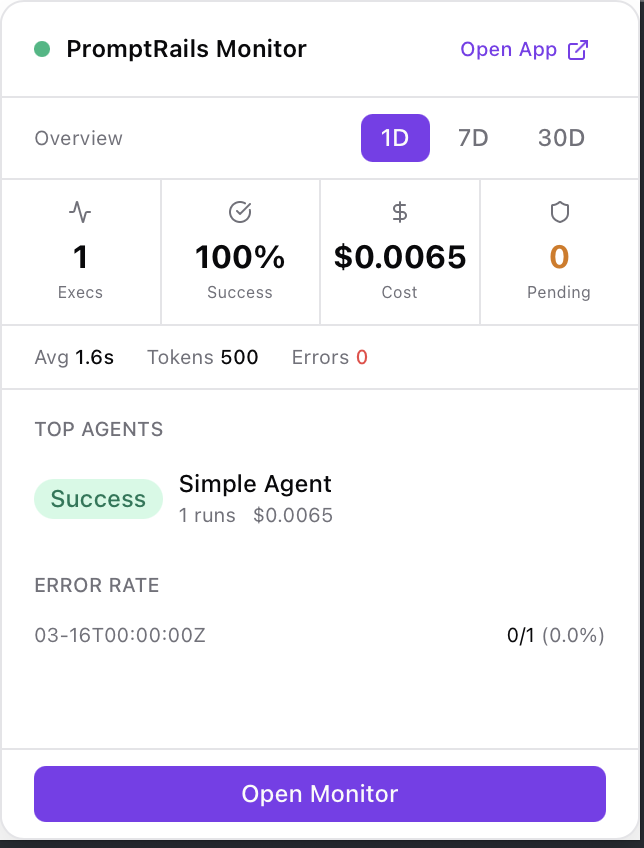 ### Execution Feed
Browse all agent executions with status badges, duration, cost, and timestamps. Filter by status and scroll to load more.
### Execution Feed
Browse all agent executions with status badges, duration, cost, and timestamps. Filter by status and scroll to load more.
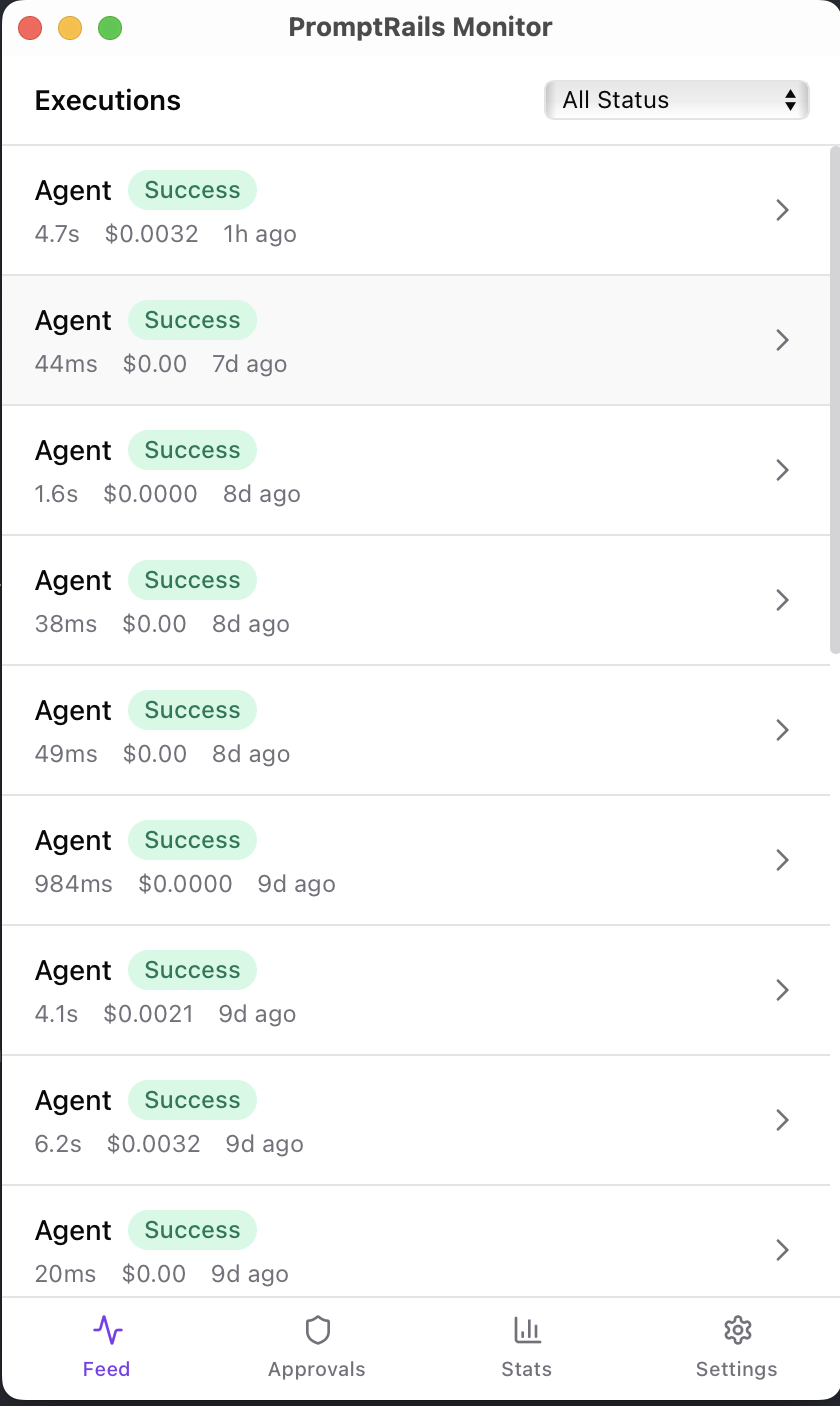 ### Stats Dashboard
View execution counts, success rates, total cost, and average duration. See executions-by-day charts and top agents breakdown. Switch between 1D, 7D, and 30D periods.
### Stats Dashboard
View execution counts, success rates, total cost, and average duration. See executions-by-day charts and top agents breakdown. Switch between 1D, 7D, and 30D periods.
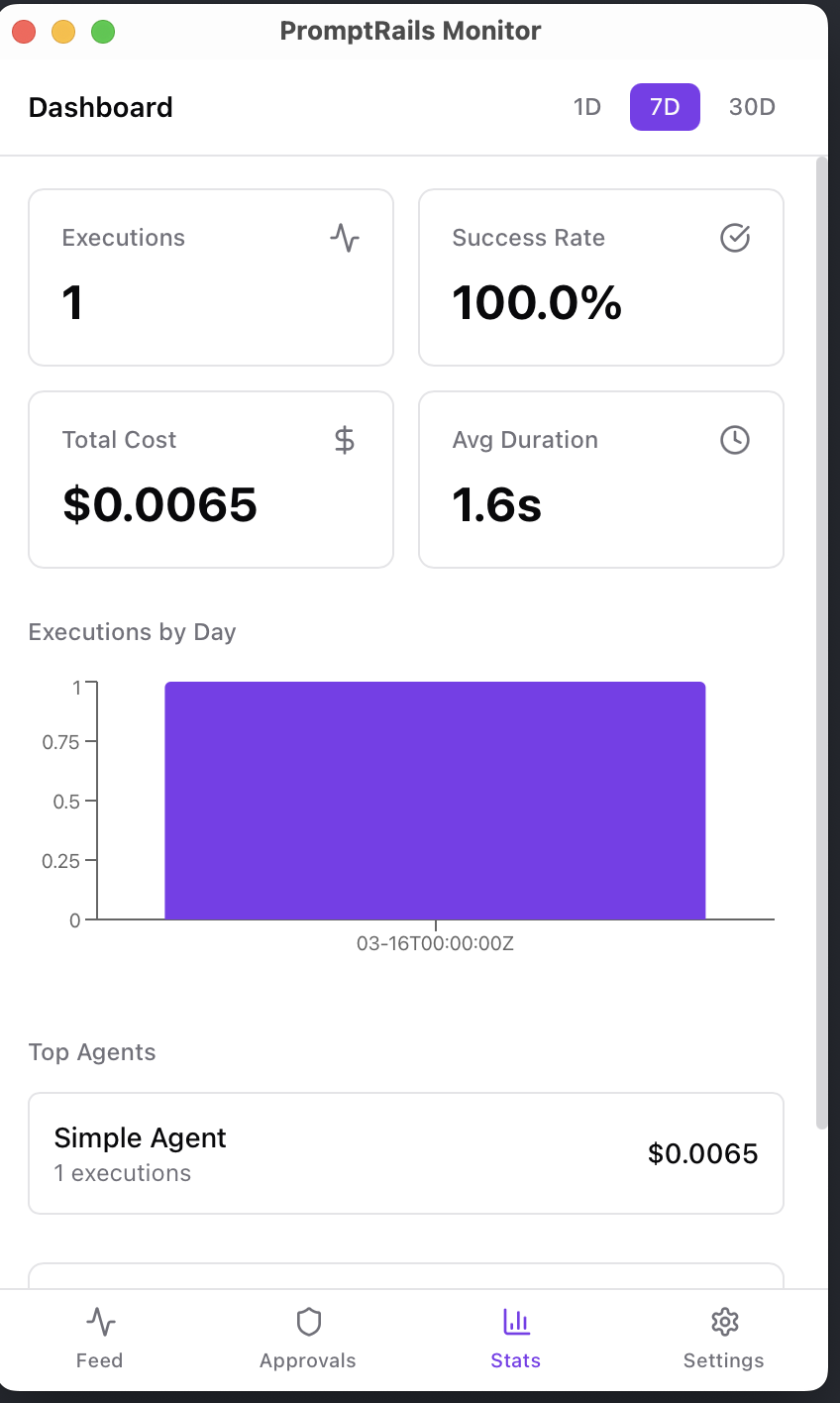 ### Approvals
Review pending human-in-the-loop approvals. See checkpoint names, payload data, and approve or reject with an optional reason.
### Approvals
Review pending human-in-the-loop approvals. See checkpoint names, payload data, and approve or reject with an optional reason.
 ### Settings
Configure polling interval (1–10 minutes), toggle notifications for approvals and failures, and disconnect to switch API keys.
### Settings
Configure polling interval (1–10 minutes), toggle notifications for approvals and failures, and disconnect to switch API keys.
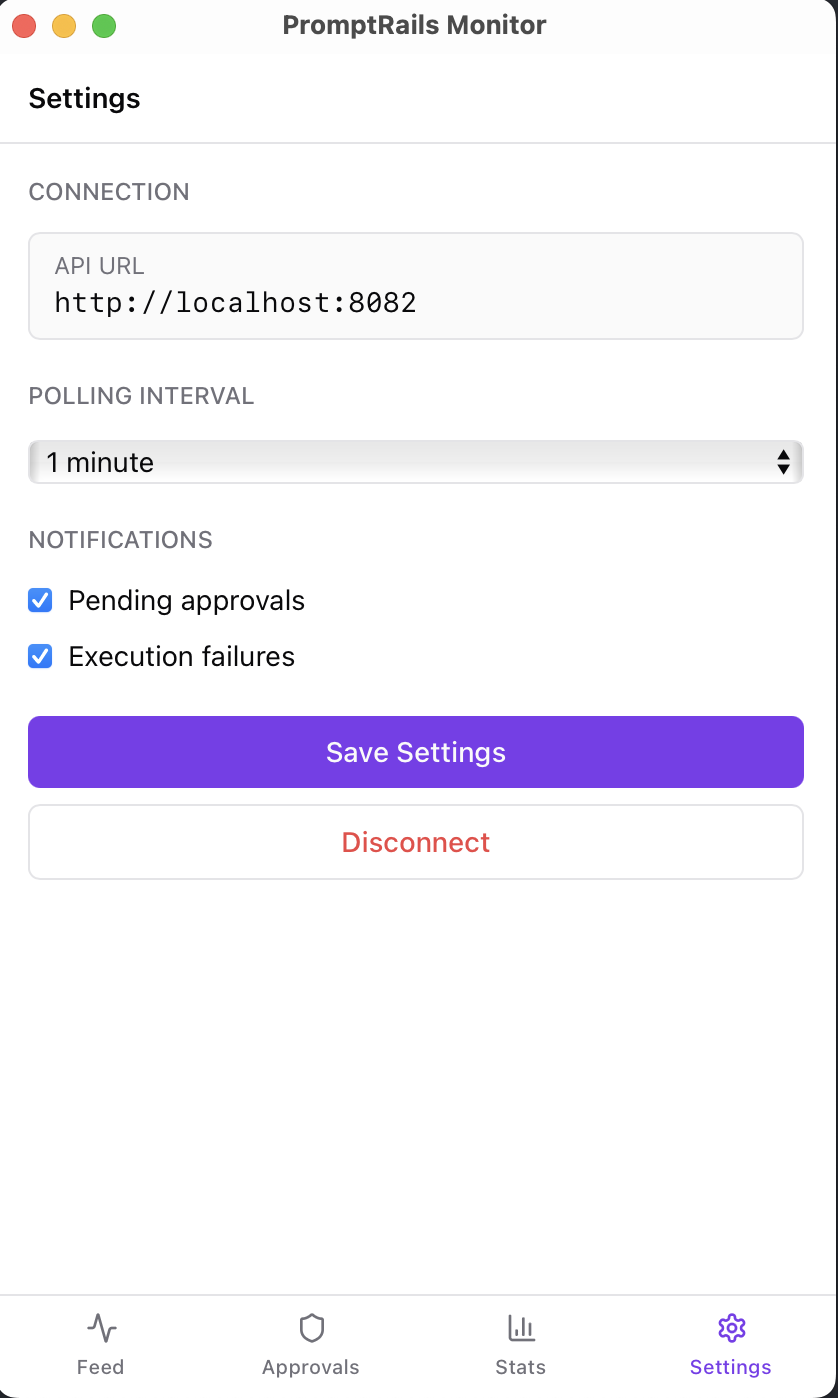 ## Installation
### Homebrew (macOS)
```bash
brew install --cask promptrails/tap/promptrails-monitor
```
### Direct Download
Download the latest release for your platform:
| Platform | Format |
| --------------------- | -------------------- |
| macOS (Apple Silicon) | `.dmg` |
| macOS (Intel) | `.dmg` |
| Windows | `.msi` / `.exe` |
| Linux | `.AppImage` / `.deb` |
[Download from GitHub Releases →](https://github.com/promptrails/desktop/releases)
### Build from Source
```bash
# Prerequisites: Node.js 18+, Rust 1.77+, pnpm 10+
git clone https://github.com/promptrails/desktop.git
cd desktop
pnpm install
pnpm tauri build
```
## Setup
1. Launch PromptRails Monitor
2. Enter your API key (`pr_...`)
3. Click **Connect**
The API key is stored securely via the OS keychain. By default, the app connects to `https://api.promptrails.ai`. For self-hosted instances, click **Show advanced options** and enter your API URL.
You can create an API key from the PromptRails dashboard under **Settings → API Keys**. See [API Keys and Scopes](/docs/api-keys-and-scopes) for details.
## Usage
### System Tray
The app lives in your system tray:
- **Left-click** — Opens a quick overview panel with stats, pending approvals, and top agents
- **Right-click** — Context menu with "Open Monitor" and "Quit"
### Notifications
The app sends native OS notifications for:
- **New pending approvals** — When a human-in-the-loop checkpoint is triggered
- **Execution failures** — When an agent execution fails
Both can be toggled on/off in Settings.
### Polling
The app polls the API at a configurable interval (default: 1 minute). Available options: 1 min, 2 min, 5 min, 10 min. Adjust in Settings.
### Disconnect
To switch API keys or instances, go to **Settings → Disconnect**. This clears stored credentials and returns to the setup screen.
## Tech Stack
Built with [Tauri v2](https://v2.tauri.app/) for a lightweight native shell (~10MB), React 18 + Vite for the frontend, and [@promptrails/sdk](https://www.npmjs.com/package/@promptrails/sdk) for API communication.
---
# API Reference
Source: https://docs.promptrails.ai/rest-api-reference
> Use the interactive API reference when you need exact endpoints, request shapes, and response fields.
# API Reference
PromptRails provides a comprehensive REST API for managing agents, prompts, executions, and all platform resources.
## Interactive Documentation
Our API documentation is powered by Scalar and includes the full OpenAPI specification with request/response examples, authentication flows, and live testing capabilities.
## Base URL
The API base URL depends on your deployment:
- **Cloud**: `https://api.promptrails.ai`
All API endpoints are prefixed with `/api/v1/`.
## Authentication
### API Key Authentication
Include your API key in the `X-API-Key` header:
```bash
curl -H "X-API-Key: pr_live_abc123..." \
https://api.promptrails.ai/api/v1/agents
```
### JWT Authentication
For user-based authentication (dashboard, frontend), include the JWT token in the `Authorization` header:
```bash
curl -H "Authorization: Bearer eyJhbGciOiJIUzI1NiIs..." \
https://api.promptrails.ai/api/v1/agents
```
### Workspace Header
Most endpoints require a workspace context. Include the `X-Workspace-ID` header:
```bash
curl -H "X-API-Key: pr_live_abc123..." \
-H "X-Workspace-ID: 2NxAbc123def456ghi789jkl" \
https://api.promptrails.ai/api/v1/agents
```
When using an API key, the workspace is inferred from the key's workspace if not explicitly provided.
## Request Format
All request bodies must be JSON with `Content-Type: application/json`:
```bash
curl -X POST https://api.promptrails.ai/api/v1/agents \
-H "X-API-Key: pr_live_abc123..." \
-H "Content-Type: application/json" \
-d '{
"name": "My Agent",
"type": "simple",
"description": "A simple agent"
}'
```
## Response Format
All responses use a standard JSON envelope:
### Success Response
```json
{
"data": {
"id": "2NxAbc123def456ghi789jkl",
"name": "My Agent",
"type": "simple",
"status": "active",
"created_at": "2024-01-15T10:30:00Z"
},
"message": "Agent created successfully"
}
```
### List Response
```json
{
"data": [
{ "id": "...", "name": "Agent 1" },
{ "id": "...", "name": "Agent 2" }
],
"message": "",
"pagination": {
"page": 1,
"limit": 20,
"total": 42,
"total_pages": 3
}
}
```
### Error Response
```json
{
"data": null,
"error": "Agent not found",
"message": "The requested agent does not exist"
}
```
## Streaming (Server-Sent Events)
Two endpoints stream agent execution events over SSE. Set
`Accept: text/event-stream` on the request; the server emits frames in
the canonical `event: \ndata: \n\n` format.
| Endpoint | Method | Purpose |
| --------------------------------------------------- | ------ | ------------------------------------------------------------------ |
| `/api/v1/chat/sessions/{sessionId}/messages/stream` | POST | Post a chat message and stream the run in one request. |
| `/api/v1/executions/{executionId}/stream` | GET | Subscribe to an execution started elsewhere (polling replacement). |
### Event types
| Event | Payload | Emitted when |
| ------------ | ----------------------------------- | ---------------------------------------------------- |
| `execution` | `{ execution_id, user_message_id }` | First frame of a chat stream. Correlate with traces. |
| `thinking` | `{ content }` | Intermediate reasoning between tool rounds. |
| `tool_start` | `{ id, name }` | A tool is about to execute. |
| `tool_end` | `{ id, name, summary }` | A tool finished. `summary` is short display text. |
| `content` | `{ content }` | Delta of the final assistant response. |
| `done` | `{ output, token_usage, time }` | Terminal. Full output and token accounting. |
| `error` | `{ message }` | Terminal. Surfaces a server-side error. |
Each of the three official SDKs exposes typed wrappers — see the
[JavaScript](/docs/javascript-sdk#stream-a-chat-turn),
[Python](/docs/python-sdk#stream-a-chat-turn), and
[Go](/docs/go-sdk#stream-a-chat-turn) guides. Unknown event names are
safe to ignore so older clients keep working as new frames are added.
## Pagination
List endpoints support pagination via query parameters:
| Parameter | Default | Description |
| --------- | ------- | --------------------------------------- |
| `page` | 1 | Page number (1-based) |
| `limit` | 20 | Items per page (max varies by endpoint) |
```bash
GET /api/v1/agents?page=2&limit=10
```
## Error Codes
| HTTP Status | Description |
| ----------- | ----------------------------------------------------- |
| `400` | Bad Request -- Invalid parameters or request body |
| `401` | Unauthorized -- Missing or invalid authentication |
| `402` | Payment Required -- Plan limit exceeded |
| `403` | Forbidden -- Insufficient permissions |
| `404` | Not Found -- Resource does not exist |
| `409` | Conflict -- Resource already exists or state conflict |
| `422` | Unprocessable Entity -- Validation error |
| `429` | Too Many Requests -- Rate limit exceeded |
| `500` | Internal Server Error -- Server-side error |
## Related Topics
- [API Keys & Scopes](/docs/api-keys-and-scopes) -- Authentication setup
- [Python SDK](/docs/python-sdk) -- Python client library
- [JavaScript SDK](/docs/javascript-sdk) -- JavaScript client library
---
# Workspace Management
Source: https://docs.promptrails.ai/workspace-management
> Organize resources, environments, credentials, billing, and team access with separate workspaces.
# Workspace Management
Workspaces are the top-level container in PromptRails. Every resource -- agents, prompts, data sources, tools, credentials, executions, traces, API keys, billing records, and team members -- belongs to one workspace.
Use separate workspaces when you need isolated environments, teams, credentials, or billing. A staging workspace and a production workspace cannot accidentally share credentials or traces.
## When To Split Workspaces
Use one workspace when a team shares the same agents, credentials, traces, and billing owner. Split into separate workspaces when isolation matters:
- **Environment isolation** -- Keep staging traces, credentials, API keys, and test agents away from production.
- **Team isolation** -- Give separate teams their own resources and member lists.
- **Billing isolation** -- Track usage, invoices, and hosted-model balance separately.
- **Security isolation** -- Prevent credentials or data sources from being reused across unrelated products.
## Admin Surfaces
Most workspace administration lives under **Settings**. The important areas are:
| Area | Use it for |
| ------------- | -------------------------------------------------------------------------- |
| Members | Invite teammates, review access, and remove users who no longer need entry |
| Credentials | Store provider keys, database connections, and tool secrets |
| API Keys | Create scoped keys for SDKs, CLI, triggers, and external services |
| Notifications | Route workspace events to Slack or webhook destinations |
| Data Masking | Control outbound PII masking and masking overrides |
| Changelog | Review workspace-level created, updated, and deleted resources |
| Billing | Manage plan, invoices, hosted-model balance, and usage |
## Creating Workspaces
Create a workspace through the PromptRails dashboard:
1. Open the workspace switcher.
2. Select **Create Workspace**.
3. Enter the workspace name and slug.
4. Confirm creation.
When a user creates a workspace, they automatically become the **owner** of that workspace.
## Workspace Changelog
Settings > Changelog is the workspace audit trail. Use it when you need to understand what changed in a workspace, who or what made the change, and which resource was affected.
Use this view during reviews, incident follow-up, or handoffs between admins. It is different from the public [product changelog](/docs/changelog), which summarizes PromptRails releases.
## Workspace Slug
Each workspace has a unique slug:
- Must be lowercase alphanumeric with hyphens
- Must be unique across the platform
Example slug:
```text
my-company-staging
```
## Workspace Settings
Update workspace settings from **Settings**. The workspace name appears in navigation, invitations, and billing records. The slug is stable for links and cannot be changed after creation.
## Workspace Scope
All resources in PromptRails are workspace-scoped:
| Resource | Workspace-Scoped |
| -------------- | ---------------- |
| Agents | Yes |
| Prompts | Yes |
| Credentials | Yes |
| Data Sources | Yes |
| MCP Tools | Yes |
| Executions | Yes |
| Traces | Yes |
| Chat Sessions | Yes |
| Memories | Yes |
| Scores | Yes |
| Guardrails | Yes (via agent) |
| API Keys | Yes |
| Agent Triggers | Yes |
| Approvals | Yes |
| Apps | Yes |
This means resources in one workspace are completely isolated from another workspace. A credential in workspace A cannot be used by an agent in workspace B.
## Plans and Limits
Each workspace is associated with a billing plan that defines resource limits:
- Maximum number of monthly executions
- Maximum number of active agents
- Maximum number of team members
- Maximum number of data sources
- Feature flags (memory, approvals, MCP, etc.)
See [Billing and Plans](/docs/billing-and-plans) for details.
## Related Topics
- [Team and Roles](/docs/team-and-roles) -- Managing workspace members
- [Notifications](/docs/notifications) -- Routing workspace events to Slack or webhooks
- [Changelog](/docs/changelog) -- Product releases and the in-app workspace activity log
- [Billing and Plans](/docs/billing-and-plans) -- Workspace billing configuration
- [API Keys and Scopes](/docs/api-keys-and-scopes) -- Workspace-scoped API keys
---
# Team and Roles
Source: https://docs.promptrails.ai/team-and-roles
> Invite teammates and choose the right workspace role for owners, admins, and regular users.
# Team and Roles
PromptRails provides role-based access control (RBAC) for workspace team management. Each workspace member is assigned a role that determines their permissions.
## Role Hierarchy
PromptRails defines three workspace roles with a clear hierarchy:
```
Owner > Admin > User
```
### Owner
The workspace owner has full control over all resources and settings. There is exactly one owner per workspace (the user who created it).
| Permission | Allowed |
| -------------------------------------------- | ------- |
| Manage all resources (agents, prompts, etc.) | Yes |
| Manage credentials | Yes |
| Manage API keys | Yes |
| Manage team members | Yes |
| Change member roles | Yes |
| Transfer ownership | Yes |
| Delete the workspace | Yes |
| Manage billing and plans | Yes |
### Admin
Admins have broad permissions but cannot perform destructive workspace-level operations.
| Permission | Allowed |
| -------------------------------------------- | ------- |
| Manage all resources (agents, prompts, etc.) | Yes |
| Manage credentials | Yes |
| Manage API keys | Yes |
| Manage team members | Yes |
| Change member roles (below their level) | Yes |
| Transfer ownership | No |
| Delete the workspace | No |
| Manage billing and plans | Yes |
### User
Users can work with resources but have limited administrative access.
| Permission | Allowed |
| ------------------------------------- | ------- |
| View and execute agents | Yes |
| View and execute prompts | Yes |
| View executions and traces | Yes |
| Create and manage their own resources | Yes |
| Manage credentials | No |
| Manage API keys | No |
| Manage team members | No |
| Manage billing | No |
## Adding Members
Invite new members from the workspace settings in the PromptRails dashboard. Owners and admins can enter the user's email address and assign a role during the invitation flow.
The invited user receives an email with an invitation link. Once accepted, they are added to the workspace with the specified role.
## Invitation Flow
1. **Owner/Admin sends invitation** -- Specifies email and role
2. **Invitation email sent** -- Contains a unique invitation link
3. **User accepts** -- Clicks the link and creates an account (if new) or logs in
4. **Member added** -- User is added to the workspace with the assigned role
### Invitation Statuses
| Status | Description |
| ---------- | ------------------------------------------ |
| `pending` | Invitation sent, awaiting acceptance |
| `accepted` | User accepted the invitation |
| `revoked` | Invitation was cancelled before acceptance |
## Removing Members
Remove members from the workspace settings screen in the dashboard.
Removing a member revokes their access immediately. Their previously created resources remain in the workspace.
## Changing Roles
Change member roles from the same team management screen in the dashboard.
Role changes take effect immediately for all subsequent requests.
## API Key Auth vs User Auth
PromptRails supports two authentication methods:
### User Authentication (JWT)
- Used by the dashboard (frontend)
- Authenticated via email/password login
- Permissions based on workspace role
- Session-based with access + refresh tokens
### API Key Authentication
- Used by SDKs, CLI, and integrations
- Authenticated via `X-API-Key` header
- Permissions based on API key scopes (not user roles)
- Workspace-scoped (each key belongs to one workspace)
API keys provide more granular control than roles. A user with the "owner" role might create an API key with only `agents:read` scope for a specific integration.
## System Roles
In addition to workspace roles, PromptRails has system-level roles:
| Role | Description |
| ------- | --------------------------------------------- |
| `admin` | Platform administrator (access to backoffice) |
| `user` | Regular platform user |
System roles are separate from workspace roles. A user can be a system `user` but a workspace `owner`.
## Plan Limits
Team member counts are subject to plan limits:
| Plan | Max Team Members |
| ---------- | ---------------- |
| Free | 1 |
| Starter | 3 |
| Pro | 10 |
| Enterprise | Unlimited |
Attempting to add members beyond the plan limit returns a `402 Payment Required` error.
## Related Topics
- [Workspace Management](/docs/workspace-management) -- Workspace creation and settings
- [API Keys and Scopes](/docs/api-keys-and-scopes) -- API key permissions
- [Security](/docs/security) -- Authentication and authorization
- [Billing and Plans](/docs/billing-and-plans) -- Team member limits
---
# Notifications
Source: https://docs.promptrails.ai/notifications
> Send important workspace events to Slack channels or webhook endpoints before teams miss them.
# Notifications
Notifications help a workspace route operational events to the people and systems that need to react. Use them for failed executions, usage limits, billing issues, and team-access changes.
## When To Use Notifications
Set up notifications when a human or downstream system should know about a workspace event without checking PromptRails manually.
- **Execution health** -- notify an owner when an agent execution fails.
- **Usage limits** -- warn the team when the workspace reaches usage thresholds.
- **Billing events** -- route failed payments to the person who can fix them.
- **Team access** -- keep admins aware when members join or leave.
## Channels
A notification channel is one destination for one environment or team. For example, you might create:
- A production Slack channel for failed executions.
- A billing webhook for payment failures.
- An internal operations endpoint for usage-limit events.
Leave the event selection empty when the channel should receive every event. Select specific event families when a destination should only receive part of the stream.
## Delivery Health
After creating a channel, use **Test** to verify the endpoint. PromptRails keeps recent delivery attempts visible so failures can be debugged from the workspace instead of guessing whether a webhook or Slack destination received the event.
## Common Routing Examples
Start with a small number of channels. A typical production workspace might use:
| Destination | Events | Why it helps |
| ------------------- | ------------------------------------------- | ---------------------------------------------------- |
| Operations Slack | Execution failed, usage 80%, usage limit | Keeps run health and capacity issues visible |
| Billing owner | Payment failed | Sends money-related issues to the person who can act |
| Admin audit webhook | Member joined, member removed | Mirrors access changes into an internal audit system |
| Review queue | Approval or execution events from workflows | Keeps human-in-the-loop work from getting stuck |
Webhook channels can include an optional signing secret. Use it when the receiving service needs to verify that the request came from PromptRails.
Delivery attempts are scoped to the workspace. Disabled channels keep their configuration, but they do not receive new events until they are enabled again.
## Related Topics
- [Approvals](/docs/approvals) -- Notify reviewers when work is waiting for human review
- [Executions](/docs/executions) -- Execution states that can produce operational events
- [Billing and Plans](/docs/billing-and-plans) -- Usage limits, plan limits, and billing events
- [Workspace Management](/docs/workspace-management) -- Workspace-level settings and isolation
---
# Billing and Plans
Source: https://docs.promptrails.ai/billing-and-plans
> Understand plan limits, paid features, trace packs, invoices, and what changes when a workspace upgrades or downgrades.
# Billing and Plans
Billing answers two practical questions: what can this workspace use, and what will it cost as usage grows? Plans control feature access and included trace volume. Trace packs and invoices help teams handle bursts without losing visibility into usage.
Use this page to decide which plan fits a workspace, understand what changes on upgrade or downgrade, and explain usage to finance or operations.
Billing has two related but separate views:
- **Plan billing** controls workspace features, limits, invoices, and trace capacity.
- **Hosted-model balance** covers PromptRails-hosted model usage through the [LLM Gateway](/docs/llm-gateway), including free allowances and balance transactions.
## Plan Tiers
### Free -- $0/forever
The free tier is designed for experimentation and development.
| Limit | Value |
| ---------------- | ---------- |
| Monthly Traces | 500 |
| Team Members | 1 |
| Active Agents | 3 |
| Data Sources | 1 (static) |
| Notifications | No |
| **Features** | |
| Basic analytics | Yes |
| MCP Tools | No |
| Memory | No |
| Approvals | No |
| Guardrails | No |
| Webhooks | No |
| Analytics Export | No |
### Starter -- $49/mo
For small teams getting started with AI agents.
| Limit | Value |
| --------------------- | ----------- |
| Monthly Traces | 10,000 |
| Team Members | 5 |
| Active Agents | 15 |
| Data Sources | 5 |
| Notification Channels | 2 (Webhook) |
| Analytics History | 30 days |
| **Features** | |
| API Access | Yes |
| MCP Tools | Yes |
| Memory | Yes |
| Approvals | No |
| Guardrails | Yes |
| Webhooks | Yes |
| Analytics Export | No |
### Pro -- $199/mo
For growing teams with production workloads.
| Limit | Value |
| --------------------- | -------------------- |
| Monthly Traces | 100,000 |
| Team Members | 20 |
| Active Agents | 50 |
| Data Sources | 25 |
| Notification Channels | 10 (Webhook + Slack) |
| Analytics History | 90 days |
| **Features** | |
| MCP Access | Yes |
| All Memory Types | Yes |
| LLM Judge Evaluations | Yes |
| Approvals | Yes |
| Guardrails | Yes |
| Webhooks | Yes |
| Analytics Export | Yes |
| SSO | No |
| Audit Log | Yes |
### Enterprise -- $699/mo
For organizations running production AI at scale with dedicated support.
| Limit | Value |
| --------------------- | --------- |
| Monthly Traces | 1,000,000 |
| Team Members | Unlimited |
| Active Agents | Unlimited |
| Data Sources | Unlimited |
| Notification Channels | Unlimited |
| Analytics History | 1 year |
| **Features** | |
| All features | Yes |
| SSO & SAML | Yes |
| Custom Guardrails | Yes |
| Custom SLAs | Yes |
| Dedicated Support | Yes |
## Plan Limits
Plans enforce limits on the following resources:
| Resource | Description |
| ----------------------- | --------------------------------------------- |
| `monthly_traces` | Maximum traces (agent runs) per billing month |
| `team_members` | Maximum workspace team members |
| `active_agents` | Maximum active (non-archived) agents |
| `data_sources` | Maximum data sources |
| `notification_channels` | Maximum notification channels |
| `score_configs` | Maximum score configuration templates |
| `trace_retention_days` | How long traces are retained |
| `api_rate_limit` | API requests per minute |
When a limit is reached, the API returns a `402 Payment Required` error with a descriptive message.
## Feature Flags
Plans also control access to platform features:
| Feature | Description |
| ----------------------- | ----------------------------------------------------------- |
| `notifications_enabled` | Email and push notifications |
| `slack_enabled` | Slack integration |
| `webhook_enabled` | Webhook triggers |
| `memory_enabled` | Agent memory system |
| `approvals_enabled` | Human-in-the-loop approvals |
| `audit_log_enabled` | Audit logging |
| `mcp_enabled` | MCP tools |
| `analytics_export` | Export analytics data |
| `sso_enabled` | Single sign-on |
| `custom_guardrails` | Custom guardrail configurations |
| `masking_enabled` | [PII data masking](/docs/data-masking) (Pro and Enterprise) |
## Trace Packs
If you need more traces without upgrading your plan, you can purchase trace packs:
- Trace packs add a fixed number of traces to your monthly quota
- Packs are one-time purchases (not recurring)
- Unused pack traces expire at the end of the billing period
```
Plan limit: 5,000 traces/month
+ Trace pack: 10,000 traces
= Total available: 15,000 traces this month
```
## Stripe Integration
PromptRails uses Stripe for payment processing:
- **Subscriptions** -- Monthly or annual recurring billing
- **Trace packs** -- One-time purchases
- **Invoices** -- Automatically generated and available in the dashboard
- **Webhooks** -- Stripe events are processed for subscription lifecycle management
### Subscription Lifecycle
```
Create -> Active -> (renewal) -> Active
-> (cancel) -> Canceled at period end
-> (payment failed) -> Past due -> (retry) -> Active
```
## Invoices
View billing history and invoices:
```
Dashboard > Settings > Billing > Invoices
```
Each invoice includes:
- Plan charges
- Trace pack purchases
- Payment status
- Download link (PDF)
## Custom Plans
Enterprise customers can have custom plans with:
- Custom trace limits
- Custom feature configurations
- Custom pricing
- Workspace-specific plan assignment
Contact our sales team for custom plan configuration.
## Related Topics
- [Workspace Management](/docs/workspace-management) -- Workspace-level billing
- [LLM Gateway](/docs/llm-gateway) -- Hosted model balance and free usage allowances
- [Team and Roles](/docs/team-and-roles) -- Team member limits
- [Cost Tracking](/docs/cost-tracking) -- LLM cost monitoring (separate from platform billing)
---
# Security
Source: https://docs.promptrails.ai/security
> Understand how PromptRails protects credentials, users, API keys, workspace access, and data in transit.
# Security
Security in PromptRails is about keeping workspace access, credentials, API keys, and agent data under control. This page explains the safeguards a team should review before connecting production systems.
Start here when a security reviewer asks how secrets are stored, who can access workspace resources, or how API access is limited.
## Encryption
### At Rest
- **Credentials** are encrypted before storage and never exposed in API responses.
- **Passwords** are securely hashed to prevent brute-force attacks.
- **Webhook trigger tokens** are encrypted before storage.
- **PIN codes** for Agent UI deployments are hashed.
### In Transit
- All API communication is encrypted via TLS.
- WebSocket connections use secure WebSocket (WSS).
## Authentication
### User Authentication
User authentication uses short-lived access tokens and refresh tokens. Multi-factor authentication (TOTP) is supported and can be enforced at the workspace level.
### API Key Authentication
API keys provide programmatic access:
- Keys are cryptographically generated
- Only a hash is stored — the raw key is shown once at creation time
- Keys are validated on every request
## API Key Security
### Scopes
API keys support fine-grained scopes that follow the principle of least privilege. Always grant the minimum scopes needed for each integration. See [API Keys & Scopes](/docs/api-keys-and-scopes) for the full list.
### IP Restrictions
API keys can be restricted to specific IP addresses or CIDR ranges from the PromptRails dashboard when you create or edit a key.
Requests from non-allowed IPs are rejected with `403 Forbidden`.
### CORS Origin Restrictions
For browser-based applications, API keys can restrict which origins are allowed by configuring an origin allowlist in the dashboard.
### Key Expiration
Set expiration dates on API keys to enforce rotation:
## Rate Limiting
PromptRails applies rate limiting to protect against abuse. Limits vary by endpoint and plan.
## Authorization
### Workspace Isolation
All resources are workspace-scoped. Users can only access resources within workspaces they are members of. There is no cross-workspace data access.
### Role-Based Access Control
Three workspace roles control user permissions:
| Role | Level |
| ----- | ------------------------------------------ |
| Owner | Full control, including workspace deletion |
| Admin | Resource and team management |
| User | Resource usage with limited management |
### Credential Masking
Credential values are never returned in API responses. Only a masked version is shown:
```
sk-proj-abc...xyz9
```
The full value is only available at creation time and is encrypted immediately.
## Data Retention
Deleted resources are retained for recovery and audit purposes. Historical references remain valid, and audit trails are preserved.
## Best Practices
- Use API keys with the minimum required scopes
- Set IP restrictions on production API keys
- Enable MFA for all team members
- Set key expiration dates and rotate regularly
- Use CORS restrictions for browser-based integrations
## Reporting Vulnerabilities
If you discover a security vulnerability, please report it to [security@promptrails.ai](mailto:security@promptrails.ai).
## Related Topics
- [API Keys and Scopes](/docs/api-keys-and-scopes) -- Detailed API key management
- [Credentials](/docs/credentials) -- Credential management
- [Team and Roles](/docs/team-and-roles) -- Access control
---
## Installation
### Homebrew (macOS)
```bash
brew install --cask promptrails/tap/promptrails-monitor
```
### Direct Download
Download the latest release for your platform:
| Platform | Format |
| --------------------- | -------------------- |
| macOS (Apple Silicon) | `.dmg` |
| macOS (Intel) | `.dmg` |
| Windows | `.msi` / `.exe` |
| Linux | `.AppImage` / `.deb` |
[Download from GitHub Releases →](https://github.com/promptrails/desktop/releases)
### Build from Source
```bash
# Prerequisites: Node.js 18+, Rust 1.77+, pnpm 10+
git clone https://github.com/promptrails/desktop.git
cd desktop
pnpm install
pnpm tauri build
```
## Setup
1. Launch PromptRails Monitor
2. Enter your API key (`pr_...`)
3. Click **Connect**
The API key is stored securely via the OS keychain. By default, the app connects to `https://api.promptrails.ai`. For self-hosted instances, click **Show advanced options** and enter your API URL.
You can create an API key from the PromptRails dashboard under **Settings → API Keys**. See [API Keys and Scopes](/docs/api-keys-and-scopes) for details.
## Usage
### System Tray
The app lives in your system tray:
- **Left-click** — Opens a quick overview panel with stats, pending approvals, and top agents
- **Right-click** — Context menu with "Open Monitor" and "Quit"
### Notifications
The app sends native OS notifications for:
- **New pending approvals** — When a human-in-the-loop checkpoint is triggered
- **Execution failures** — When an agent execution fails
Both can be toggled on/off in Settings.
### Polling
The app polls the API at a configurable interval (default: 1 minute). Available options: 1 min, 2 min, 5 min, 10 min. Adjust in Settings.
### Disconnect
To switch API keys or instances, go to **Settings → Disconnect**. This clears stored credentials and returns to the setup screen.
## Tech Stack
Built with [Tauri v2](https://v2.tauri.app/) for a lightweight native shell (~10MB), React 18 + Vite for the frontend, and [@promptrails/sdk](https://www.npmjs.com/package/@promptrails/sdk) for API communication.
---
# API Reference
Source: https://docs.promptrails.ai/rest-api-reference
> Use the interactive API reference when you need exact endpoints, request shapes, and response fields.
# API Reference
PromptRails provides a comprehensive REST API for managing agents, prompts, executions, and all platform resources.
## Interactive Documentation
Our API documentation is powered by Scalar and includes the full OpenAPI specification with request/response examples, authentication flows, and live testing capabilities.
## Base URL
The API base URL depends on your deployment:
- **Cloud**: `https://api.promptrails.ai`
All API endpoints are prefixed with `/api/v1/`.
## Authentication
### API Key Authentication
Include your API key in the `X-API-Key` header:
```bash
curl -H "X-API-Key: pr_live_abc123..." \
https://api.promptrails.ai/api/v1/agents
```
### JWT Authentication
For user-based authentication (dashboard, frontend), include the JWT token in the `Authorization` header:
```bash
curl -H "Authorization: Bearer eyJhbGciOiJIUzI1NiIs..." \
https://api.promptrails.ai/api/v1/agents
```
### Workspace Header
Most endpoints require a workspace context. Include the `X-Workspace-ID` header:
```bash
curl -H "X-API-Key: pr_live_abc123..." \
-H "X-Workspace-ID: 2NxAbc123def456ghi789jkl" \
https://api.promptrails.ai/api/v1/agents
```
When using an API key, the workspace is inferred from the key's workspace if not explicitly provided.
## Request Format
All request bodies must be JSON with `Content-Type: application/json`:
```bash
curl -X POST https://api.promptrails.ai/api/v1/agents \
-H "X-API-Key: pr_live_abc123..." \
-H "Content-Type: application/json" \
-d '{
"name": "My Agent",
"type": "simple",
"description": "A simple agent"
}'
```
## Response Format
All responses use a standard JSON envelope:
### Success Response
```json
{
"data": {
"id": "2NxAbc123def456ghi789jkl",
"name": "My Agent",
"type": "simple",
"status": "active",
"created_at": "2024-01-15T10:30:00Z"
},
"message": "Agent created successfully"
}
```
### List Response
```json
{
"data": [
{ "id": "...", "name": "Agent 1" },
{ "id": "...", "name": "Agent 2" }
],
"message": "",
"pagination": {
"page": 1,
"limit": 20,
"total": 42,
"total_pages": 3
}
}
```
### Error Response
```json
{
"data": null,
"error": "Agent not found",
"message": "The requested agent does not exist"
}
```
## Streaming (Server-Sent Events)
Two endpoints stream agent execution events over SSE. Set
`Accept: text/event-stream` on the request; the server emits frames in
the canonical `event: \ndata: \n\n` format.
| Endpoint | Method | Purpose |
| --------------------------------------------------- | ------ | ------------------------------------------------------------------ |
| `/api/v1/chat/sessions/{sessionId}/messages/stream` | POST | Post a chat message and stream the run in one request. |
| `/api/v1/executions/{executionId}/stream` | GET | Subscribe to an execution started elsewhere (polling replacement). |
### Event types
| Event | Payload | Emitted when |
| ------------ | ----------------------------------- | ---------------------------------------------------- |
| `execution` | `{ execution_id, user_message_id }` | First frame of a chat stream. Correlate with traces. |
| `thinking` | `{ content }` | Intermediate reasoning between tool rounds. |
| `tool_start` | `{ id, name }` | A tool is about to execute. |
| `tool_end` | `{ id, name, summary }` | A tool finished. `summary` is short display text. |
| `content` | `{ content }` | Delta of the final assistant response. |
| `done` | `{ output, token_usage, time }` | Terminal. Full output and token accounting. |
| `error` | `{ message }` | Terminal. Surfaces a server-side error. |
Each of the three official SDKs exposes typed wrappers — see the
[JavaScript](/docs/javascript-sdk#stream-a-chat-turn),
[Python](/docs/python-sdk#stream-a-chat-turn), and
[Go](/docs/go-sdk#stream-a-chat-turn) guides. Unknown event names are
safe to ignore so older clients keep working as new frames are added.
## Pagination
List endpoints support pagination via query parameters:
| Parameter | Default | Description |
| --------- | ------- | --------------------------------------- |
| `page` | 1 | Page number (1-based) |
| `limit` | 20 | Items per page (max varies by endpoint) |
```bash
GET /api/v1/agents?page=2&limit=10
```
## Error Codes
| HTTP Status | Description |
| ----------- | ----------------------------------------------------- |
| `400` | Bad Request -- Invalid parameters or request body |
| `401` | Unauthorized -- Missing or invalid authentication |
| `402` | Payment Required -- Plan limit exceeded |
| `403` | Forbidden -- Insufficient permissions |
| `404` | Not Found -- Resource does not exist |
| `409` | Conflict -- Resource already exists or state conflict |
| `422` | Unprocessable Entity -- Validation error |
| `429` | Too Many Requests -- Rate limit exceeded |
| `500` | Internal Server Error -- Server-side error |
## Related Topics
- [API Keys & Scopes](/docs/api-keys-and-scopes) -- Authentication setup
- [Python SDK](/docs/python-sdk) -- Python client library
- [JavaScript SDK](/docs/javascript-sdk) -- JavaScript client library
---
# Workspace Management
Source: https://docs.promptrails.ai/workspace-management
> Organize resources, environments, credentials, billing, and team access with separate workspaces.
# Workspace Management
Workspaces are the top-level container in PromptRails. Every resource -- agents, prompts, data sources, tools, credentials, executions, traces, API keys, billing records, and team members -- belongs to one workspace.
Use separate workspaces when you need isolated environments, teams, credentials, or billing. A staging workspace and a production workspace cannot accidentally share credentials or traces.
## When To Split Workspaces
Use one workspace when a team shares the same agents, credentials, traces, and billing owner. Split into separate workspaces when isolation matters:
- **Environment isolation** -- Keep staging traces, credentials, API keys, and test agents away from production.
- **Team isolation** -- Give separate teams their own resources and member lists.
- **Billing isolation** -- Track usage, invoices, and hosted-model balance separately.
- **Security isolation** -- Prevent credentials or data sources from being reused across unrelated products.
## Admin Surfaces
Most workspace administration lives under **Settings**. The important areas are:
| Area | Use it for |
| ------------- | -------------------------------------------------------------------------- |
| Members | Invite teammates, review access, and remove users who no longer need entry |
| Credentials | Store provider keys, database connections, and tool secrets |
| API Keys | Create scoped keys for SDKs, CLI, triggers, and external services |
| Notifications | Route workspace events to Slack or webhook destinations |
| Data Masking | Control outbound PII masking and masking overrides |
| Changelog | Review workspace-level created, updated, and deleted resources |
| Billing | Manage plan, invoices, hosted-model balance, and usage |
## Creating Workspaces
Create a workspace through the PromptRails dashboard:
1. Open the workspace switcher.
2. Select **Create Workspace**.
3. Enter the workspace name and slug.
4. Confirm creation.
When a user creates a workspace, they automatically become the **owner** of that workspace.
## Workspace Changelog
Settings > Changelog is the workspace audit trail. Use it when you need to understand what changed in a workspace, who or what made the change, and which resource was affected.
Use this view during reviews, incident follow-up, or handoffs between admins. It is different from the public [product changelog](/docs/changelog), which summarizes PromptRails releases.
## Workspace Slug
Each workspace has a unique slug:
- Must be lowercase alphanumeric with hyphens
- Must be unique across the platform
Example slug:
```text
my-company-staging
```
## Workspace Settings
Update workspace settings from **Settings**. The workspace name appears in navigation, invitations, and billing records. The slug is stable for links and cannot be changed after creation.
## Workspace Scope
All resources in PromptRails are workspace-scoped:
| Resource | Workspace-Scoped |
| -------------- | ---------------- |
| Agents | Yes |
| Prompts | Yes |
| Credentials | Yes |
| Data Sources | Yes |
| MCP Tools | Yes |
| Executions | Yes |
| Traces | Yes |
| Chat Sessions | Yes |
| Memories | Yes |
| Scores | Yes |
| Guardrails | Yes (via agent) |
| API Keys | Yes |
| Agent Triggers | Yes |
| Approvals | Yes |
| Apps | Yes |
This means resources in one workspace are completely isolated from another workspace. A credential in workspace A cannot be used by an agent in workspace B.
## Plans and Limits
Each workspace is associated with a billing plan that defines resource limits:
- Maximum number of monthly executions
- Maximum number of active agents
- Maximum number of team members
- Maximum number of data sources
- Feature flags (memory, approvals, MCP, etc.)
See [Billing and Plans](/docs/billing-and-plans) for details.
## Related Topics
- [Team and Roles](/docs/team-and-roles) -- Managing workspace members
- [Notifications](/docs/notifications) -- Routing workspace events to Slack or webhooks
- [Changelog](/docs/changelog) -- Product releases and the in-app workspace activity log
- [Billing and Plans](/docs/billing-and-plans) -- Workspace billing configuration
- [API Keys and Scopes](/docs/api-keys-and-scopes) -- Workspace-scoped API keys
---
# Team and Roles
Source: https://docs.promptrails.ai/team-and-roles
> Invite teammates and choose the right workspace role for owners, admins, and regular users.
# Team and Roles
PromptRails provides role-based access control (RBAC) for workspace team management. Each workspace member is assigned a role that determines their permissions.
## Role Hierarchy
PromptRails defines three workspace roles with a clear hierarchy:
```
Owner > Admin > User
```
### Owner
The workspace owner has full control over all resources and settings. There is exactly one owner per workspace (the user who created it).
| Permission | Allowed |
| -------------------------------------------- | ------- |
| Manage all resources (agents, prompts, etc.) | Yes |
| Manage credentials | Yes |
| Manage API keys | Yes |
| Manage team members | Yes |
| Change member roles | Yes |
| Transfer ownership | Yes |
| Delete the workspace | Yes |
| Manage billing and plans | Yes |
### Admin
Admins have broad permissions but cannot perform destructive workspace-level operations.
| Permission | Allowed |
| -------------------------------------------- | ------- |
| Manage all resources (agents, prompts, etc.) | Yes |
| Manage credentials | Yes |
| Manage API keys | Yes |
| Manage team members | Yes |
| Change member roles (below their level) | Yes |
| Transfer ownership | No |
| Delete the workspace | No |
| Manage billing and plans | Yes |
### User
Users can work with resources but have limited administrative access.
| Permission | Allowed |
| ------------------------------------- | ------- |
| View and execute agents | Yes |
| View and execute prompts | Yes |
| View executions and traces | Yes |
| Create and manage their own resources | Yes |
| Manage credentials | No |
| Manage API keys | No |
| Manage team members | No |
| Manage billing | No |
## Adding Members
Invite new members from the workspace settings in the PromptRails dashboard. Owners and admins can enter the user's email address and assign a role during the invitation flow.
The invited user receives an email with an invitation link. Once accepted, they are added to the workspace with the specified role.
## Invitation Flow
1. **Owner/Admin sends invitation** -- Specifies email and role
2. **Invitation email sent** -- Contains a unique invitation link
3. **User accepts** -- Clicks the link and creates an account (if new) or logs in
4. **Member added** -- User is added to the workspace with the assigned role
### Invitation Statuses
| Status | Description |
| ---------- | ------------------------------------------ |
| `pending` | Invitation sent, awaiting acceptance |
| `accepted` | User accepted the invitation |
| `revoked` | Invitation was cancelled before acceptance |
## Removing Members
Remove members from the workspace settings screen in the dashboard.
Removing a member revokes their access immediately. Their previously created resources remain in the workspace.
## Changing Roles
Change member roles from the same team management screen in the dashboard.
Role changes take effect immediately for all subsequent requests.
## API Key Auth vs User Auth
PromptRails supports two authentication methods:
### User Authentication (JWT)
- Used by the dashboard (frontend)
- Authenticated via email/password login
- Permissions based on workspace role
- Session-based with access + refresh tokens
### API Key Authentication
- Used by SDKs, CLI, and integrations
- Authenticated via `X-API-Key` header
- Permissions based on API key scopes (not user roles)
- Workspace-scoped (each key belongs to one workspace)
API keys provide more granular control than roles. A user with the "owner" role might create an API key with only `agents:read` scope for a specific integration.
## System Roles
In addition to workspace roles, PromptRails has system-level roles:
| Role | Description |
| ------- | --------------------------------------------- |
| `admin` | Platform administrator (access to backoffice) |
| `user` | Regular platform user |
System roles are separate from workspace roles. A user can be a system `user` but a workspace `owner`.
## Plan Limits
Team member counts are subject to plan limits:
| Plan | Max Team Members |
| ---------- | ---------------- |
| Free | 1 |
| Starter | 3 |
| Pro | 10 |
| Enterprise | Unlimited |
Attempting to add members beyond the plan limit returns a `402 Payment Required` error.
## Related Topics
- [Workspace Management](/docs/workspace-management) -- Workspace creation and settings
- [API Keys and Scopes](/docs/api-keys-and-scopes) -- API key permissions
- [Security](/docs/security) -- Authentication and authorization
- [Billing and Plans](/docs/billing-and-plans) -- Team member limits
---
# Notifications
Source: https://docs.promptrails.ai/notifications
> Send important workspace events to Slack channels or webhook endpoints before teams miss them.
# Notifications
Notifications help a workspace route operational events to the people and systems that need to react. Use them for failed executions, usage limits, billing issues, and team-access changes.
## When To Use Notifications
Set up notifications when a human or downstream system should know about a workspace event without checking PromptRails manually.
- **Execution health** -- notify an owner when an agent execution fails.
- **Usage limits** -- warn the team when the workspace reaches usage thresholds.
- **Billing events** -- route failed payments to the person who can fix them.
- **Team access** -- keep admins aware when members join or leave.
## Channels
A notification channel is one destination for one environment or team. For example, you might create:
- A production Slack channel for failed executions.
- A billing webhook for payment failures.
- An internal operations endpoint for usage-limit events.
Leave the event selection empty when the channel should receive every event. Select specific event families when a destination should only receive part of the stream.
## Delivery Health
After creating a channel, use **Test** to verify the endpoint. PromptRails keeps recent delivery attempts visible so failures can be debugged from the workspace instead of guessing whether a webhook or Slack destination received the event.
## Common Routing Examples
Start with a small number of channels. A typical production workspace might use:
| Destination | Events | Why it helps |
| ------------------- | ------------------------------------------- | ---------------------------------------------------- |
| Operations Slack | Execution failed, usage 80%, usage limit | Keeps run health and capacity issues visible |
| Billing owner | Payment failed | Sends money-related issues to the person who can act |
| Admin audit webhook | Member joined, member removed | Mirrors access changes into an internal audit system |
| Review queue | Approval or execution events from workflows | Keeps human-in-the-loop work from getting stuck |
Webhook channels can include an optional signing secret. Use it when the receiving service needs to verify that the request came from PromptRails.
Delivery attempts are scoped to the workspace. Disabled channels keep their configuration, but they do not receive new events until they are enabled again.
## Related Topics
- [Approvals](/docs/approvals) -- Notify reviewers when work is waiting for human review
- [Executions](/docs/executions) -- Execution states that can produce operational events
- [Billing and Plans](/docs/billing-and-plans) -- Usage limits, plan limits, and billing events
- [Workspace Management](/docs/workspace-management) -- Workspace-level settings and isolation
---
# Billing and Plans
Source: https://docs.promptrails.ai/billing-and-plans
> Understand plan limits, paid features, trace packs, invoices, and what changes when a workspace upgrades or downgrades.
# Billing and Plans
Billing answers two practical questions: what can this workspace use, and what will it cost as usage grows? Plans control feature access and included trace volume. Trace packs and invoices help teams handle bursts without losing visibility into usage.
Use this page to decide which plan fits a workspace, understand what changes on upgrade or downgrade, and explain usage to finance or operations.
Billing has two related but separate views:
- **Plan billing** controls workspace features, limits, invoices, and trace capacity.
- **Hosted-model balance** covers PromptRails-hosted model usage through the [LLM Gateway](/docs/llm-gateway), including free allowances and balance transactions.
## Plan Tiers
### Free -- $0/forever
The free tier is designed for experimentation and development.
| Limit | Value |
| ---------------- | ---------- |
| Monthly Traces | 500 |
| Team Members | 1 |
| Active Agents | 3 |
| Data Sources | 1 (static) |
| Notifications | No |
| **Features** | |
| Basic analytics | Yes |
| MCP Tools | No |
| Memory | No |
| Approvals | No |
| Guardrails | No |
| Webhooks | No |
| Analytics Export | No |
### Starter -- $49/mo
For small teams getting started with AI agents.
| Limit | Value |
| --------------------- | ----------- |
| Monthly Traces | 10,000 |
| Team Members | 5 |
| Active Agents | 15 |
| Data Sources | 5 |
| Notification Channels | 2 (Webhook) |
| Analytics History | 30 days |
| **Features** | |
| API Access | Yes |
| MCP Tools | Yes |
| Memory | Yes |
| Approvals | No |
| Guardrails | Yes |
| Webhooks | Yes |
| Analytics Export | No |
### Pro -- $199/mo
For growing teams with production workloads.
| Limit | Value |
| --------------------- | -------------------- |
| Monthly Traces | 100,000 |
| Team Members | 20 |
| Active Agents | 50 |
| Data Sources | 25 |
| Notification Channels | 10 (Webhook + Slack) |
| Analytics History | 90 days |
| **Features** | |
| MCP Access | Yes |
| All Memory Types | Yes |
| LLM Judge Evaluations | Yes |
| Approvals | Yes |
| Guardrails | Yes |
| Webhooks | Yes |
| Analytics Export | Yes |
| SSO | No |
| Audit Log | Yes |
### Enterprise -- $699/mo
For organizations running production AI at scale with dedicated support.
| Limit | Value |
| --------------------- | --------- |
| Monthly Traces | 1,000,000 |
| Team Members | Unlimited |
| Active Agents | Unlimited |
| Data Sources | Unlimited |
| Notification Channels | Unlimited |
| Analytics History | 1 year |
| **Features** | |
| All features | Yes |
| SSO & SAML | Yes |
| Custom Guardrails | Yes |
| Custom SLAs | Yes |
| Dedicated Support | Yes |
## Plan Limits
Plans enforce limits on the following resources:
| Resource | Description |
| ----------------------- | --------------------------------------------- |
| `monthly_traces` | Maximum traces (agent runs) per billing month |
| `team_members` | Maximum workspace team members |
| `active_agents` | Maximum active (non-archived) agents |
| `data_sources` | Maximum data sources |
| `notification_channels` | Maximum notification channels |
| `score_configs` | Maximum score configuration templates |
| `trace_retention_days` | How long traces are retained |
| `api_rate_limit` | API requests per minute |
When a limit is reached, the API returns a `402 Payment Required` error with a descriptive message.
## Feature Flags
Plans also control access to platform features:
| Feature | Description |
| ----------------------- | ----------------------------------------------------------- |
| `notifications_enabled` | Email and push notifications |
| `slack_enabled` | Slack integration |
| `webhook_enabled` | Webhook triggers |
| `memory_enabled` | Agent memory system |
| `approvals_enabled` | Human-in-the-loop approvals |
| `audit_log_enabled` | Audit logging |
| `mcp_enabled` | MCP tools |
| `analytics_export` | Export analytics data |
| `sso_enabled` | Single sign-on |
| `custom_guardrails` | Custom guardrail configurations |
| `masking_enabled` | [PII data masking](/docs/data-masking) (Pro and Enterprise) |
## Trace Packs
If you need more traces without upgrading your plan, you can purchase trace packs:
- Trace packs add a fixed number of traces to your monthly quota
- Packs are one-time purchases (not recurring)
- Unused pack traces expire at the end of the billing period
```
Plan limit: 5,000 traces/month
+ Trace pack: 10,000 traces
= Total available: 15,000 traces this month
```
## Stripe Integration
PromptRails uses Stripe for payment processing:
- **Subscriptions** -- Monthly or annual recurring billing
- **Trace packs** -- One-time purchases
- **Invoices** -- Automatically generated and available in the dashboard
- **Webhooks** -- Stripe events are processed for subscription lifecycle management
### Subscription Lifecycle
```
Create -> Active -> (renewal) -> Active
-> (cancel) -> Canceled at period end
-> (payment failed) -> Past due -> (retry) -> Active
```
## Invoices
View billing history and invoices:
```
Dashboard > Settings > Billing > Invoices
```
Each invoice includes:
- Plan charges
- Trace pack purchases
- Payment status
- Download link (PDF)
## Custom Plans
Enterprise customers can have custom plans with:
- Custom trace limits
- Custom feature configurations
- Custom pricing
- Workspace-specific plan assignment
Contact our sales team for custom plan configuration.
## Related Topics
- [Workspace Management](/docs/workspace-management) -- Workspace-level billing
- [LLM Gateway](/docs/llm-gateway) -- Hosted model balance and free usage allowances
- [Team and Roles](/docs/team-and-roles) -- Team member limits
- [Cost Tracking](/docs/cost-tracking) -- LLM cost monitoring (separate from platform billing)
---
# Security
Source: https://docs.promptrails.ai/security
> Understand how PromptRails protects credentials, users, API keys, workspace access, and data in transit.
# Security
Security in PromptRails is about keeping workspace access, credentials, API keys, and agent data under control. This page explains the safeguards a team should review before connecting production systems.
Start here when a security reviewer asks how secrets are stored, who can access workspace resources, or how API access is limited.
## Encryption
### At Rest
- **Credentials** are encrypted before storage and never exposed in API responses.
- **Passwords** are securely hashed to prevent brute-force attacks.
- **Webhook trigger tokens** are encrypted before storage.
- **PIN codes** for Agent UI deployments are hashed.
### In Transit
- All API communication is encrypted via TLS.
- WebSocket connections use secure WebSocket (WSS).
## Authentication
### User Authentication
User authentication uses short-lived access tokens and refresh tokens. Multi-factor authentication (TOTP) is supported and can be enforced at the workspace level.
### API Key Authentication
API keys provide programmatic access:
- Keys are cryptographically generated
- Only a hash is stored — the raw key is shown once at creation time
- Keys are validated on every request
## API Key Security
### Scopes
API keys support fine-grained scopes that follow the principle of least privilege. Always grant the minimum scopes needed for each integration. See [API Keys & Scopes](/docs/api-keys-and-scopes) for the full list.
### IP Restrictions
API keys can be restricted to specific IP addresses or CIDR ranges from the PromptRails dashboard when you create or edit a key.
Requests from non-allowed IPs are rejected with `403 Forbidden`.
### CORS Origin Restrictions
For browser-based applications, API keys can restrict which origins are allowed by configuring an origin allowlist in the dashboard.
### Key Expiration
Set expiration dates on API keys to enforce rotation:
## Rate Limiting
PromptRails applies rate limiting to protect against abuse. Limits vary by endpoint and plan.
## Authorization
### Workspace Isolation
All resources are workspace-scoped. Users can only access resources within workspaces they are members of. There is no cross-workspace data access.
### Role-Based Access Control
Three workspace roles control user permissions:
| Role | Level |
| ----- | ------------------------------------------ |
| Owner | Full control, including workspace deletion |
| Admin | Resource and team management |
| User | Resource usage with limited management |
### Credential Masking
Credential values are never returned in API responses. Only a masked version is shown:
```
sk-proj-abc...xyz9
```
The full value is only available at creation time and is encrypted immediately.
## Data Retention
Deleted resources are retained for recovery and audit purposes. Historical references remain valid, and audit trails are preserved.
## Best Practices
- Use API keys with the minimum required scopes
- Set IP restrictions on production API keys
- Enable MFA for all team members
- Set key expiration dates and rotate regularly
- Use CORS restrictions for browser-based integrations
## Reporting Vulnerabilities
If you discover a security vulnerability, please report it to [security@promptrails.ai](mailto:security@promptrails.ai).
## Related Topics
- [API Keys and Scopes](/docs/api-keys-and-scopes) -- Detailed API key management
- [Credentials](/docs/credentials) -- Credential management
- [Team and Roles](/docs/team-and-roles) -- Access control
---